


Total Video Player for Mac v3.5.0: Full-Featured Video Player Download
Key Features (Subtitle Syncing · Streaming · Casting)
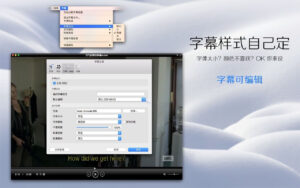
– Synchronized Subtitles: Display two subtitle tracks simultaneously, ideal for language learning, dual-language viewing, or subtitle comparison.
– AirPlay, Chromecast, and DLNA Casting: Stream videos to big screens on TVs and other compatible devices.
Casting to Big Screens: Watch on Mac, stream from the web, or cast to big screens.
– Apple AirPlay: Cast to devices supporting AirPlay.
– Chromecast: Cast to compatible Chromecast devices.
– DLNA: Cast and stream to compatible DLNA devices.
Browse and play network media directly from network storage without copying to Mac.
– Supports WebDAV, SFTP, FTP, NFS, and SMB protocols.
– Browse folders and play media from network storage.
DLNA Media Server turns Mac into a DLNA media server, sharing your media library with compatible devices on the network.
Adjust playback speed for a more comfortable viewing experience.
– Up to 10x playback speed: Ideal for lectures, tutorials, or long videos.
– Adjust playback speed according to your viewing needs.
Rotate and mirror videos for a more engaging viewing experience.
– Rotate playback
– Horizontal mirror/flip
– Correctly align recorded videos
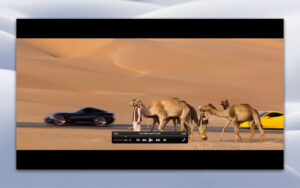
Optimized for modern Macs with smooth 4K playback.
– Native support for Apple Silicon
– Hardware-accelerated H.264 and H.265 decoding
– Smooth 4K playback with lower power consumption
– Faster app startup
Supports popular video and audio formats without additional decoders.
– Video: MP4, MKV, MOV, AVI, M4V, MPEG, WMV, FLV, WebM, MTS, M2TS, TS, etc.
– Audio: MP3, AAC, AC3, FLAC, WAV, WMA, OGG, M4A, etc.
Additional playback options
– Full-screen playback
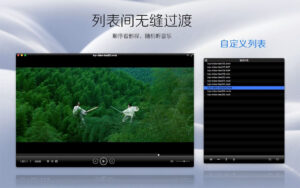
– Playlist management
– Track/subtitle switching
– A-B loop playback
– Screenshot
– Maximize window
– Pause, frame-by-frame, and fast-forward
– Volume control
– Custom audio output
– Retina display support
– Keyboard shortcuts
SuperDuper Player 3.5.0 Update Highlights:
– Up to 10x playback speed: Enhance video playback speed for lectures, tutorials, and long videos.
– Video rotation and mirroring: Easily rotate or flip your videos.
– Network media browsing: Seamless streaming of media files from WebDAV, SFTP, FTP, NFS, and SMB protocols.
– Built-in DLNA media server: Share your media library across devices on the network.
– Synchronized subtitles: Display two subtitle tracks simultaneously for language learning or enhanced viewing experience.
– Casting and streaming: Supports AirPlay, Chromecast, and DLNA Video Cast for easy big screen viewing.
Software Screenshots:
This resource requires login to download
Log in
Phoenix Point: A Strategic Strategy Game for Mac v1.20.1 – Download and Activation Version
Downloads:3421 | 2026-10-23

Cisdem PDFMaster for Mac v6.5.0: All-In-One PDF Editor with Chinese Activation Download
Downloads:759 | 2026-10-20

MouseBoost Pro for Mac v3.6.0 Right-Click Assistant Professional Edition Chinese Activation Download
Downloads:891 | 2026-10-18

Smultron 12 for Mac v12.0.7 Excellent Text Editor Chinese Activated Version Download
Downloads:3423 | 2026-10-17


Ratings & reviews
No rating
Let’s rate it.