| CADintosh X is a high-performance 2D professional CAD drawing software tailored for macOS, designed for mechanical drafting, architectural floor plans, interior layouts, and technical drawings. The software runs lightweight, has a clean and efficient interface, and offers excellent value for money, making it an excellent alternative for lightweight 2D drafting on the Mac platform, without requiring a large resource footprint to complete the entire drawing, annotation, and output process.
Core Function Features:
### I. Basic Drawing and Graphics Editing
1. Comprehensive 2D drawing tools: lines, arcs, circles, rectangles, polygons, spline curves, construction lines, hatch fills (shadow), text annotations, dimension annotations, etc., all the essential tools for drafting.
2. Two modes of line control:
– Pen Mode: 8 independent line widths, line types, and colors can be quickly switched with preset groups;
– Free Mode: Line width ranges from **0.00–99.99mm**, individual elements can be independently customized in terms of width, color, and fill pattern.
3. Built-in 6 standard line types: solid line, dashed line, dotted line, double-dashed line, zigzag line, long dashed line, meeting engineering drafting standards.
4. Real-time interactive canvas redraw, smooth zoom and pan, no waiting for the drawing to refresh during the drawing process.
5. Powerful editing functions: move, copy, rotate, mirror, scale, trim, extend, split, align, attribute matching, etc., common CAD editing operations.
### II. Layer and Group Management
– Supports up to **1024 layers**, with support for layer hiding, locking, filtering, and naming groups; the registered version provides advanced layer filters, allowing multiple saved filter schemes.
– Supports up to **32,000 groupings of graphics**, making it convenient for managing components and drawing modules; parameters, layer configurations, and drawing preferences can be saved with the file.
– Symbol Library System (Newly Optimized Version):
– Independent symbol management panel built-in, supports self-building and importing external symbol libraries, quick invocation of repeated modules;
– Visualized symbol list statistics: automatically displays the number of unused symbols;
– Window statistics panel: one-click viewing of the total number, used number, and unused number of symbols within the drawing, convenient for organizing drawings and reducing files;
– New option menu feature: Special Elements (Special Elements) management function, unified management of special elements within drawings.
### III. Printing and PDF Output (New Feature in Version 8.9)
– **Direct export of selected areas to PDF**: File → Print → Export the selected area as a PDF, supporting the selection and export of local drawings;
– Improved print settings, supports header and footer, automatic page numbering, and multi-page output;
– Uses the high-performance PDF engine libDynaPDF, ensuring vector output quality, no distortion of lines and text;
– Supports page breaks for drawing areas, zoom previews, and is compatible with standard drawing specifications such as A3 and A4.
### IV. File Interoperability Formats (Cross-Software Collaboration)
– Import/Export support: **DXF, DWG, HPGL, PDF, IGES**; compatible with mainstream CAD file exchange formats, allowing the exchange of drawings with AutoCAD, etc.
– Supports unit switching: millimeters, inches, and custom drawing ratios, allowing control over the units used in drawing imports and exports.
– Built-in libXL component, supports exporting table data to XLSX/CSV, allowing direct output of drawing data to forms.
Version 8.9.2 Update Content:
New Features:
– Option Menu: Special Elements
– File Menu: Print: Export selected area as PDF
Function Updates:
– Updated libdynaPDF PDF processing framework
– Updated libXL component
– Program startup: Added a prompt window for subsequent system version requirements in macOS 10.13~macOS 11
– Symbol Menu: Symbol List: Display the number of unused symbols within the list
– Window Menu: Statistics Panel: Display the total number, used number, and unused number of symbols
– Updated libDynaPDF
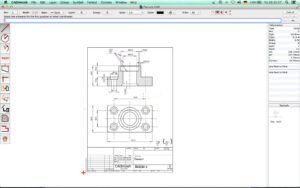
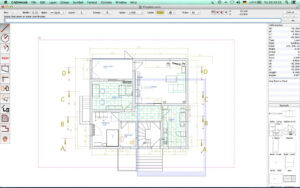
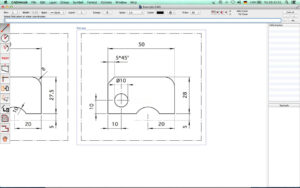
Software Screenshots:
|




Ratings & reviews
No rating
Let’s rate it.