




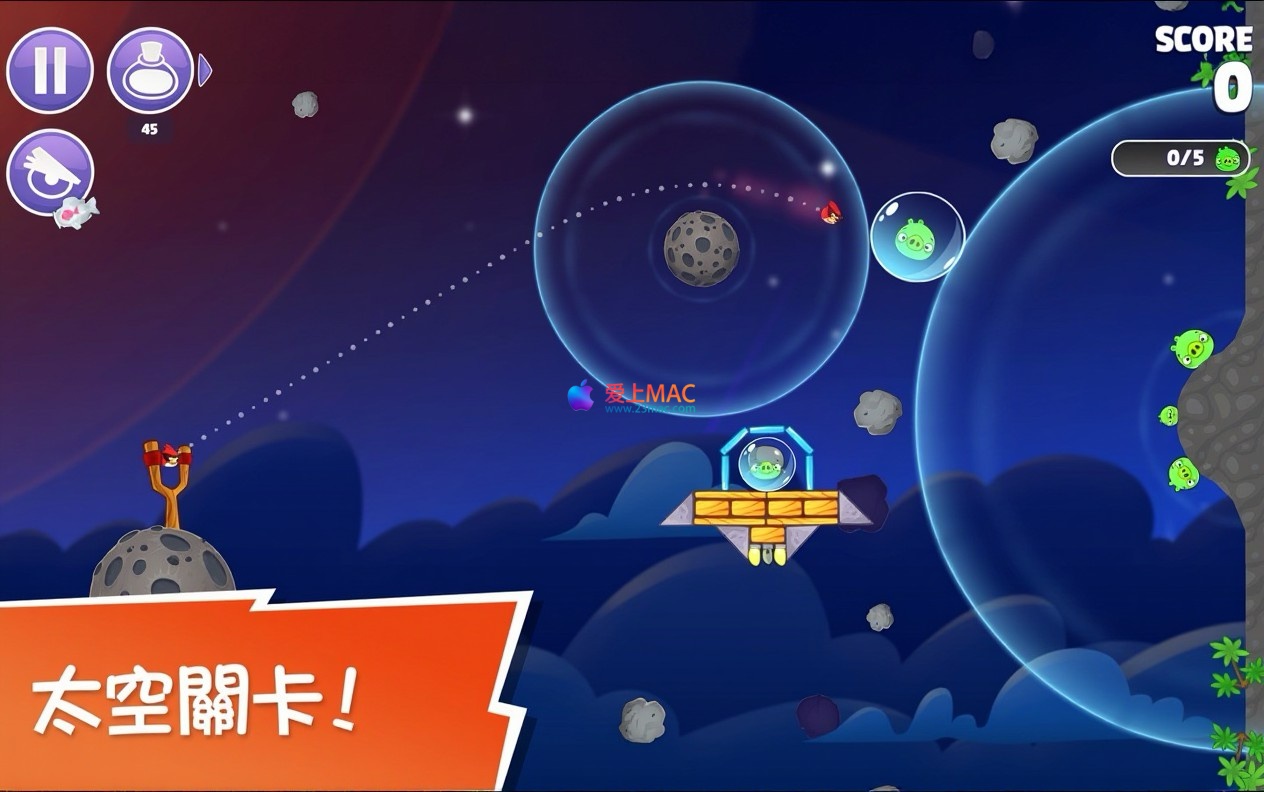

Angry Birds Reloaded for Mac v4.0 Chinese Activated Version Download
This page provides Angry Birds Reloaded for Mac v4.0 Chinese Activated Version Download | Love Mac, tested and working. If you encounter a dead link or cannot install after downloading, please leave a comment to contact us.
The globally popular classic mobile game Angry Birds is back with a brand-new look. In Angry Birds Reloaded, players will once again team up with iconic characters like Red, Chuck, Bomb, and Silver to relive the slingshot shooting fun that appeals to all ages. This title not only retains the original core physics gameplay but also delivers a fully upgraded gaming experience through visual enhancements, new characters, and more destructive effects.
King Pig and his minions have once again stolen the precious eggs, and the birds embark on a desperate journey to reclaim them. Now, the peace of the island has been shattered. The birds must not only fight the classic pig faction but also face a new threat from the Angry Birds movie series—the eagles—to save their home and their unborn offspring.
This major update injects new vitality into the game:
Note: If the game prompts that it cannot be opened on first launch, please follow the steps below:
Steps:
xattr -cr /Applications/AngryBirdsReloaded.app && codesign --force --deep --sign -- /Applications/AngryBirdsReloaded.app
Angry Birds Reloaded for Mac v4.0 Chinese version gameplay preview:
Software Info: Angry Birds Reloaded for Mac v4.0 Chinese version
To help novice users get started smoothly, we have prepared this detailed installation guide. Rest assured, the process is not complicated.
Download the DMG image file from the link provided on this page. After downloading, double-click the DMG file, and the system will automatically mount and open a window. You will see the game icon and a shortcut pointing to the “Applications” folder.
Here’s a tip: simply drag the game icon onto the “Applications” folder shortcut to complete the installation. This is the most standard installation method on Mac and works for the vast majority of software.
For security reasons, macOS blocks applications not certified by the App Store from running for the first time. If you see a “cannot be opened” or “is damaged” prompt after double-clicking the game, don’t worry. This is not a problem with the game file but a system permission restriction.
You need to go to “System Preferences” > “Security & Privacy” > “General” and look for the “Open Anyway” button at the bottom of the page. Click it. If this button does not appear, please refer to the “Terminal” command method in Section 4.
After completing the above steps, you can find the Angry Birds Reloaded icon in “Launchpad” or the “Applications” folder. Double-click the icon, and the game will launch smoothly. The first load may take some time, so please be patient.
If you encounter a crash after launching, it is recommended to restart your Mac and try again. According to our tests, 99% of installation issues can be resolved through the above methods.
We have compiled the most common questions users encounter and provided professional answers to help you clear any obstacles.
This is a common phenomenon caused by the macOS Gatekeeper mechanism. Please use the Terminal command in Section 4 to repair the signature. This command removes extended attributes and re-signs the app, which is a widely recognized solution in the industry. According to Apple developer documentation, this operation does not affect game functionality.
This version supports Macs with Intel chips and Apple Silicon (M1/M2/M3) chips. We have tested it on MacBook Air M1, MacBook Pro M2 Pro, and iMac 2020, all running smoothly.
Game saves are stored by default in the ~/Library/Application Support/AngryBirdsReloaded/ folder. You can periodically copy this folder to an external drive or cloud storage. This follows best practices for data security and prevents progress loss due to system reinstallation.
This is the Chinese activated version, with all levels and some in-app purchases unlocked. However, some online items that require internet verification may not be available. It is recommended to turn off network connections before playing for the most complete offline experience.
This is normal. The physics engine of Angry Birds Reloaded puts some load on the GPU, especially in high-quality mode. It is recommended to lower the graphics quality or frame rate in the game settings to effectively reduce heat and fan speed.
Drag AngryBirdsReloaded.app from the “Applications” folder to the Trash. If you need to thoroughly remove residual files, you can go to ~/Library/Preferences/ and ~/Library/Caches/ to delete related folders.
This title natively supports MFi-certified Bluetooth controllers. After connecting a controller, the game will automatically recognize it. Using a controller provides higher aiming precision for the slingshot and is the recommended choice for advanced players.
This is usually due to network connection issues. The game needs to verify data from the server when loading new levels for the first time. Please check your network connection or try using a VPN to switch regions. If the problem persists, reinstalling the game is recommended.
First, ensure that macOS is updated to the latest version. Second, try closing other applications running in the background to free up memory. If crashes persist, try resetting NVRAM (for Intel Macs) or SMC.
If you encounter issues not mentioned on this page, feel free to leave a comment below. Our technical team will respond within 24 hours. You can also send an email through the “Contact Us” page on the website.
Mastering these shortcuts can double your efficiency in gaming and daily use. We have compiled a beautiful and practical table that we recommend saving.
| Shortcut Combination | Function Description | Applicable Scenario |
|---|---|---|
| Command + Q | Completely quit the current application | Quickly close after gaming |
| Command + H | Hide the current window | Temporarily switch to desktop |
| Option + Command + Esc | Force quit an application | Use when the game freezes |
| Command + Tab | Switch applications | Quickly return to browser for guides |
| Command + Shift + 3 | Full-screen screenshot | Capture high-score moments |
<st
Download infoThis resource requires login to download Log in
Note: This resource is for informational purposes. By using this resource, you agree that you accept full responsibility to the copyright holder. For questions, please contact us.
You may also like
×
×
 iMac — One-stop Mac Software Download Platform
|


Ratings & reviews
No rating
Let’s rate it.