

Aether & Iron for Mac v1.0.159: Turn-Based Strategy Battle Game_ Download and Activation Edition
Here is the page providing Aether & Iron for Mac v1.0.159 以太与铁 回合制策略战斗_以太与铁mac下载_激活版 | 爱上MAC, which has been tested and is available. If you encounter any issues with the download link or the inability to install the software after downloading, please leave a message and contact us.
《Aether & Iron(以太与铁)》 is a narrative-driven role-playing game (RPG) specifically designed for the Mac platform. Set in an imaginary New York of the 1930s, the game cleverly blends multi-branch narrative storytelling with innovative turn-based vehicular strategy combat. Players will immerse themselves in a world redefined by anti-gravitational “ether” technology, advancing the story through dice rolls, customizing ether-powered vehicles, recruiting distinctive allies, and every choice made will profoundly impact the fate of this floating city.
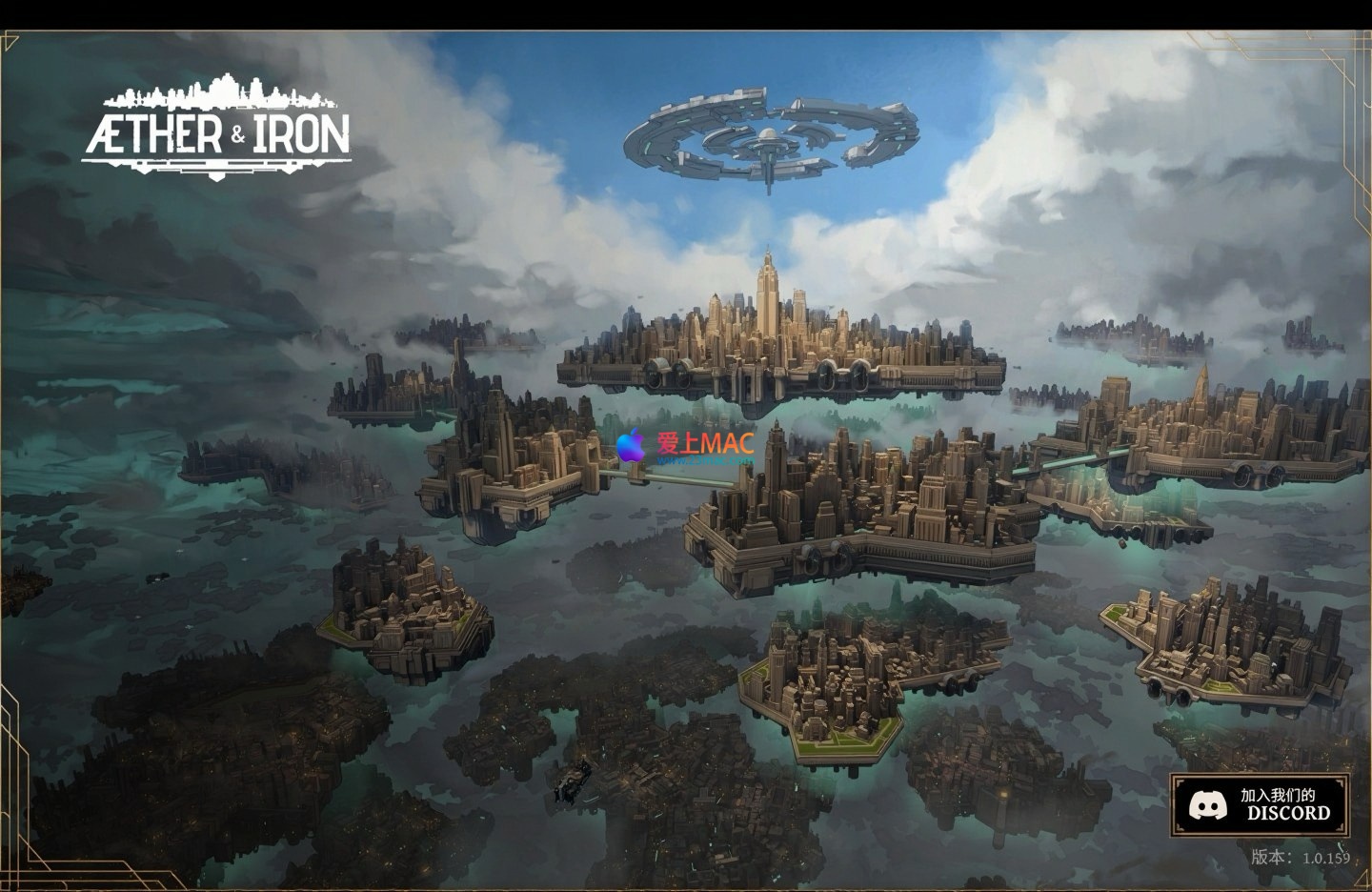
Welcome to this fantastical New York defined by anti-gravitational technology. Here, cars, roads, and the entire city hover in the air. As a deep narrative RPG, you will assemble your own team and employ strategy in innovative turn-based combat to gradually uncover the dark secrets behind this magnificent floating city.
This game is crafted by a team of seasoned scriptwriters who have worked on titles such as “Far Cry,” “Mass Effect,” and “Syberia.” They have created a unique world where history diverged due to “ether” technology. Technological advancements have brought awe-inspiring aerial wonders, but they have also exacerbated social class divisions and conflicts.
The game’s world is meticulously researched and deeply rooted in the cultural soil of real 1930s New York. You will traverse neon-lit opulent buildings and damp, criminal-laden alleys, immersing yourself in the era’s atmosphere to gradually unveil the complex truths of the city’s power and greed.
Your every choice is crucial, not only affecting your personal destiny but also shaping the city’s future: becoming a world-renowned savior, choosing a path of prudence, or growing into a legendary anti-authoritarian in the power vortex? The steering wheel of fate is in your hands.
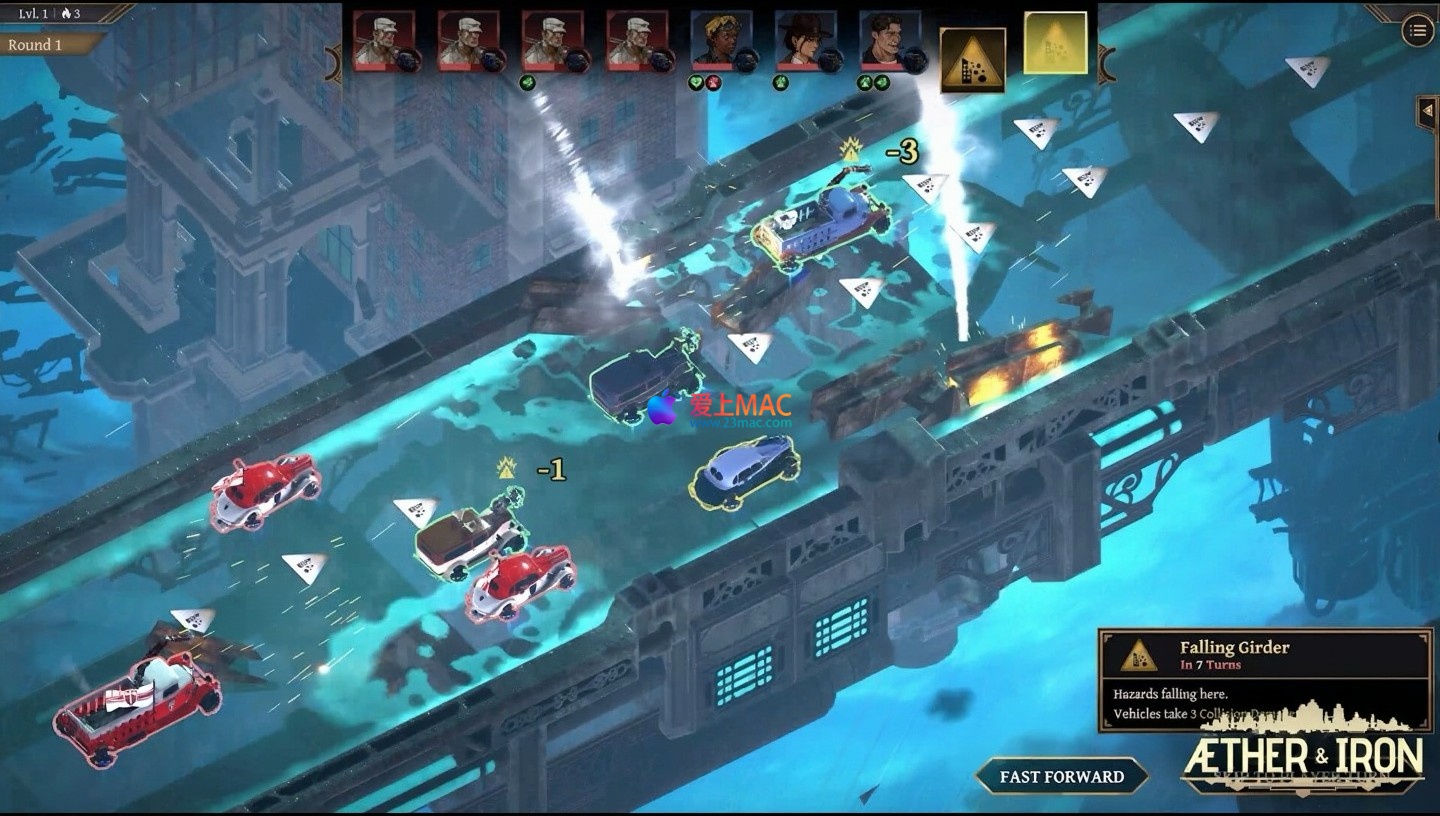
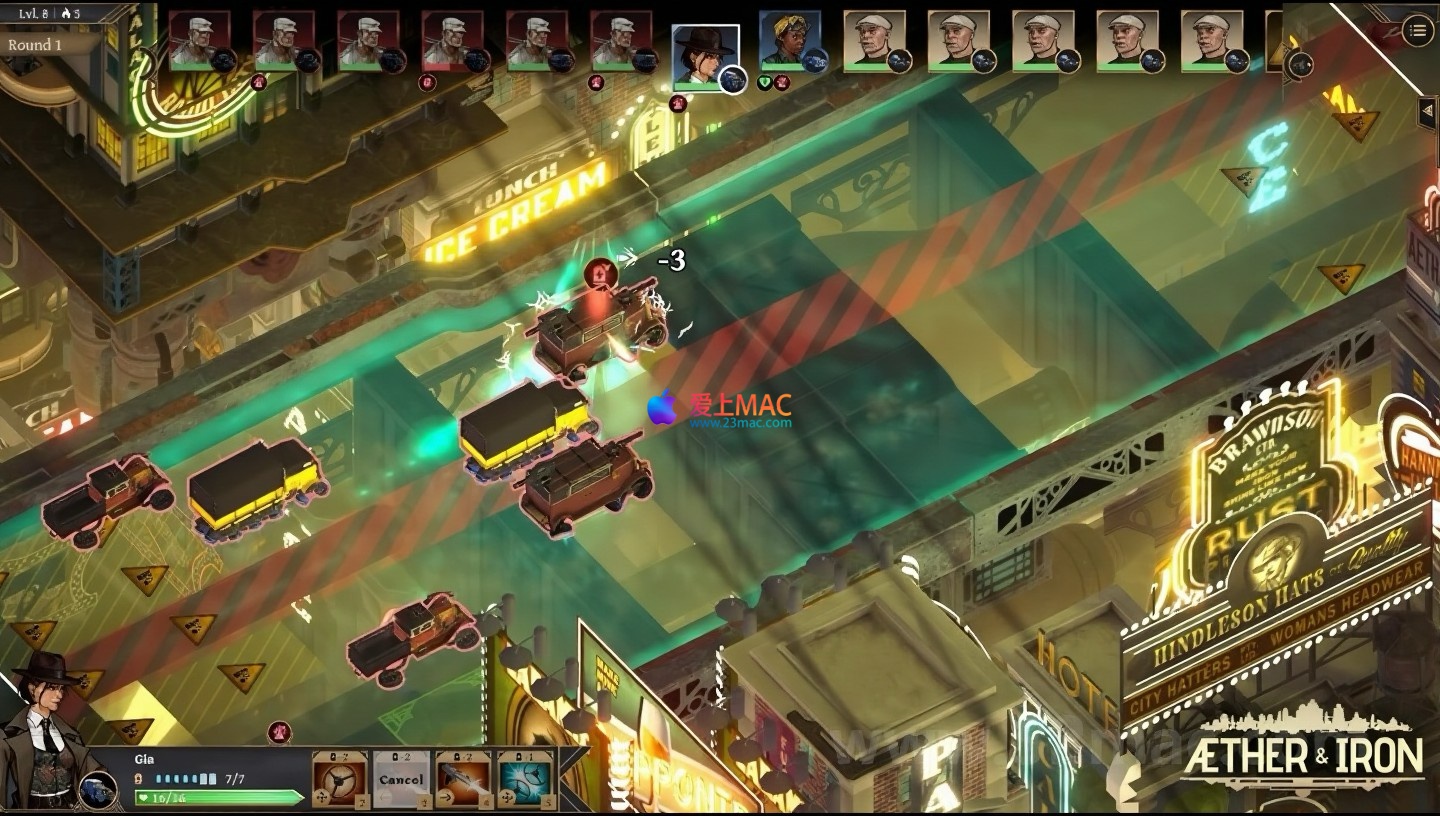
For smugglers navigating the gray area, a top-tier vehicle is both a means of survival and a symbol of status. The game innovatively integrates vehicular-centric strategy into its traditional turn-based combat framework.
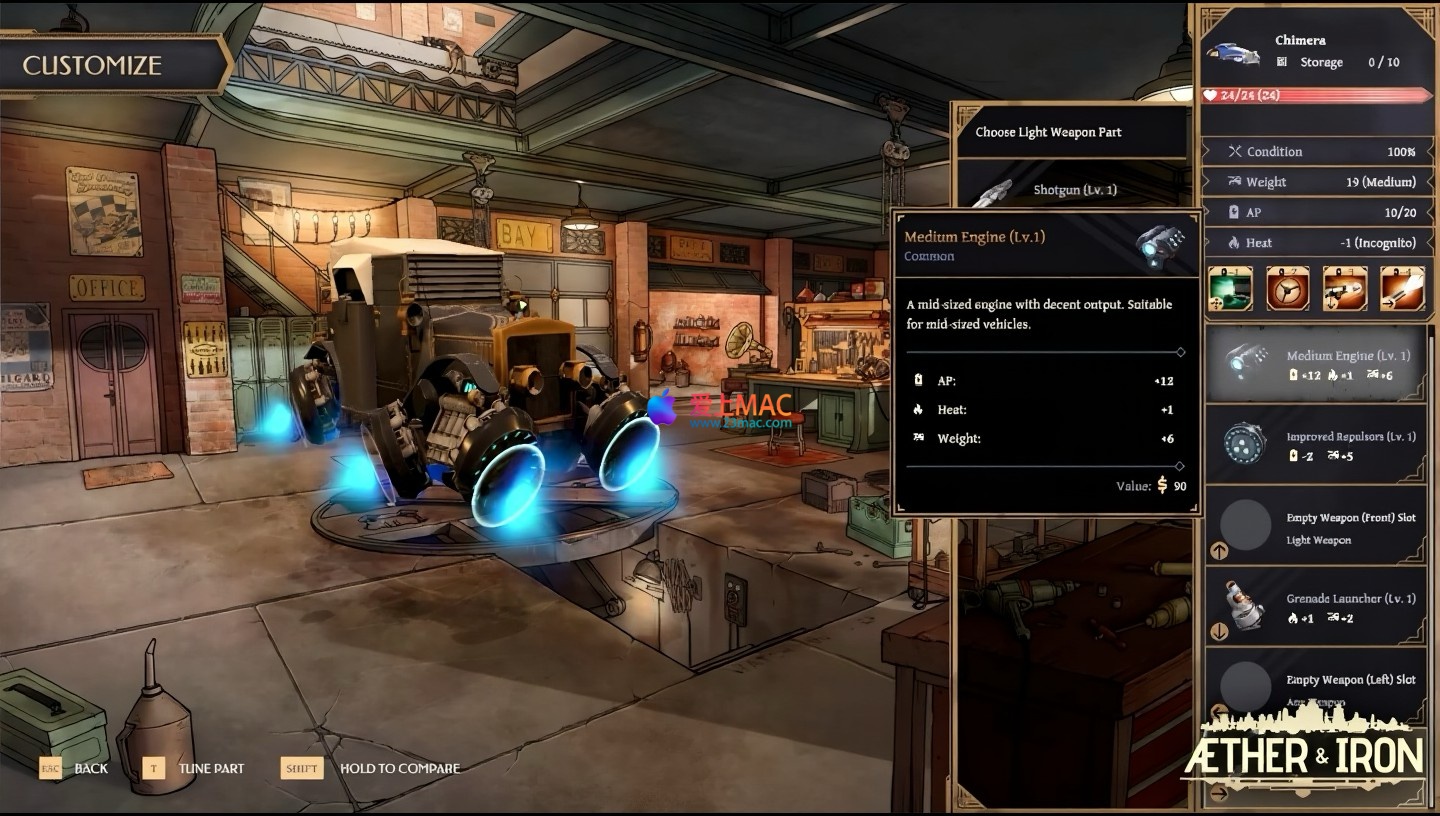
You can deeply customize your ether-powered vehicle: whether you prefer agile and quick machines or heavy, firepower-equipped heavy vehicles? Utilizing the various components in the smuggling toolkit—such as hidden compartments, smoke bombs, and flamethrowers—you can craft your unique combat style.
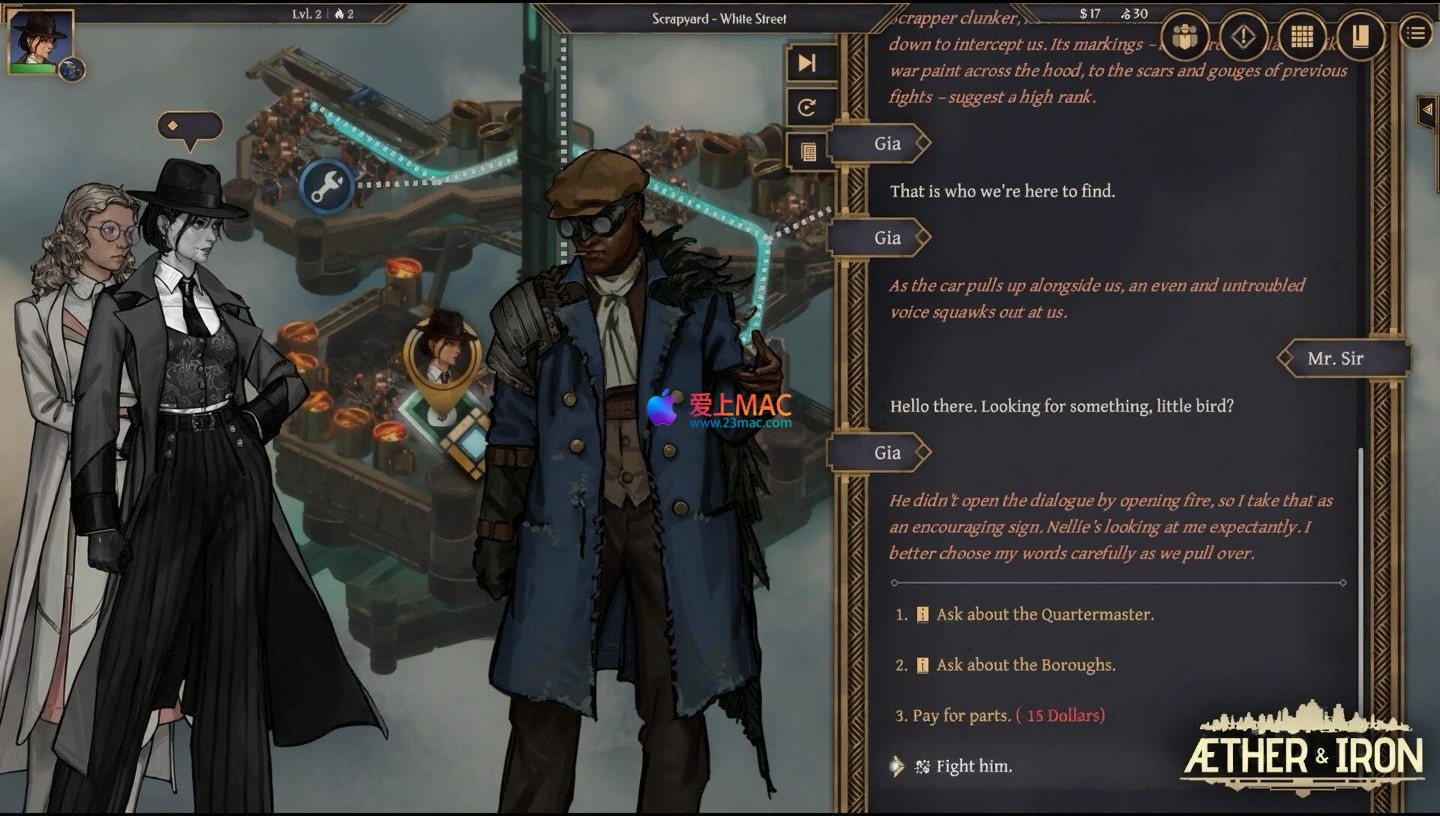
In the perilous streets of New York, lone wolves cannot survive. You need to recruit a group of allies with diverse backgrounds and abilities, understanding their personal stories, and fighting alongside them. Each member possesses unique specialties and skills, often becoming the decisive factor in the outcome of battles.
Aether & Iron for Mac v1.0.159 – Floating City’s Turn-Based Strategy Combat
Aether & Iron for Mac v1.0.159 – Ether-Powered Vehicle Customization Interface
Aether & Iron for Mac v1.0.159 – Team Management and Character Interaction
Aether & Iron for Mac v1.0.159 – Turn-Based Strategy Combat Scene
Aether & Iron for Mac v1.0.159 – 1930s Style Cityscape
To ensure you can enjoy this captivating game, we have compiled a detailed installation guide. Please follow the steps below to install and play “Aether & Iron” on your Mac.
点击页面提供的下载链接,获取游戏安装包。文件格式通常为.dmg。下载完成后,建议先核对文件大小,确保与页面标注一致,避免下载不完整。
为保障系统安全,我们推荐使用终端命令或第三方工具(如Homebrew)验证文件的SHA256校验码。这一步能有效防止文件在传输过程中被篡改。
双击.dmg文件,系统会自动挂载并弹出安装窗口。您会在桌面上看到一个新的磁盘图标,名为“Aether & Iron”。双击该图标即可进入安装界面。
如果系统提示“无法打开”,请前往“系统偏好设置” > “安全性与隐私” > “通用”,点击“仍要打开”按钮。这一步骤仅首次启动时需要。
在挂载的安装窗口中,将游戏图标(通常名为“Aether & Iron.app”)拖拽至右侧的“应用程序”文件夹图标上。系统会自动完成复制过程。
复制时间取决于您的Mac性能。建议在复制过程中不要关闭窗口或进行其他高负载操作。等待进度条走完即可。
进入“应用程序”文件夹,找到游戏图标并双击启动。首次启动时,macOS可能会弹出“Aether & Iron是从互联网下载的”提示,点击“打开”即可。
如果游戏无法启动,请检查您的macOS版本是否满足最低要求(macOS 10.15 Catalina或更高版本)。部分旧款Mac可能需要更新系统。
游戏启动后,会进入激活界面。输入页面提供的激活码(如有),或点击“离线激活”选项。激活成功后,即可进入主菜单。
我们建议您先进入“设置”菜单,调整图形质量、分辨率和音效选项。对于搭载M1/M2芯片的Mac,游戏默认支持原生运行,无需额外配置。
如果遇到闪退或卡顿,请尝试以下方法:关闭后台不必要的应用,释放内存;在游戏设置中降低画质;或者重启Mac。
若问题依旧,可尝试卸载后重新安装。卸载时,请直接将游戏图标从“应用程序”文件夹拖入废纸篓,并清空废纸篓。
我们整理了玩家最常遇到的几个问题,并提供详细解答。希望能帮助您快速解决使用中的疑惑。
游戏官方要求macOS 10.15 Catalina及以上版本。我们测试过,在macOS 11 Big Sur、12 Monterey和13 Ventura上均可流畅运行。对于macOS 14 Sonoma,部分用户反馈偶有兼容性问题,建议等待官方补丁。
如果您使用的是更早的系统版本,建议先升级再安装。升级前请备份重要数据。您可以在“关于本机”中查看当前系统版本。
这通常是因为系统安全策略阻止了未签名应用的运行。解决方法很简单:右键点击.dmg文件,选择“打开”,然后在弹出的对话框中选择“打开”即可。
另一种方法是:前往“系统偏好设置” > “安全性与隐私” > “通用”,在“允许从以下位置下载的应用”中选择“任何来源”。如果该选项不可见,请在终端中输入命令:sudo spctl –master-disable。
这是正常现象。作为一款3D策略游戏,《Aether & Iron》对GPU有一定负载。特别是在战斗场景或城市漫游时,Mac的散热风扇会加速运转以保持性能。
建议在游戏设置中开启“垂直同步”或“帧率限制”,将帧数锁定在30或60帧。同时,确保Mac放置在通风良好的平面上,避免在被子或枕头上使用。
游戏采用自动保存与手动保存相结合的方式。在关键剧情节点或战斗前后,系统会自动存档。您也可以随时在菜单中手动保存,存档位共有10个。
存档文件默认存储在:~/Library/Application Support/Aether & Iron/Saves/ 目录下。建议定期备份该文件夹,以防数据丢失。
目前官方版本仅支持英文界面和字幕。不过,游戏社区有玩家制作了非官方的汉化补丁。我们建议您先体验英文原版,感受原汁原味的黑色电影风格叙事。
如果您确实需要中文支持,可以在相关论坛寻找汉化补丁。安装前请仔细阅读说明,并注意备份原始文件。汉化补丁可能会影响游戏稳定性。
灰色选项表示您当前的角色属性或声望值不满足解锁条件。游戏采用了类似《辐射》系列的属性判定系统。您可以通过提升相关技能或完成特定任务来解锁。
例如,“威吓”选项需要较高的“悍勇无畏”属性。在角色成长界面,您可以查看当前属性值,并合理分配升级点数。多尝试不同的对话路线,会有意外收获。
在游戏主菜单或暂停菜单中,进入“设置” > “显示”选项。您可以在“全屏”、“窗口化全屏”和“窗口”三种模式间切换。推荐使用“窗口化全屏”,切换更流畅。
快捷键方式:在游戏中按Command + F键,可以快速切换全屏模式。如果快捷键无效,请检查是否有其他应用占用该组合键。
官方表示游戏主要针对键鼠操作优化,但部分版本支持Xbox或PlayStation手柄。您可以通过蓝牙或USB连接手柄,然后在游戏设置中启用。
需要注意的是,手柄操作在菜单导航和载具战斗中体验较好,但在对话选择时,键鼠依然更便捷。我们建议两种操作方式混合使用,根据场景灵活切换。
激活版游戏在首次启动时需要联网验证激活码。验证成功后,后续启动可以选择离线模式。如果您在无网络环境中启动,请确保已完成首次激活。
如果遇到激活失败,请检查网络连接是否正常,或尝试更换DNS服务器。部分防火墙软件可能会拦截激活请求,请将游戏添加至白名单。
开发团队会不定期推出更新补丁,修复BUG并添加新内容。我们会在本站第一时间发布更新包,请关注页面动态。
如果您是手动安装版,更新时只需下载新版本安装包,覆盖安装即可。存档文件通常不会丢失,但建议在更新前手动备份一次。
Mastering Mac system shortcuts can significantly enhance your efficiency. The following table compiles the most practical shortcut combinations for Aether & Iron both within and outside the game, helping you achieve more with less effort.
| Shortcut | Function Description | Applicable Scenarios |
|---|---|---|
| Command + Q | Immediately exit the current application | Within or outside the game or any program |
| Command + Tab | Quickly switch between applications | When multitasking |
| Command + H | Hide the current window | To temporarily hide the game interface |
| Command + M | Minimize the current window | To minimize the game to the Dock |
| Command + W | Close the current window | To close pop-ups or settings panels |
| Command + S | Manually save the game | To save game progress at any time |
| Command + Shift + 3 | Capture full screen | To capture game highlights |
| Command + Shift + 4 | Capture selected area | To capture dialogue or UI interfaces |
| Option + Command + Esc | Forcefully exit the application | To forcibly close an application when it’s stuck |
| F11 or Command + F | Switch to full-screen mode | To switch between game display modes |
| Space | Quick preview of files | To preview screenshots or documents |
| Command + C / V | Copy / Paste | For text input or file operations |
These keyboard shortcuts are applicable to the macOS system globally and can be used both inside and outside the game, “Aether & Iron”. Familiarizing yourself with these combinations will make your Mac experience more fluid and natural.
Having a guide is not enough; we have prepared a few advanced tips and real-world examples to help you navigate the Floating New York in “Aether & Iron” with ease.
At the game’s outset, you will receive a limited number of attribute points. It is recommended to prioritize the “Wits and Wit” attribute, which affects the insight options in dialogues, allowing you to uncover hidden clues ahead of time. The second choice should be “Bravery,” which is crucial in both combat and intimidation.
Real-world example: In the “Porter Deal” mission of Chapter One, if you have ≥3 points in “Wits and Wit,” you will discover a hidden compartment in the smuggler’s box, which contains a rare handgun. This weapon will significantly reduce the difficulty in early combat.
Do not solely focus on firepower. In the “Chase” mission, speed and maneuverability often outweigh armor. It is recommended to upgrade the engine and tires to ensure you can keep up with the target. Defensive accessories like “Smoke Grenades” are very useful during escape.
Real-world example: In the “Highway Chase” mission, the enemy vehicle is extremely fast. If you upgrade your vehicle to a “speed-oriented” model and equip the “Electromagnetic Pulse” accessory, you can immobilize the enemy’s engine at close range, allowing you to win the mission easily.
It is best to have one “Technical Expert” and one “Warrior” in your team. The Technical Expert can break electronic locks, infiltrate surveillance systems, while the Warrior is responsible for direct conflict. A reasonable pairing can handle most scenarios.
Real-world example: In the “Infiltrate the Gang Headquarters” mission, bring in the Technical Expert “Lina,” who can bypass security systems, allowing you to avoid patrol teams. The Warrior “Marcus” can provide cover fire when you are discovered, ensuring you can escape safely.
Do not only focus on the enemy during combat. Objects like oil cans, chandeliers, and even destructible walls can be used as weapons. Utilize dice rolls to trigger environmental effects, often resulting in unexpected damage.
Real-world example: In the “Abandoned Factory” mission, you can use the “Shoot” skill to break the pipe above your head, causing steam to block the enemy’s line of sight, creating an opportunity for attack. This tactic is particularly effective against dense groups of enemies.
Although the game supports automatic save points, manual saving remains the best practice. Before important decisions, before battles, and before exploring new areas, please manually save. It is recommended to use multiple save points to rotate them.
Real-world example: In the “Final Decision” mission, your choices will determine the fates of three major factions. If you only retain one save point, you will find yourself unable to reverse your decision. However, having multiple save points allows you to try different endings and experience the full story.
Your actions in the game affect your relationships with various factions. A high relationship with one faction may lead to conflicts with others. It is recommended to maintain neutrality until the middle of the game, then choose a side based on the plot.
Real-world example: If you assist the “Porter Gang” in the early stages, your relationship with the “Police” will decrease. This will prevent you from receiving intelligence support in a critical mission later on. Balancing pros and cons, whether you choose to be a power player or a lone wolf, is entirely up to your decision.
“Aether & Iron” is a game worth savoring. It seamlessly combines the narrative charm of black films with the depth of turn-based strategy, offering a memorable Floating New York adventure for Mac players.
From detailed installation guides to practical keyboard shortcuts tables, and advanced tips, we hope this guide will help you get up to speed more quickly. Whether you are a seasoned strategy game player or a new RPG player, you can find your own joy in the game.
We recommend that you do not look at the guide during your first playthrough, relying solely on your judgment to experience the story. The feeling of having control over your destiny is precisely what makes this game so appealing.
If you encounter any issues during installation or play, please leave a message below. Our technical team will respond to your inquiries promptly. Wishing you a legendary chapter in the Floating New York.
This resource requires login to download
Log in
PhotoScape X Pro for Mac v4.3: All-In-One Image Editor with Chinese Activation Download
Downloads:0 | 2026-10-27

Disk Drill for Mac v8.0.5 Disk Metadata Cleaning and Activation Chinese Edition Download
Downloads:841 | 2026-10-26

Grids for Mac v6.1 Instagram Desktop Client Chinese Activation Version Download
Downloads:3307 | 2026-10-21

Magnet Pro for Mac v2.13.0 Window Management Software Chinese Activation Version Download
Downloads:3536 | 2026-10-19


Ratings & reviews
4.6
(Maximum 5 ratings, total 80 user reviews)
Let’s rate it.