


Lite Media Browser for Mac v2.4.10 Chinese Activation Version Download
Lyn is a lightweight, high-speed media browser designed specifically for Mac, supporting JPEG/RAW/HDR/JXL and other full-format images and videos. It offers non-destructive editing, metadata management, geotagging, and one-click sharing features, making it an efficient image viewing tool for photographers and designers.
### Features:
1. **Full-format fast image browsing**
– Native support for **JPEG, PNG, TIFF, JPEG 2000, TGA, PPM, BMP** and all standard image formats
– Perfectly compatible with **JXL (JPEG XL), HDR, OpenEXR, Radiance** and other high dynamic range formats
– Supports all major camera RAW formats (Canon, Nikon, Sony, Fujifilm, Leica), with an integrated latest RAW parser
– Supports **animated GIF, PDF documents, and QuickTime videos** playback
– Uses Metal hardware acceleration for fast rendering of large images and RAW files, far outpacing native previews
– Supports multi-monitor configurations, allowing simultaneous display of images on different screens
2. **Non-destructive image editing**
– All editing operations do not modify the original file, changes are merged only when exporting
– Provides a complete editing inspector panel:
– Basic adjustments: exposure, color temperature, tone, brightness, contrast, saturation
– Advanced adjustments: highlights, shadows, curves, levels, selective color
– Creative effects: black and white conversion, sepia tone, halo, film grain
– Supports cropping, rotating, flipping, and other basic geometric transformations
– Saves editing presets for quick application to multiple photos
3. **Strong metadata and geotagging management**
– Complete support for **EXIF, camera manufacturer annotations, GPS, GeoTIFF, IPTC** metadata parsing and editing
– IPTC preset feature for batch adding copyright information, keywords, and descriptions
– Built-in map view for easy geotagging via drag-and-drop
– Supports creating custom location libraries for quick marking of common shooting locations
– Supports filtering photos by tags, metadata, and shooting parameters
4. **Efficient file management and batch processing**
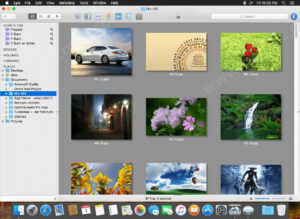
– Provides four view modes: thumbnail, list, grid, and full-screen view, with customizable presets
– Supports batch renaming, batch format conversion, and batch resizing
– Built-in smart folder feature for automatic filtering of photos based on conditions
– Directly browses **Apple Photos, Aperture, iPhoto, and Lightroom** libraries without importing
– Supports user-switchable thumbnail caching for faster browsing
5. **Convenient sharing and export**
– One-click sharing to **Flickr, Dropbox, SmugMug, 500px** and other mainstream platforms
– Supports exporting in multiple formats, with customizable export quality and size
– Supports creating slideshow with music, customizable transition effects and duration
– Supports printing, with options to set print size, resolution, and margins
6. **User-friendly operation experience**
– Follows the classic ACDSee operation logic, with directional keys for automatic traversal of image folders
– Supports Apple Remote and Magic Trackpad gestures
– Supports customizable keyboard shortcuts to meet different user preferences
– Supports automatic switching between dark and light modes, perfectly adapting to system appearance
– Provides full-screen mode for focused image viewing and editing
Version 2.4.10 Update Highlights:
Fixed intermittent equivalent key command issues.
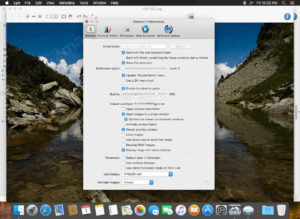
Software Screenshot:
This resource requires login to download
Log in
Lightweight PDF Compressor 4 for Mac v4.8.1 Chinese Activation Download
Downloads:0 | 2026-10-27

Logic Pro X for Mac 10.2 Audio Editing and Production Software Chinese Activation Version Download
Downloads:3297 | 2026-10-24

Better Finder Rename 11 v11.11 Activation Download for Mac
Downloads:1161 | 2026-10-20

Blocs for Mac v4.0.0 Visual Web Design Software Activated Version Download
Downloads:2696 | 2026-10-17


Ratings & reviews
No rating
Let’s rate it.