Pixelmator Pro for Mac is a professional-grade image editing software designed for users, combining powerful professional-grade image processing capabilities with an intuitive user interface, widely used in image editing, graphic design, and photo retouching, and is favored by many Mac users.
一、核心功能与专业工具
Pixelmator Pro provides a comprehensive and efficient toolset to meet various needs from basic adjustments to advanced creations:
- Comprehensive image editing tools: Easily enhance existing images or create new works from scratch.
- No-destructive editing: Supports modifying individual adjustments without damaging the original image data.
- Object management: Conveniently move, resize, and arrange objects to build beautiful visual compositions.
- Color adjustment: Uses lossless color adjustment tools to precisely control image colors.
- Machine learning enhancement: Based on Core ML technology, automatically optimizes photos to the best state.
- RAW file support: Directly edits RAW format images without pre-conversion.
- Painting and brushes: Provides fully customizable dual-texture brushes, supports digital drawing tablets, suitable for digital painting and traditional art creation.
- Effects and styles: Comes with a rich array of artistic and effect filters, and can save custom adjustments, effects, and layer styles for reuse and sharing.
- Removal and repair: Uses a full suite of repair tools to remove imperfections or objects, and performs local brightness adjustment and seamless cloning.
- Shape transformation: Changes the shape of objects or regions through transformation tools to achieve creative effects or fine portrait adjustments.
- Vector graphics: Adds high-quality customizable vector graphics, or uses the pen tool to create exclusive vector paths.
- Text layout: Comes with a complete set of layout tools, making it easy to design beautiful text elements.
- Web optimization: Uses advanced compression algorithms to compress image sizes while maintaining quality.
- Bulk processing: Implements efficient image batch processing through five built-in Automator programs.
二、机器学习增强的图像编辑
The software integrates machine learning technology to significantly enhance editing efficiency and results:
- Smart photo enhancement: Based on algorithms trained on millions of professional photos, automatically optimizes image quality.
- Smart layer naming: Automatically generates descriptive layer names for newly added layers.
- Horizontal line detection: The cropping tool can intelligently identify and straighten horizontal lines in images.
- Object removal: Uses the repair tool to remove unnecessary objects with high realism.
- Quick selection tool: Quickly and accurately completes image area selection.
三、兼容性与集成
Pixelmator Pro has excellent format support and system integration capabilities:
- Broad format support: Supports opening and editing JPEG, TIFF, PNG, PSD, HEIF, SVG, PDF, GIF, BMP, TGA, JPEG-2000, and other mainstream image formats.
- Photoshop compatibility: Can directly edit PSD files containing layers.
- SVG vector editing: Supports opening and editing SVG vector graphics.
- Integration with Photos app: Can directly start from the macOS Photos app and save the edited results back to the original photo library.
- Convenient sharing: Can directly share images to Photos, Mail, AirDrop, and other applications.
四、版本 3.6.9 更新内容
This version mainly includes the following updates:
- Introduced a beautiful ultra-precise iPhone 16 Pro device model.
- Provided redesigned App Store and Bento Grid display templates to present the appearance of the latest Apple devices.
五、软件截图
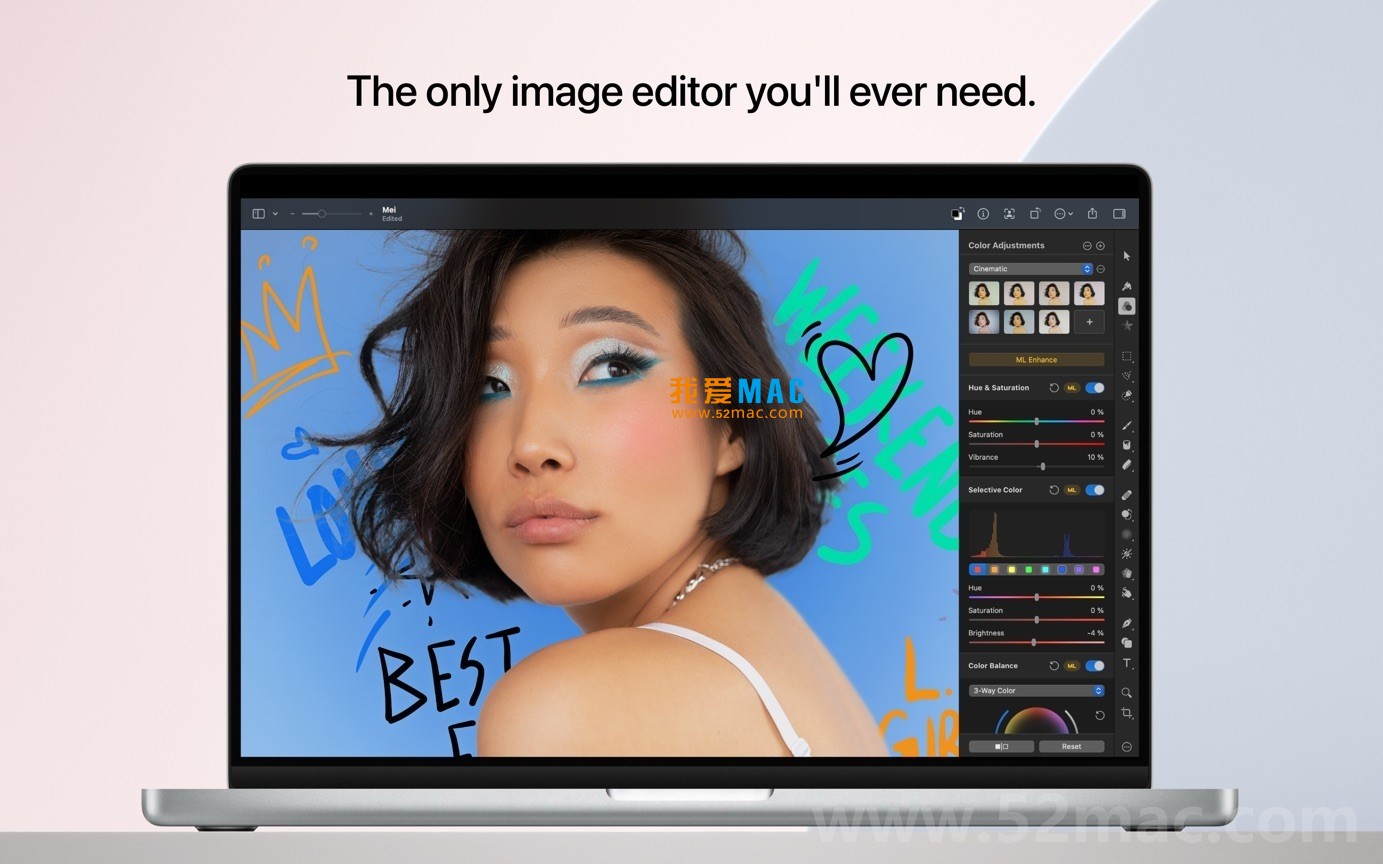
Here are examples of the Pixelmator Pro for Mac v3.6.9 running interface:





Ratings & reviews
4.5
(Maximum 5 ratings, total 30 user reviews)
Let’s rate it.