Pixelmator Pro for Mac is a professional-grade image editing software designed to present powerful image processing capabilities through an intuitive and user-friendly interface. It excels in image editing, graphic design, and photo retouching, and is widely favored by Mac users.
一、核心功能与专业工具
Pixelmator Pro offers a comprehensive and efficient toolset to meet the needs of all levels of image editing, graphic design, and photo retouching:
- Comprehensive image editing tools: Easily enhance existing images or create new works.
- No-destructive editing: Supports adjusting individual editing steps while retaining the original image data.
- Flexible object control: Easily move, resize, and arrange objects to create beautiful visual compositions.
- Advanced color adjustment: Uses lossless color adjustment tools to precisely control image colors.
- Machine learning enhancement: ML-enhanced features based on Core ML automatically optimize photos to the best state.
- Native RAW file support: Directly edits RAW format images without the need for additional conversion or processing.
- Professional drawing and brushes: Provides a series of handmade, fully customizable, and texture-compatible brushes, compatible with digital drawing tablets, suitable for digital painting and traditional painting creation.
- Rich effect system: Includes multiple artistic and special effects, allowing for unlimited creative expression.
- Save and share workflows: Supports saving custom adjustments, effects, and layer style combinations for reuse or sharing with others.
- Smart touch-up tools: Removes imperfections or entire objects, seamlessly cloning image regions, and using a suite of tools for fine-tuning local brightness.
- Reshape tools: Easily changes the shape of objects or regions within an image, suitable for artistic creation or portrait micro-tuning.
- Vector graphics support: Includes high-quality, customizable vector graphics, and creates custom vector graphics using the “pen” tool.
- Professional typography tools: Provides a full suite of text design tools, allowing for the creation of beautiful text effects.
- Web-optimized output: Uses advanced compression algorithms to optimize image sizes for web publishing.
- Batch processing capabilities: Includes five Automator programs, supporting automated batch processing of multiple images.
二、机器学习增强的图像编辑
Pixelmator Pro leverages advanced machine learning technology to implement several intelligent editing features:
- Smart photo enhancement: Optimizes image quality using algorithms trained on a vast library of professional photos.
- Automatic layer naming: Provides descriptive layer names to enhance workflow efficiency.
- Horizontal line detection: The crop tool can intelligently identify and straighten horizontal lines in images.
- Object removal and repair: Uses the repair tool to remove objects and reconstruct image areas with high realism.
- Quick selection tool: Quickly and accurately completes image area selection.
三、兼容性与集成
Pixelmator Pro boasts extensive format support and system integration capabilities:
- Multi-format support: Supports opening and editing JPEG, TIFF, PNG, PSD, HEIF, SVG, PDF, GIF, BMP, TGA, JPEG-2000, and other mainstream image formats.
- Photoshop compatibility: Supports opening and editing PSD files containing layers.
- Vector graphics editing: Supports opening and editing SVG vector graphics.
- Deep integration with the “Photos” app: Allows launching Pixelmator Pro directly from the “Photos” app and saving edited results back to the original photo library.
- Convenient sharing: Supports sharing images directly to photos, email, AirDrop, and other applications.
四、版本 3.6.6 更新内容
Pixelmator Pro 3.6.6 primarily expanded support for multiple camera RAW formats and included several performance improvements and bug fixes.
- Expanded RAW support: Added support for 28 new RAW formats, covering multiple mainstream camera brands, including early digital cameras like the Canon Powershot G2, and cameras like the Fujifilm X-S1 and FinePix series (such as XF1, X10, F550EXR, HS50EXR), as well as high-resolution mode RAW files for Panasonic LUMIX models (including DC-G9 II, DC-S9, DC-GX880, DMC-FZ45), and Olympus OM-1 Mark II, E-M5 Mark II, E-M5 Mark III, and PEN-F high-resolution mode RAW files. Additionally, it fully supports Samsung Galaxy NX and Sony ILCE-QX1 RAW images.
- Other improvements and fixes: Memory optimization for tools like clone, memory reduction for sharpening, and fixes for issues such as memory anomalies when using the warp tool, and stability improvements to prevent the application from unexpectedly exiting when editing certain Fuji camera RAW images.
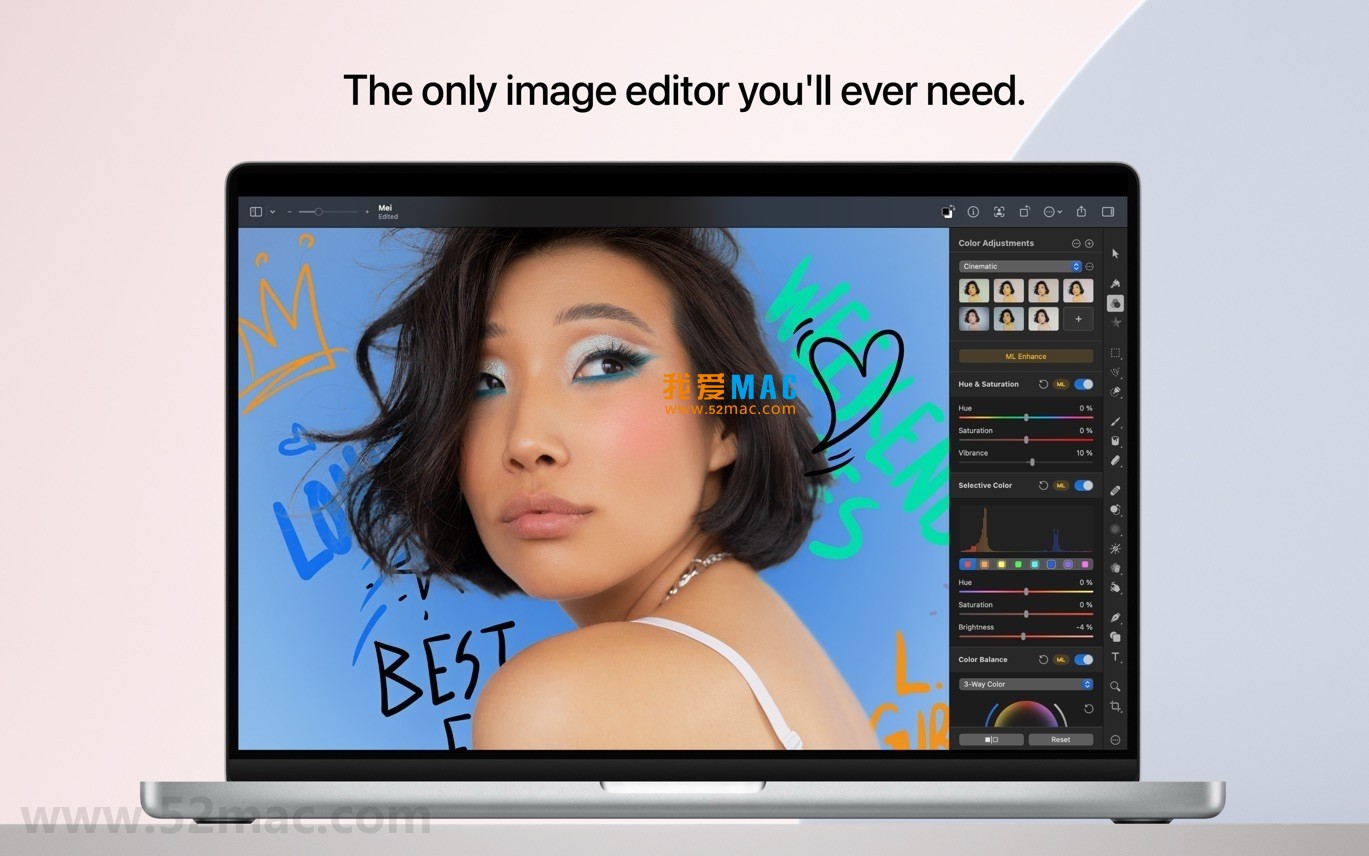
五、软件截图
Here are examples of the Pixelmator Pro for Mac v3.6.6 interface:





Ratings & reviews
4.9
(Maximum 5 ratings, total 25 user reviews)
Let’s rate it.