Pixelmator Pro for Mac is a professional-grade image editing software designed to present powerful image processing capabilities in an intuitive and user-friendly manner. It excels in image editing, graphic design, and photo retouching, and is widely favored by Mac users.
一、核心功能与专业工具
Pixelmator Pro offers a comprehensive and efficient toolkit to meet various needs, from basic editing to professional creation:
- Comprehensive image editing tools: Supports image enhancement, new image creation, and non-destructive editing, allowing adjustments to individual operations at any time.
- Object handling and compositing: Easily move, resize, and arrange objects to build visually appealing compositions.
- Color and image quality adjustments: Provides lossless color adjustment tools and leverages machine learning based on Core ML to automatically optimize photos.
- RAW file support: Directly edits RAW format images without the need for pre-conversion.
- Digital painting and brushes: Equipped with customizable dual-texture brushes, fully compatible with digital and traditional painting tools.
- EFFECTS and style management: Includes a rich array of built-in effects, allowing the saving and reuse of adjustments, effects, and layer styles.
- Removal and enhancement tools: Removes imperfections or objects and adjusts local brightness.
- Shapes and vector graphics: Offers high-quality customizable vector graphics, supporting the creation of custom graphics with the “pen” tool.
- Text layout tools: Features a full suite of layout functions, making it easy to design aesthetically pleasing text.
- Output and batch processing: Supports web image optimization and advanced compression, and includes five Automator actions for batch processing.
二、机器学习增强编辑
Pixelmator Pro leverages machine learning technology to enhance several intelligent editing features:
- Training algorithms based on millions of professional photos to smartly enhance image quality.
- Automatically generates descriptive layer names for new layers.
- The crop tool features horizontal line detection, allowing for smart straightening of images.
- The repair tool naturally removes objects and reconstructs image regions.
- The quick selection tool helps users efficiently create precise selections.
三、兼容性与集成
Pixelmator Pro boasts extensive format support and system integration capabilities:
- Supports common image formats such as JPEG, TIFF, PNG, PSD, HEIF, SVG, PDF, GIF, BMP, TGA, JPEG-2000, etc.
- Can open and edit layered Photoshop files and SVG vector graphics.
- Deeply integrated with macOS Photos, allowing direct launch and saving edits to the original image.
- Supports quick sharing of images via Photos, Mail, AirDrop, etc.
四、版本 3.6.5 更新内容
This update primarily expands RAW format support for multiple camera models and improves some performance aspects.
1. 扩展的 RAW 支持
The update now supports over 20 new camera models, including:
- Efficient (HE/HE*) RAW files for the Nikon Z6 III, Z8, Zf, and Z9.
- Support for the Olympus E-M1 Mark II/III, OM-D E-M10 Mark IIIs, TG-5/6, etc.
- Support for the Fujifilm X-A20 and new X-T50 camera RAW images.
- RAW format support for Sony A6700, A7CR, A7C II, A9 III on macOS Sonoma and earlier systems.
- Full compatibility with Olympus OM System cameras such as the OM-1 Mark II, OM-5, TG-7.
- Support for the Panasonic DC-G100D and GoPro HERO10 Black camera RAW files.
2. 其他改进
- On Apple Silicon-based Mac devices, JPEG image export speeds are 50% faster when using the “network export” method.
五、软件截图
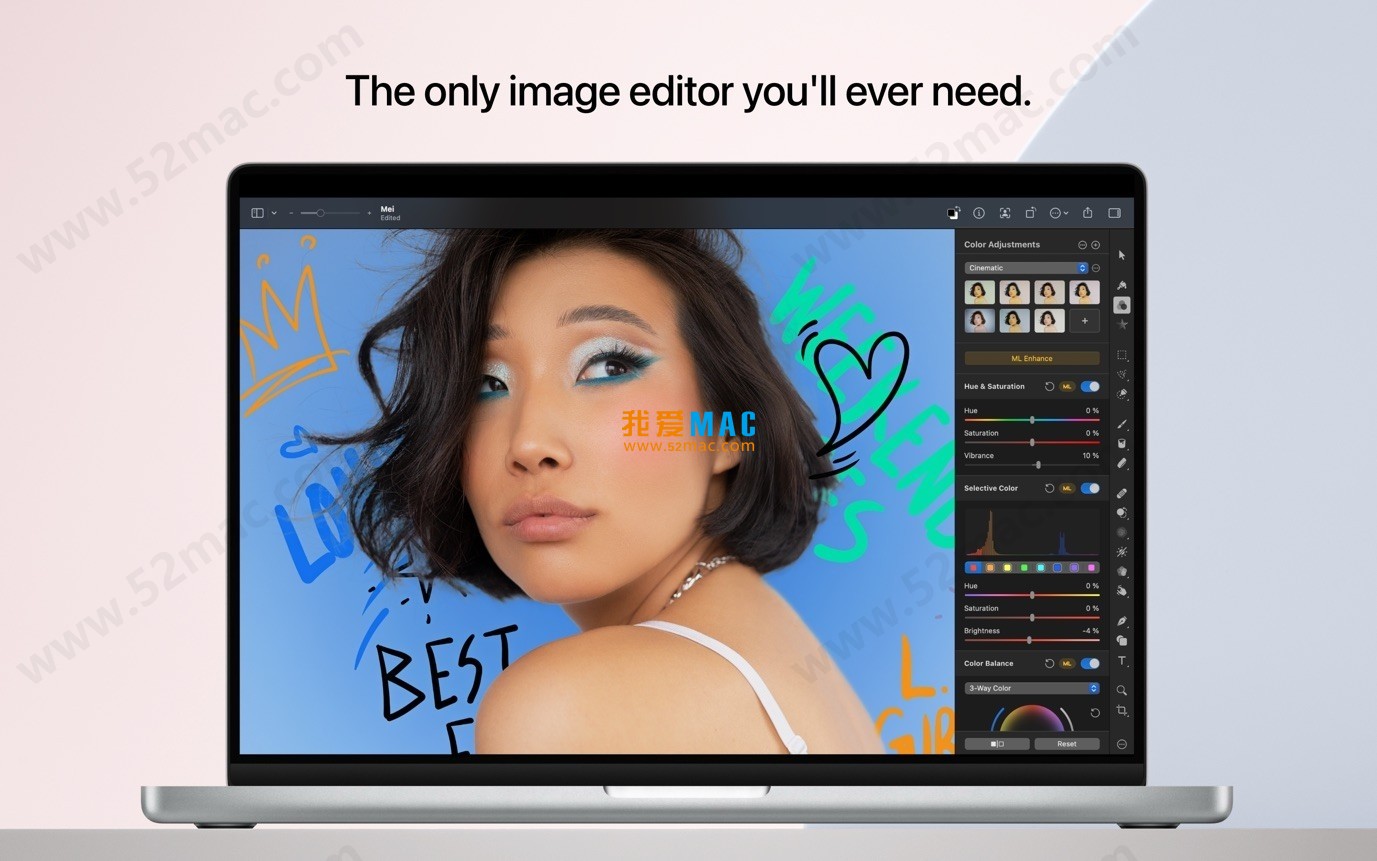
Here are some screenshots of the Pixelmator Pro for Mac v3.6.5 interface:





Ratings & reviews
4.9
(Maximum 5 ratings, total 68 user reviews)
Let’s rate it.