

Topaz Gigapixel Pro for Mac v1.2.0: Lossless Image Upscaling Activation Download
Topaz Gigapixel Pro is a professional-grade AI image magnification tool from Topaz Labs, positioned as a “solution for image enhancement in studio and commercial scenarios.” It addresses the core pain point of “no lossy enlargement” through leading-edge AI technology, while catering to professional users’ needs for format compatibility, workflow efficiency, and team collaboration. It is widely used in fields such as video graphics, commercial printing, satellite imagery, and photography post-processing.
Installation and Crack Method:
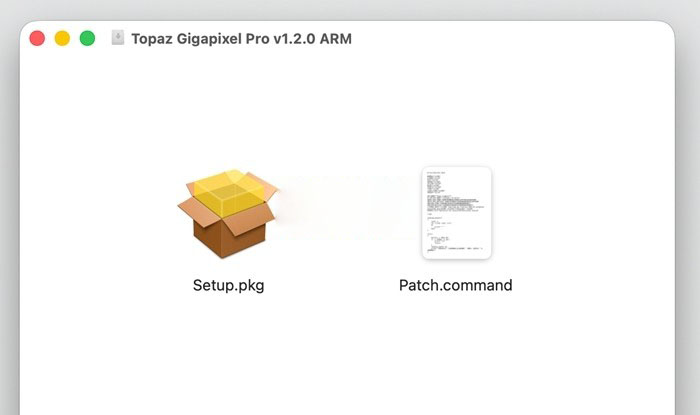
1. After the software download is completed, open the downloaded dmg format software package as shown in the image above, and double-click the software “TopazGigapixel.pkg” to install the software.
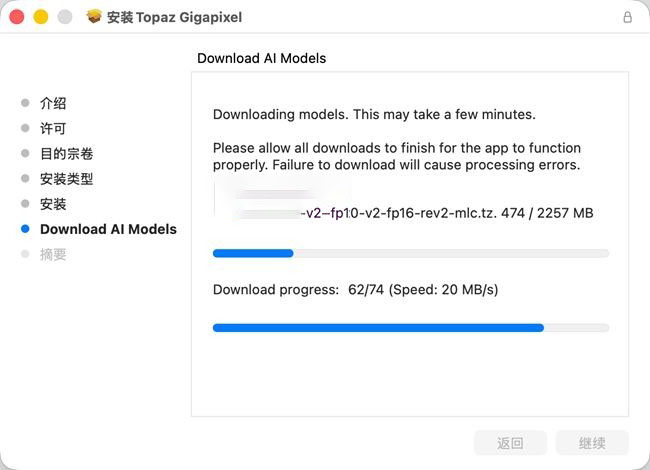
2. As shown in the image below, when installing to the second-to-last step, you need to use a scientific internet connection to install normally (you can download without a scientific internet connection, but it will be very very slow, possibly taking 1-2 hours), because the AI model is very large (20+ GB, you need to leave enough disk space), and it is not included in the software package by default, requiring downloading while installing.
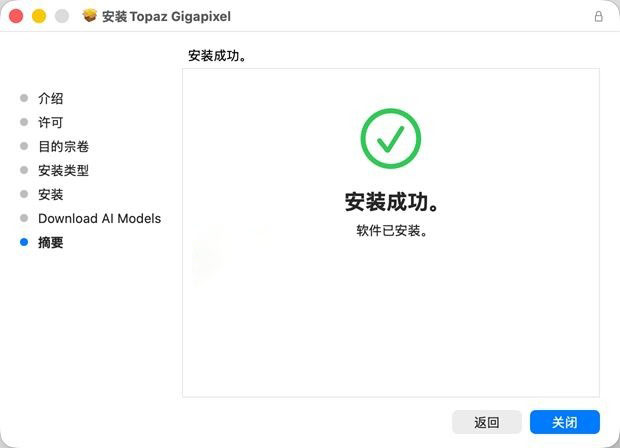
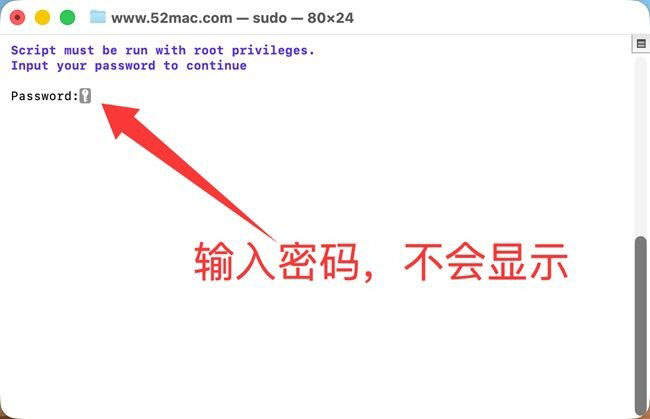
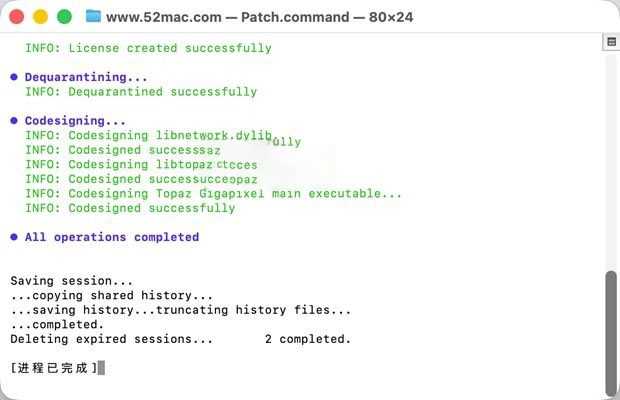
3. After the software installation is complete, do not open the software yet. Drag the software package’s Patch.command (activation tool) to the desktop, and double-click the Patch.command on the desktop. It will automatically open the terminal, as shown in the image below, enter your computer password (the password will not be displayed, just enter the password and press the Enter key).
4. As shown in the image below, the crack is completed, and you can use the software.
—————————————————————–[分割线]———————————————————————–
High Magnification and Pixel Limit
Supports 6x lossless enlargement, with a maximum output width of 32,000 pixels, and a single image can support up to 1 billion pixels (1 Billion Pixels), meeting the needs of large-size printing (such as 80×60-inch posters), high-definition banners, satellite imagery resolution, and other scenarios.
In comparison with traditional tools: Ordinary interpolation enlargement can only “stretch pixels,” while Gigapixel Pro can use AI to supplement textures (such as hair, edges, texture details), for example, enlarging iPhone photos to a 100MP ultra-clear image, or repairing old low-resolution phone photos / chat screenshots from years ago.
Gigaprint Professional Printing Optimization
Provides precise cropping control for printing scenarios: Supports manual adjustment of the cropping area, allowing vertical / horizontal rotation of the cropping frame to ensure that the print layout meets the requirements;
Image optimization features: Built-in sliders for light and contrast adjustment, optimizing the brightness and contrast of enlarged images to avoid “gray and dim” issues after printing, ensuring that the output materials are “ready for printing.”
Smart Zoom Preview: When zooming locally in the Navigator panel, it can achieve “smooth preview” without repeating rendering, improving the efficiency of post-processing adjustments.
Full Format File Support
RAW Format: Directly supports mainstream camera RAW files (such as Canon CR3, Nikon NEF, Sony ARW), preserving the original dynamic range and details of the original image, allowing photographers to enlarge without converting to JPG/PNG;
CMYK Format: Supports the CMYK mode used in the printing industry, avoiding “color deviation” issues when converting from RGB to CMYK, directly outputting print-ready materials;
Common Formats: Compatible with JPG, PNG, TIFF, etc., supporting the repair of details in transparent layers (such as PNG icons).
Batch Processing and Automation
Supports Batch Processing (batch processing): Can import dozens / hundreds of images at once, set the enlargement ratio and model type uniformly, and automatically batch output, suitable for scenarios such as e-commerce images and old photo restoration;
Auto Mode (automatic mode): AI automatically identifies image types (such as portraits, illustrations, low-resolution images), matching the optimal model, making it easy for beginners to achieve good results quickly.
Multi-Platform Deployment and Plugin Compatibility
Supports dual-mode operation: Supports standalone application (Standalone) or plugin form, allowing plugins to be compatible with Photoshop (such as PS 2026), Lightroom, etc., without frequent tool switching;
Cloud + Local Dual Rendering: Provides unlimited local rendering and unlimited cloud rendering (no additional costs), ensuring privacy with local rendering, and accelerating large-scale operations (such as batch processing hundreds of images) with cloud rendering, supporting 4 images at the same time in the cloud for Pro version (only 2 images in the standard version).
Version 1.2.0 Update Content:
## Major New Features and Model Updates
1. **NeuroServer Technology**: Supports running large AI models locally on NVIDIA, AMD, and Apple Silicon devices, significantly enhancing local processing capabilities.
2. **Wonder 2 Local Rendering**: Achieved through NeuroServer, it can restore skin texture, facial features, fabric, and hair details, providing photo-realistic effects.
3. **Wonder 3 Local Rendering**: Achieved through NeuroServer, it offers more intelligent image restoration capabilities, suitable for a wider range of image types.
4. **Wonder 3 Cloud Rendering**: Added cloud support, allowing use when local hardware is insufficient.
5. **High Fidelity v3 Model**: Added local rendering support, with better details and fewer artifacts, designed for high-quality image enlargement.
6. **Recover 3 on Mac Platform**: Mac users can now use the latest diffusion upscaling recovery model.
## Important Notes
– Recover 3 is temporarily unavailable on M1 devices running macOS 26 (Tahoe) due to a problem with Topaz Labs, which is currently being addressed in collaboration with Apple.
– The first time opening the software requires downloading approximately 2GB of model files online.
– This version is part of Topaz Labs’ “Expansion Update,” updating multiple Topaz products simultaneously.
## Problem Fixes
– Fixed the default resetting of the “Define Creativity” slider to “Low.”
– Fixed the cropping tool’s incorrect limitation of the maximum enlargement ratio.
– Fixed the issue where the “Help” dialog box remains active when the shortcut is used.
This resource requires login to download
Log in
VideoProc Converter AI v7.9 All-In-One Video Editing Software Crack
Downloads:903 | 2026-10-24

ON1 Portrait AI 2021 for Mac v15.1.0 Activation Download
Downloads:1304 | 2026-10-23

TechTool Pro 11 for Mac v11.0.2 System Diagnostic Maintenance Tool Chinese Activation Version Download
Downloads:201 | 2026-10-19

PopClip for Mac v2019.10 Clipboard Quick Tool Chinese Activation Version Download
Downloads:377 | 2026-10-19


Ratings & reviews
No rating
Let’s rate it.