| Iridient Developer is a high-performance RAW image processing software that has been deeply optimized for macOS. Its core advantages include its unique de-mosaic algorithm, lossless editing workflow, and native support for 600+ camera models’ RAW formats. It achieves this through high dynamic range processing (16/32 bits/channel), precise color management, and professional-grade noise reduction and sharpening tools, helping photographers retain image details and achieve natural, true-to-life output, especially suitable for professional users who seek high-quality images. Here are its key features in detail:
### Core Image Processing Capabilities
Advanced RAW processing technology
Using its proprietary de-mosaic algorithm, it significantly reduces artifacts while preserving micro-details, outputting with a natural, “film-like” look, avoiding over-sharpening that leads to digital distortion.
Supports 3 RAW processing modes: High Detail mode (default), Soft Look mode for reduced artifacts, and conversion options based on Apple’s native library, tailored to different shooting needs.
All operations are executed at 16 bits/channel or higher, ensuring smooth color transitions and avoiding breaks in the tonal range due to low dynamic range processing.
Professional-grade noise reduction and sharpening
Offers 6 sharpening methods, including the unique “Iridient Reveal” super-sharpening tool (combining edge enhancement and deconvolution technology), traditional sharpening masks, Richardson-Lucy deconvolution, and more, to optimize details specifically.
All sharpening supports edge masking, applying only to the edges of the image, avoiding noise or texture damage in flat areas.
Noise reduction algorithms are optimized for high ISO or long exposure photos, effectively eliminating hot noise while preserving texture details, avoiding a muddied look.
### Color and Dynamic Range Management
Full-chain color control
Supports ICC profiles, DNG color matrices, and v1.4 camera configuration files (DCP), allowing precise matching of different cameras’ color science, even customizing manufacturer-level color schemes.
Two color management engine options: Apple ColorSync or LittleCMS 2.13.1, fully compatible with ICC v4.3 standard, ensuring consistent color across devices.
Allows independent settings for input profiles, workspace profiles, and output profiles, enabling full-color management from RAW decoding to export.
Dynamic range and detail recovery
High-light/shadow recovery tools can accurately restore details in overexposed or underexposed areas, especially suitable for high dynamic range (HDR) scenes.
Multi-mode histogram analysis (RGB/single channel/CIE brightness/colormetric), supports 256-1024 precision, aiding precise exposure adjustments.
Editable tone curves are provided in RAW, RGB, and LAB color spaces, allowing channel-specific color adjustments.
### Workflow and Compatibility Advantages
Non-destructive editing and efficient preview
All adjustments are non-destructive, preserving the original RAW data, allowing for quick parameter adjustments at any time.
Real-time 16-bit full-resolution previews, even with high-resolution files, ensuring smooth responsiveness, significantly enhancing post-processing efficiency.
Supports EXIF/IPTC/XMP metadata embedding, ensuring exported files retain shooting information and copyright marks.
Widespread format and device support
Compatible with 600+ camera RAW formats (as of 2024 data), including Canon, Nikon, Sony, Fujifilm, and other mainstream brands’ new models.
In addition to RAW, it supports JPEG/TIFF/PNG formats and OpenEXR/Radiance HDR formats.
Deeply optimized for Apple Silicon chips, utilizing multi-threading and vector instruction sets (SSE3+) to significantly improve performance over similar tools.
### Practical Additional Features
Flexible black-and-white conversion tools: RAW channel control, RGB mixer, LAB perceptual conversion, and customizable dual-tone curves.
Batch processing and background export: Allows for batch conversion of large files, with editing and export running concurrently, saving waiting time.
Output mode “disable processing”: Quickly exports linear RAW data for further processing by other software, suitable for professional workflows.
### User-Friendly Design
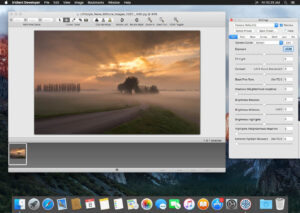
Simplified and intuitive interface: Core functions are concentrated in the main window, sliders, and real-time previews reduce learning barriers, making it easy for beginners to use.
Customizable presets and workspaces: Supports saving white balance, color configuration parameters as presets, enhancing efficiency for repetitive tasks.
System-level optimizations: Compatible with macOS 10.14+, supports Dark Mode, full-screen operations, and touchpad gestures, aligning with Apple ecosystem usage habits.
Version 5.5 Update Content:
## New Features
1. Supports RAW formats for Sony A7R VI, Sony A7 V (ILCE-7M5) (not supporting lossless lightweight RAW mode).
2. Supports RAW formats for Panasonic Lumix DC-L10, DC-ZS300 (TZ300).
3. Supports RAW formats for Canon EOS R6 Mark III, EOS C50.
4. Supports RAW formats for Nikon ZR.
5. Supports RAW formats for Ricoh GR IV black and white version.
6. Supports RAW formats for Fujifilm X-T30 III.
7. Supports RAW formats for Leica M EV1, Q3 black and white version.
## Function Improvements
1. Optimizes the high-fidelity RAW de-mosaic algorithm for cameras with 4000+ pixels and sensors without low-pass filters or weak low-pass filter effects, significantly improving image quality.
2. Updates DNG color and white balance default metadata to align with the latest Adobe DNG converter 18.3.2 parameter standards.
3. Upgrades the Adobe DNG software development toolkit to the latest version (1.7.1 build 2573, May 12, 2026).
4. Upgrades the compression library: Deflate compression library updated to libdeflate 1.25.
5. Iterates the image export library: TIFF export library upgraded to libtiff 4.7.1, PNG export library upgraded to libpng 1.6.58, JPEG export library upgraded to libjpeg-turbo 3.1.4.1.
6. ZLIB compression library updated to 1.3.2.
7. Upgrades the OpenEXR image library to version 3.4.11.
8. Upgrades the RAW parsing library libraw to the latest version as of May 14, 2026.
9. Upgrades the Little CMS color management engine to version 2.19.1.
## Bug Fixes
1. Fixes the issue of large-scale noise points appearing in high-fidelity RAW de-mosaic for Fuji GFX models when ISO is above 6400.
2. Fixes the issue of 1-2 pixel pseudo-color borders appearing at the edges in high-fidelity RAW de-mosaic in black and white mode.
3. Fixes the issue of color borders appearing when using the newly introduced high-fidelity de-mosaic algorithm for black and white RAW in black and white mode; now, the lens color correction feature is automatically disabled.
4. Fixes the issue where black and white DNG files generated by Iridient Transformer and compressed with JPEG XL cannot be normally loaded.
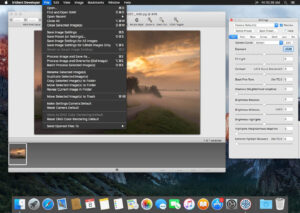
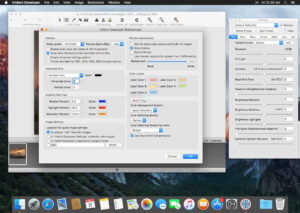
Software Screenshot:
|




Ratings & reviews
No rating
Let’s rate it.