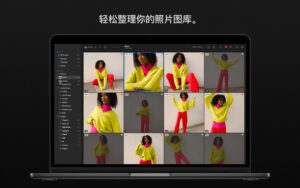
| Photomator for Mac is a powerful photo editing tool that provides an array of incredible tools to enhance, repair, and manage your images. It includes a plethora of advanced color adjustment features, an AI-driven automatic selection feature, support for over 650 RAW image formats, a miraculous tool to remove unwanted objects, and more powerful features. In essence, it offers everything you need to create stunning photos.
The essentials to make your photos stand out
– A wide range of powerful and lossless color adjustment features
– AI-driven automatic selection of objects, skies, and backgrounds, adding gradient masks, and adjusting selections with a brush
– A miraculous object removal tool: easily remove unwanted objects
– A simple and user-friendly cropping tool: crop, straighten, rotate, and adjust the image perspective
– Instantly increase the resolution of an image with AI
– Powerful noise reduction tools: remove camera noise and image compression artifacts
– AI-driven smart color removal feature: miraculously remove color bands and increase color depth
– Use photographer-designed preset templates to make your photos stand out, such as landscapes, black and white, and other photographic styles
– Copy and paste edits to apply to hundreds of photos in a single batch
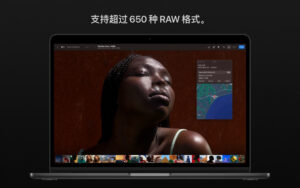
– Open and edit over 650 RAW image formats, including Apple ProRAW and compressed dynamic RAW
– Track all your changes in a beautiful dynamic histogram
AI-driven tools
– Automatic selection of objects, skies, and backgrounds in an image
– Retain details and sharpness of an image while magically increasing its resolution
– AI-driven noise reduction tools: remove camera noise and image compression artifacts
– AI-driven smart color removal feature: remove color bands and increase color depth, instantly improving image quality
– Machine learning algorithms trained on millions of professional images, or automatically fine-tuning features like white balance, color selection, or color balance to improve image quality
– AI-driven automatic cropping tool: smart cropping of photos
– Miracle color matching feature: copy the appearance of any image
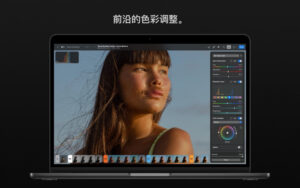
Advanced color adjustment
– Easily adjust the temperature, tone, exposure, contrast, brightness, hue, saturation, and natural saturation of an image
– Repair a large amount of details in shadows and highlights of an image
– Powerful clarity and texture adjustment features can miraculously enhance image details and structure, or separately adjust highlights, midtones, and shadows
– Selective color editing of individual color ranges, or use color balance to improve the color balance of shadows, midtones, and highlights
– Use the gradient and curve tools to precisely adjust lighting and colors
– Create a vivid color effect by balancing the balance of red, green, and blue color channels
– Use the color replacement feature to replace colors arbitrarily
– Even color photos can be made into stunning black and white photos
– Use additional adjustment features like sharpening, fading, grain, single color, brown old photo, and reversal to make your photos stand out
– Use LUTs to instantly change the appearance of an image, or export as a custom LUT for use in other applications
Compatibility
– Automatically sync every edit to your photo library
– Seamlessly sync edits between Mac, iPhone, and iPad through iCloud
Version 3.4.15 Update Content:
This update includes error fixes and performance improvements.
Software Screenshot:
|




Ratings & reviews
No rating
Let’s rate it.