



LilyView for Mac v1.8 Lightweight Image Viewer Activated Version Download
LilyView is a lightweight image viewer focused on a minimalist and immersive experience, dedicated to pure image browsing needs. It discards redundant gallery management, complex filters, and heavy editing features, and with fast loading speed, distraction-free interface design, and natural smooth interactions, it becomes the preferred tool for efficient image browsing.
## Core Features
### Immersive Borderless Interface
Adopts a borderless interface design, with all operation controls hidden by default throughout, only invoked when needed, truly achieving the immersive experience of “browsing images, not the interface.” Image switching comes with smooth transparent transition animations, providing a fluid and coherent visual experience, maximizing the highlight of the image content itself. Supports double-click to quickly enter full-screen browsing mode, fully releasing screen visual space.
### Instant Folder Browsing
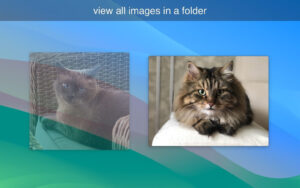
No need to import media library in advance, no need to build image index; open any image to start browsing immediately. After opening a single file, it can automatically traverse all supported format images in the same folder, with smooth switching back and forth without waiting; supports loop browsing from the beginning to the end of the folder, and can also jump to the first or last image in the directory with one click, suitable for batch viewing scenarios.
### Natural Interactions for All Scenarios
– **Multi-touch Gestures**: Fully adapted to trackpad operations, two-finger swipe to switch images, pinch to zoom, two-finger rotate to rotate the image, with natural and intuitive operation logic, no need to memorize commands.
– **Keyboard Shortcuts**: Covers all-scenario shortcuts, arrow keys to quickly switch images, supports one-click switching between 200%/50% zoom ratios via shortcuts, and one-click restore to original pixel size, efficient and precise.
– **Mouse Operation Compatibility**: Supports scroll wheel zoom, hold and drag to pan the image, fully compatible with traditional desktop operation habits.
### Full Format Image Compatibility
Comprehensively covers various common and professional image formats:
– Common formats: JPEG, PNG, BMP, TIFF, WebP, HEIC
– Animated formats: Supports full playback of GIF and APNG animation formats
– Professional formats: Supports direct preview of Camera Raw native formats and PSD layered files without additional plugins
### Practical Browsing Auxiliary Features
– **Zoom Memory Mode**: Supports “Keep Zoom Level” feature, when batch browsing images in the same folder, it can retain the current zoom ratio, facilitating detailed viewing of image details one by one.
– **Convenient Information Viewing**: Move the cursor to the edge of the screen to call up basic file information and EXIF parameters, without popping up a separate window, without interrupting the browsing rhythm.
– **External Editing Integration**: Supports one-click jump to open the current image in an external editor, seamlessly connecting browsing and retouching.
– **Basic File Management**: One-click locate the current file in the file manager, directly move the image to the trash, quickly print the image, meeting lightweight management needs.
– **Slideshow Auto Play**: Built-in slideshow playback mode, can automatically play images in the folder in sequence, suitable for image display scenarios.
### Lightweight and Efficient Performance
The software is extremely small in size, occupies very low system resources during operation, and has no redundant background processes. Specially optimized for large-size high-pixel images, loading, zooming, and panning all respond quickly, with smooth browsing throughout without lag, focusing on the core needs of viewing images, no additional data collection, clean and lightweight.
Version 1.8 Update Content:
– Added a new “Fit to Screen” automatic view option, which stretches smaller images to fill the available screen space. The previous view option that did not stretch has been renamed to “Actual Size (Limited by Screen)”.
– Fixed compatibility issues with the brand new macOS 27 Golden Gate.
Software Screenshots:
This resource requires login to download
Log in


Ratings & reviews
No rating
Let’s rate it.