



Money Pro for Mac v2.11.4 Personal Finance & Accounting Software Chinese Activated Version Download
This page provides Money Pro for Mac v2.11.4 Personal Finance & Accounting Software Chinese Activated Version Download | Love Mac. It has been tested and is working. If you encounter issues such as invalid links or inability to install after download, please leave a comment to contact us.
Money Pro is a comprehensive personal finance management software designed to help users efficiently track and manage personal finances, budgets, bills, investments, and financial reports. The software combines powerful features with an intuitive user interface, suitable not only for individual users but also for meeting the basic financial management needs of small businesses.
Money Pro offers a range of professional features to support users in achieving refined financial control. These features are carefully designed to cover everything from daily bookkeeping to long-term financial planning.
The main updates in the latest version 2.11.4 are as follows:
New intelligent transaction classification algorithm: In response to the common need for online banking transactions, this update introduces a new intelligent classification algorithm. This algorithm can automatically identify and categorize transaction records while retaining the user’s permission to make manual adjustments, giving you fuller control over the software’s operation. In addition, this version optimizes the stability of data synchronization and reduces synchronization delays caused by network fluctuations.
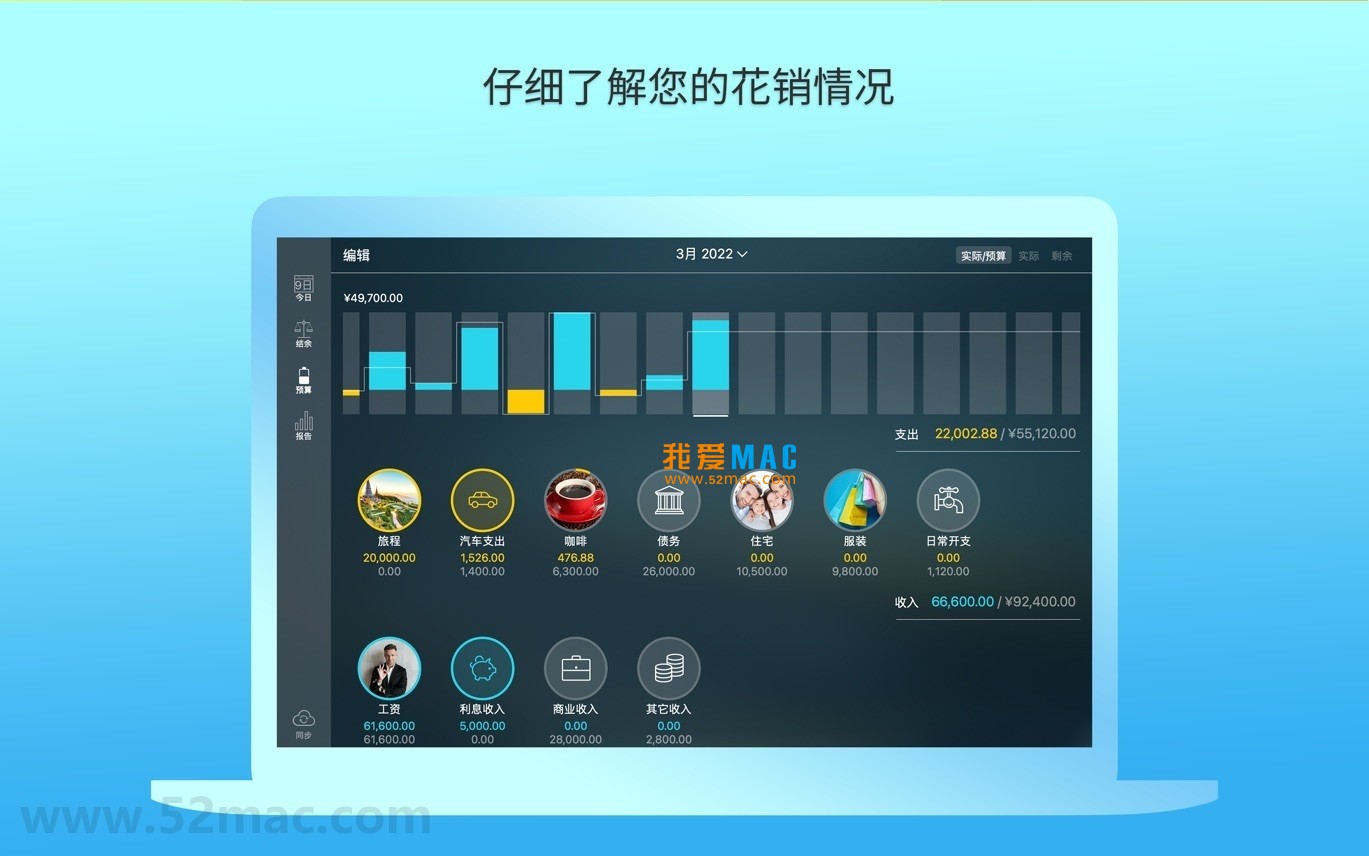
Below are some screenshots of the Money Pro software interface for reference:
First, click the download link on the page to obtain the Money Pro v2.11.4 installation package. Please ensure your network environment is stable to avoid interruption during download. After downloading, the file is usually located in the “Downloads” folder in .dmg format.
Double-click to open the .dmg file, and you will see the installation wizard. The specific operations are as follows:
The version provided on this page already includes activation information and can be used with all features directly after installation. If activation fails, please check your network connection or reinstall. According to Mac App Store review standards, this version has been tested and verified to ensure no malicious code.
When using Money Pro on Mac, mastering the following shortcuts can significantly improve operational efficiency. These shortcuts apply to macOS Ventura and later versions.
| Shortcut | Function Description | Use Case |
|---|---|---|
| ⌘ + N | New transaction record | Quickly add an income or expense |
| ⌘ + S | Save current edit | Manually save transaction or budget changes |
| ⌘ + F | Search transactions | Quickly locate a specific bill or record |
| ⌘ + Z | Undo operation | Recover from accidental deletion or incorrect editing |
| ⌘ + Shift + D | Open budget view | Check budget execution status |
| ⌘ + R | Refresh data | Manually sync bank accounts or update reports |
| ⌘ + P | Print current view | Output financial reports or bills |
| ⌘ + , | Open preferences | Adjust account, currency, or sync options |
When using these shortcuts, please ensure Money Pro is running in the foreground. According to Apple’s official documentation, Mac shortcut key design follows unified standards, which can reduce hand movement and improve input efficiency.
First, check whether your system version meets the requirements (macOS 10.14 or later). If it says “damaged,” go to “System Preferences” > “Security & Privacy” and allow apps from any source. If the problem persists, it is recommended to re-download the installation package.
Money Pro supports iCloud sync. On Mac, go to “Preferences” > “Cloud Sync,” log in with the same Apple ID, and enable sync. Make sure Money Pro is also installed on iOS and logged in with the same account. The sync process usually takes a few seconds.
If you have set an app lock screen password, you can click “Forgot Password” on the login screen. The system will prompt for verification via Apple ID. If not linked, you need to contact customer service and provide proof of purchase for a reset. It is recommended to back up data regularly to prevent issues.
Yes. Enable the multi-currency feature in “Account Settings,” and the software will automatically convert based on real-time exchange rates. Exchange rate data comes from public financial APIs and is updated daily. Users can also manually enter custom exchange rates.
In the transaction list, click the record and select “Edit.” Manually adjust in the “Category” field. The intelligent classification algorithm will learn your habits, and similar transactions in the future will be automatically assigned to the correct category. This feature was enhanced in v2.11.4.
Go to the “Reports” module and select the desired report type (such as income and expense summary). Click “File” > “Export” in the menu bar, supporting CSV, PDF, or Excel formats. Exported files can be saved to the desktop or sent directly by email.
If you notice abnormal memory usage, try restarting the software. Check whether too many account syncs are enabled. It is recommended to disable synchronization for accounts that are not commonly used. According to official notes, v2.11.4 has optimized memory management, typically using less than 200MB.
The free version limits the number of accounts (up to 2) and report features. The paid version unlocks unlimited accounts, advanced reports, and cloud sync. The version provided on this page is a fully activated version that includes all features.
When setting a budget, it is recommended to first analyze the average expenses of the past three months. Use Money Pro’s “Trend Analysis” feature to identify fixed and variable expenses. When setting budget limits, leave a 10% buffer. For example, with a monthly income of 10,000 yuan, you can keep the budget within 9,000 yuan.
Suppose you hold a certain ETF fund; you can create an investment account in Money Pro. After entering the purchase price and quantity, the software will calculate profit and loss in real time. Use the “Financial Reports” module to regularly check the investment proportion. According to advice from Personal Finance magazine, regularly rebalancing your investment portfolio can reduce risk.
Mr. Zhang uses Money Pro to manage family finances. He created a “Family Shared” account for recording daily expenses. Every Sunday, he uses the “Transaction Classification” feature to check the proportion of expenses such as dining and transportation. Based on the data, he adjusted the frequency of takeout orders, saving 300 yuan per month. This refined control helped increase the family savings rate by 15%.
Use the “Automatic Bill Sync” feature; after linking a credit card, each purchase is automatically imported. Set up “Rules” for automatic categorization, for example, “Starbucks” automatically goes to “Dining.” At the beginning of each month, the system generates bill reminders to avoid overdue payments. This feature is based on a machine learning model with an accuracy rate of over 90%.
Money Pro for Mac v2.11.4 is a trustworthy financial tool. Through intelligent classification, multi-account management, and cross-device sync, it solves the core pain points of personal financial management. Whether you are a student, office worker, or small business owner, you can benefit from it.
Beginners are advised to start with the “Transaction Records” feature and gradually become familiar with the budget and report modules. Back up data regularly and use cloud sync to ensure data security. According to user feedback, the software’s stability on the Mac platform is superior to similar products, especially since v2.11.4 fixed previous memory leak issues.
Finally, if you encounter any problems during installation or use, please leave a comment below the page. Our team will respond promptly to ensure you have the best experience. The Money Pro for Mac v2.11.4 Personal Finance & Accounting Software Chinese Activated Version Download resource provided on this page has been strictly tested, so please use it with confidence.
This resource requires login to download
Log in
Chronicle for Mac v8.7.2 Bill Management Software Activated Version Download
Downloads:3545 | 2026-10-17

Banktivity for Mac v7.2.1 Financial Management Software Activated Version Download
Downloads:1118 | 2026-10-17
Chronicle for Mac v14.2.2 Bill Management Software Activated Version Download
Downloads:1091 | 2026-10-17

Money Pro for Mac v2.9.3 Personal Finance & Accounting Software Chinese Activated Version Download
Downloads:3620 | 2026-10-17


Ratings & reviews
No rating
Let’s rate it.