

Gitfox for Mac v4.4.0 Git Client License Download
Gitfox is a native Git client designed specifically for macOS, focusing on a smooth native experience and a clean interface. It integrates features such as fine-grained code staging, interactive rebasing, and one-click conflict resolution, seamlessly connecting with major code hosting platforms. It efficiently manages code repositories.
**Repository Manager**
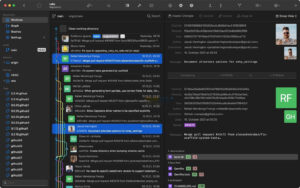
Quickly browse all repositories to see if there are uncommitted changes. If your repository has a Markdown README, it will automatically render. Your repository information is at your fingertips, including build status labels, and more.
**Service Accounts**
Add your GitHub, Bitbucket, or GitLab accounts to Gitfox via OAuth for seamless authentication.
**Interactive Rebasing**
Who says you can’t rewrite history? Edit, rewrite, delete, compress, correct, or move your commits.
**Git Flow**
Directly manage features, bug fixes, hotfixes, and releases within Gitfox. Git Flow is fully integrated, with the next Git Flow operation just a single click!
**Conflict Resolution**
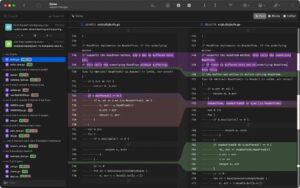
Resolve merge conflicts with a single click, choosing which side to merge.
**Touch Bar**
Use the Touch Bar for faster work. Most views have their own Touch Bar controls, allowing you to complete tasks more quickly!
**Line Formatting**
Proceed step-by-step, allowing you to refine your commits by only committing selected lines or stages. Commit only what you truly want!
**Drag-and-Drop**
Make complex Git commands as simple as drag-and-drop. Who wants to remember and type every command? Just drop to create branches, tags, pushes, picks, merges, or rebases.
**Image Differences**
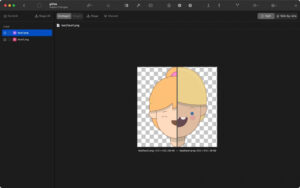
Important for web or design work. Gitfox displays changes, sizes, and dimensions of your image assets, ensuring the correct assets are included in your project.
**Search**
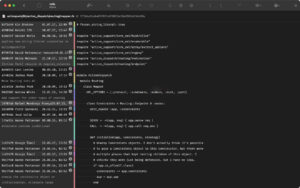
Gitfox features powerful full-text and prefix search capabilities. It intelligently highlights your search matches, diffs, and file names directly.
**Identity**
Are you involved in multiple projects, even across different organizations? Gitfox makes it easy to manage multiple identities and set default values for each repository. You can even modify the author and committer separately!
**REFLOG**
Git records every reference update in its reflog. If you accidentally deleted a branch, or need to recover a lost commit, you might still find them in the reflog!
Version 4.4.0 Update Highlights:
# New Features
– Added text difference comparison settings to disable automatic line breaks
– Markdown rendered now supports inline and block-level TeX formulas
# Function Improvements
– Automatically use the corresponding service account’s personal avatar when the commit avatar loading fails
– Branch, tag, and push branch name input fields automatically clean content: remove illegal symbols and convert spaces to short dashes
– Automatically retry requests when encountering temporary service network issues
– Control the truncation display effect of outline item titles via the “Show” right-click menu
– Generated avatar colors are softer while ensuring text clarity
– Repository outlines automatically expand grouped branch paths, ensuring the currently selected branch is always visible
– Repository outlines search supports complete branch reference name matching, including group branch prefixes
– When sorting branches and tags by creation time, if the creation times are the same, use reference names for sorting
# Bug Fixes
– Fixed nested worktrees being incorrectly marked as submodules
– No longer pop up error windows when background fetching code fails
– Do not force refresh bound service accounts after changing account names
– Disable merge and amend commit buttons when selecting non-contiguous commit records
– Terminate unfinished old difference format rendering tasks when switching to large difference comparison pages
– Automatically clear account error prompt messages after subsequent service requests succeed
– Fixed program crashes caused by repeated rendering of Markdown
Software Screenshots:
This resource requires login to download
Log in
Adobe Lightroom Classic CC 2019 for Mac v8.2 Chinese Activation Download
Downloads:3481 | 2026-10-22

InstaBeauty Pro for Mac v2.2: Professional Portrait Retouching and Photo Beauty Software Activation Download
Downloads:1928 | 2026-10-21

One-Click System Switcher for Mac v1.20.1 Chinese Activation Version Download
Downloads:1324 | 2026-10-19

Tidy Up 5 for Mac v5.0.7 Duplicate File Finder and Disk Cleanup Activated Version Download
Downloads:1492 | 2026-10-17


Ratings & reviews
No rating
Let’s rate it.