| Final Draft is a widely used industry-standard scriptwriting tool in the film, television, and theater industries, utilized by over 3 million creators, production companies, studios, and film schools, including directors and screenwriters such as James Cameron, J.J. Abrams, Guillermo del Toro, and Aaron Sorkin. It has won an Engineering Emmy Award and is the preferred tool for script rooms, production teams, and independent creators. Final Draft automatically formats your story into industry-standard formats, allowing you to focus on the creative process rather than the formatting details.
### 一、核心写作功能
**行业标准自动格式化**
Final Draft automatically applies professional margins, spacing, and pagination rules as you type. With the Tab key and Enter key, you can quickly switch between scene headings, action descriptions, character names, parenthetical notes, and dialogue. The software intelligently predicts the next element based on the cursor position and formats it instantly, without requiring manual adjustments to any parameters.
**SmartType 智能自动补全**
Final Draft remembers and suggests character names, scene locations, and other elements, ensuring consistency across drafts and reducing repetitive input and errors.
**高级编辑工具**
– **ScriptNotes 脚本注释**:可添加通用或针对特定元素的彩色注释,不影响剧本分页和排版。
– **修订追踪**:记录每一处修改,支持多人协作时的变更比对。
– **备选对白(Alternate Dialogue)**:在同一位置存储多版对白,方便对比和切换。
– **自定义自动更正**:可开关自动更正功能,自由添加或移除词汇,内置默认美式英语词库。
**多语言支持**
Final Draft supports over 95 languages, meeting the localization needs of global creators.
**图像插入**
Final Draft allows you to insert images into your script, helping visualize story scenes, character designs, or reference materials.
### 二、故事规划与结构工具
**Beat Board 节拍板**
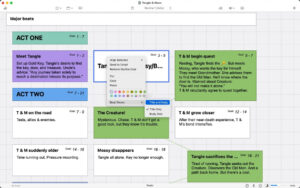
A visual workspace for story planning. Drag and drop to organize story beats, outline arcs, and associate images. It’s particularly suitable for long-form or episodic project pre-production. You can customize the appearance of beats to make the planning process more personalized.
**Outline Editor 大纲编辑器**
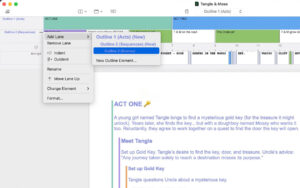
Build multi-level outlines, add annotations, and customize lanes. Then send beats directly to real scenes, seamlessly connecting the creative process from concept to script. It supports ripple insertion, automatically shifting subsequent beats to make space for new ones.
**Structure Lines 结构线**
Assign different colors to outlines, acts, sequences, and scenes in the script to track structural lines and help control the overall narrative rhythm.
**Story Map 故事地图**
A visual tool for overviewing and organizing scenes, acts, and character arcs, aiding in the construction of a more rigorous story structure.
**Index Cards 索引卡**
Input plot points, locations, comments, or notes, color-code and drag-and-drop to organize scenes. Send index card content directly to the script.
### 三、实时协作功能
**实时协同写作**
Multiple writers can work simultaneously on the same document, viewing each other’s edits in real-time, with color annotations and comments, and smoothly completing collaborative writing. It supports both script text and beat boards.
**多设备同步创作**
Work on the script across Mac, Windows, and iPhone/iPad (Final Draft Go app, available for separate purchase) without interruption, ensuring seamless progress.
### 四、制作与生产功能
**专业标题页**
Create and attach a professional title page with a single click, adhering to industry standards.
**Revision Mode 修订模式**
Revise scripts and track changes, saving different revision versions to meet production needs.
**Page Locking 页面锁定**
Support for omitting scenes, locking pages, and applying revision sets to A and B pages, in line with film production procedures.
**彩色修订生产页**
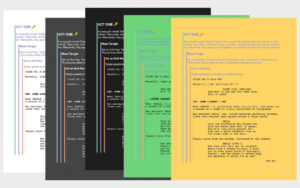
Colored borders help identify revisions during writing, and PDF exports generate colored production pages for distribution.
**角色高亮**
Highlight different colors for character dialogue, ideal for table reads or tracking specific character lines throughout the entire production.
**可定制生产报告**
Provide 8 different types of production reports, including scene reports, character reports, and location reports, to support budgeting and scheduling for pre-production.
**元素标签与拆解**
Tag and break down elements such as actors, costumes, and props in scenes, allowing data to be directly imported into production reports and shooting plans.
**导出与水印**
Support for exporting to FDX (industry-standard format) and PDF, with the option to add watermarks to protect script content during distribution.
### 五、个性化与效率工具
**自定义工作区**
Customize toolbars according to personal work habits to create a personalized writing environment.
**多种专注视图**
– **Focus Mode 专注模式**:减少干扰,降低视觉疲劳。
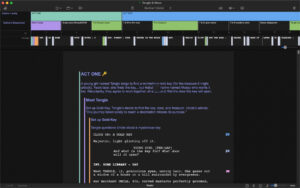
– **Night Mode 夜间模式**:暗色主题,适合夜间创作。
– **Midnight Mode 午夜模式**:全新的酷炫暗色主题,提供另一种低光视觉选择。
– **Typewriter View 打字机视图**:自动滚动使当前编辑行始终居中,提升专注度和人体工程学体验。
– **全屏模式**:无干扰的沉浸式写作体验。
**自动保存**
Automatically back up scripts during writing to prevent creative ideas from being lost due to unexpected circumstances.
**Navigator 2.0 导航器**
An upgraded, customizable navigator that provides a complete view and control of the script. It allows direct writing of outlines, editing scene headings, monitoring inclusive statistics, and displaying the Cast List panel to quickly view and edit non-speaking roles in any scene.
**角色开发工具**
Explore characters in depth using Navigator 2.0: track screen time for each character, view interaction frequency between characters, and even assign different voices to characters, allowing you to read the script aloud (Text-to-Speech).
**写作统计与目标**
Set personal writing goals and gain valuable insights into writing habits and efficiency, including writing continuity, peak days, and peak times, to identify trends and improve productivity. Support for viewing current and longest consecutive writing records in the welcome window.
**表情符号支持**
Use emojis in scripts, beat boards, title pages, and ScriptNotes to create more realistic screen text and social media scenarios, and add emotion to notes.
**丰富模板库**
Include a variety of professional templates, such as standard film scripts, TV scripts (single/multi-camera), stage plays, micro-movies, shorts, ReelShort vertical short plays, short stories, and narrative outlines, covering various creative scenarios.
Version 13.4.0 Update Content:
– Fixed several minor issues to improve overall performance and functionality.
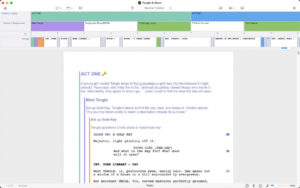
Software Screenshots:
|




Ratings & reviews
No rating
Let’s rate it.