

Final Draft 13 for Mac v13.3.4 Script Writing Software Activation Download
Final Draft 13 is a globally recognized professional scriptwriting standard software used by 95% of Hollywood studios. It is tailored for screenplays, television, stage, and new media writing, providing comprehensive support for the entire creative process from concept to final draft, allowing creators to focus on the story rather than the format.
Key Features:
– Intelligent Auto Formatting: Automatically formats according to Hollywood standards, including scene headings, character names, dialogue, and action descriptions.
– Real-time page numbering calculation to ensure scripts meet industry standards (approximately 1 minute of screen time per page).
– Customizable formatting rules to meet special creative needs.
– Powerful Story Planning Tools:
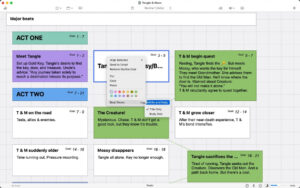
– Beat Board: A visual tool for managing story nodes, allowing drag-and-drop organization of plot points, adding images, and taking notes.
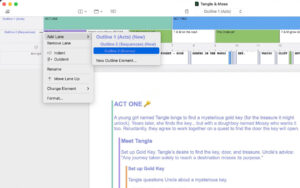
– Outline Editor: A structured outline view for quick scene order and hierarchy adjustments.
– Navigator: Global script navigation, supporting quick location and statistics of characters, scenes, and props.
– Efficient Collaboration and Version Control:
– Real-time multi-user editing support for remote team collaboration.
– Revision marking for clear tracking of all edits and annotations.
– Cloud synchronization and backup for seamless access to creative content across devices.
– Professional Writing Assistance:
– Over 100 script templates for quick creation of standard formats.
– Character dialogue statistics for balanced character allocation.
– Spelling/grammar checking and script analysis tools to improve writing quality.
– Customizable keyboard shortcuts to enhance writing efficiency.
Version 13.3.4 Update Highlights:
– Auto-hiding scene numbers.
– Added “Auto Hide Right Scene Number” option in “Scene Numbers > Options” menu. When the right scene number overlaps with the scene title, it will automatically hide, keeping the document clean and easy to read. This feature is disabled by default and saved independently per document.
– Minor bug fixes.
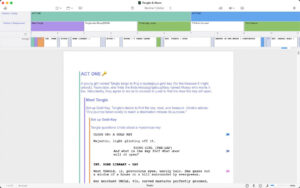
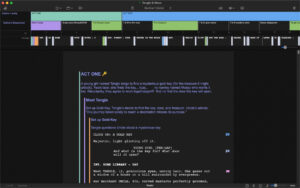
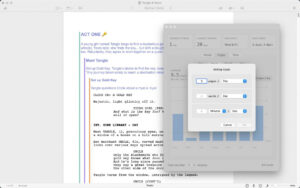
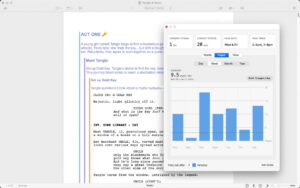
Software Screenshots:
This resource requires login to download
Log in
FL Studio 20 for Mac Music Production Environment Digital Audio Workstation_FL Studio 20mac Download_Activated Version
Downloads:2091 | 2026-10-24

Multitouch for Mac v1.27.30: Additions to Multi-Touch Gestures Activation Version Download
Downloads:2971 | 2026-10-19

MouseBoost Pro for Mac v3.9.0 Right-Click Assistant Professional Edition Chinese Activation Download
Downloads:2987 | 2026-10-18

iA Writer for Mac v6.0.1 Professional Writing App Chinese Activated Version Download
Downloads:2941 | 2026-10-17


Ratings & reviews
No rating
Let’s rate it.