

Compressor for Mac v5.3 Professional Video Encoding Transcoding Tool Chinese Activation Version Download
Compressor integrates deeply with Final Cut Pro and Motion, adding functionality and flexibility to video conversion. Quickly customize output settings, optimize images, and package videos for sale on the iTunes Store. Easily set up distributed encoding for other Mac computers.
Advanced encoding for Final Cut Pro
– Customize encoding settings for Final Cut Pro and Motion
– Set up batch processing to simplify encoding of large numbers of files
– Create standalone Droplets for easy encoding on the desktop
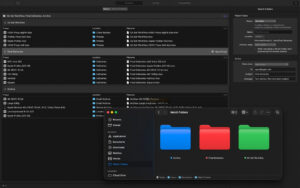
– Automatically encode videos placed in selected folders in the file system
– Encode spatial video and send directly to Apple Vision Pro
– Encode videos recorded with iPhone’s movie effects mode (requires macOS Monterey or later)
– Optimized for the latest Apple chips for superior performance
iTunes Store project packaging
– Import your videos, trailers, hidden captions, audio descriptions, and subtitles, then organize them into an iTunes Store-compliant project package, ready for submission through an Apple-certified iTunes submission assistant
– Preview videos with any audio, hidden captions, or subtitles to verify synchronization
– Built-in error detection helps you identify issues in the iTunes Store project package
– Deliver HDR videos in P3 D65 PQ, Rec. 2020 HLG, and Rec. 2020 PQ for HDR10 compatibility
– Support linking Dolby Vision graded video files to Dolby Vision XML in the iTunes Store project package
Industry-standard support
– Encode into various industry-standard formats, including HEVC, MV-HEVC, H.264, MXF, and ProRes
– Import Targa, DPX, TIFF, PSD, PNG, or OpenEXR image sequences and encode with any settings
– Create, view, adjust, and deliver CEA-608, SRT, and iTT captions
– Lossless format conversion
– Convert any file format, such as converting NTSC to PAL, SD to HD, or progressive to interlaced video
– Import and process wide color gamut video, then deliver in standard Rec. 601 and Rec. 709 color spaces or wide color gamut Rec. 2020 color space
– Deliver HDR videos with color space conversion controls and HDR metadata
– Deliver HDR videos in P3 D65 PQ, Rec. 2020 HLG, and Rec. 2020 PQ
– Add effects to your content, such as custom LUTs, timecode overlays, and watermarks
– Adjust video speed, slow motion, or frame rate to match the runtime
– Convert Log-encoded video to SDR and HDR color spaces using built-in Panasonic, Sony, Canon, Blackmagic, Nikon, and ARRI camera LUTs, or add custom camera LUTs
– Convert ProRes RAW and ProRes RAW HQ media to other professional file formats
– Play Canon Cinema RAW Light and convert it to other video codecs and formats
Distributed encoding
– Distribute encoding jobs across multiple workstations to save time
– Install Compressor on any Mac to activate it as a node for distributed encoding
System Requirements: macOS 15.6 or later, 8GB RAM, 1.2GB available disk space. Apple immersive video processing requires 32GB RAM (recommended 64GB). 2GB/s or faster storage read speed recommended. Some features require an Apple chip-based Mac.
Version 5.3 Update Content:
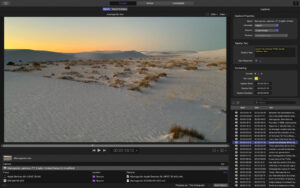
– New immersive metadata viewer to preview immersive, time, and dynamic metadata before encoding
– Support for 180º Apple Projection Media Profile (APMP) to encode 180º videos for Apple Vision Pro
– New embossed view option to preview stereoscopic videos
– This update includes stability improvements and bug fixes
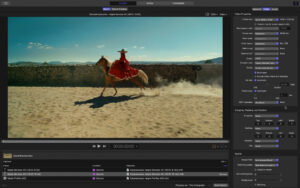
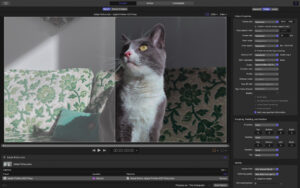
Software Screenshots:
This resource requires login to download
Log in
Path Finder for Mac v11.0 Chinese Activation Version Download
Downloads:2915 | 2026-10-26

EdgeView 3 for Mac v3.8.7 Chinese Activation Version Download
Downloads:3217 | 2026-10-21

Acorn for Mac v8.3.3 Image Editor Activation Download
Downloads:1378 | 2026-10-21

Menu Bar Clock Activation Version for Mac v5.2.11
Downloads:1195 | 2026-10-20


Ratings & reviews
No rating
Let’s rate it.