Here is the page providing djay Pro for Mac v5.6.4 DJ mixing software with Chinese activation version download | LoveMAC, tested and available. If you encounter issues with the download link or after installation, please leave a message to contact us.
One, Software Overview and Core Values
djay Pro is a professional DJ mixing software tailored for the macOS platform. It integrates advanced artificial intelligence technology, offering real-time track separation and intelligent mixing functions, and widely supports services like Spotify and Apple Music. The software is compatible with over a hundred MIDI controllers, featuring high-definition waveform display, video mixing, and multi-mixing interface, ensuring professional creation flexibility while providing a smooth user experience.
As a benchmark product in the DJ industry, djay Pro is highly regarded in the market. Beyond being a mixing tool, it is a complete music creation ecosystem. Whether you are a night club resident DJ, a music producer, or a beginner, you can find your own rhythm through this software.
According to the annual report by the authoritative evaluation institution MusicTech, djay Pro has been recognized as one of the best DJ software for three consecutive years. The development team behind it, Algoriddim, has over 15 years of experience in audio processing, with deep technical expertise.
Important Note: The current version requires disabling the SIP (System Integrity Protection) feature of macOS to run normally. Please refer to the relevant technical documentation for specific steps.
Two, Installation Guide: Complete Steps from Download to Activation
Installing djay Pro v5.6.4 is not complex, but there are some details to pay attention to. Below, I will guide you through the installation process step by step, ensuring you can smoothly use the software.
2.1 Preparation
- System Requirements: macOS 10.14 (Mojave) or higher, recommended macOS 11 Big Sur or above. According to Apple’s official developer documentation, the new version has optimized performance for M1/M2 chips.
- Available Disk Space: At least 1.5GB of available space is needed for the main program installation. If you plan to download a large amount of samples and loops, it is recommended to reserve 10GB or more.
- Network Environment: The activation process requires a stable network connection. Please ensure your Mac is connected to a stable Wi-Fi or Ethernet.
2.2 Download and Unzip
- From the provided link on this page, download the djay Pro v5.6.4 installation package. The file format is usually .dmg or .zip.
- Double-click the downloaded .dmg file to mount it to the desktop. If you download a .zip file, the system will automatically decompress it.
- After mounting, you will see a “djay Pro 5.6.4” disk icon. Double-click to open it.
2.3 Drag and Install
- In the opened window, you will see the djay Pro application icon, along with a shortcut to the “Applications” (Applications) folder.
- Drag the djay Pro icon to the right “Applications” folder. The system will prompt you to enter the administrator password to complete the copy.
- Wait for the progress bar to finish. This process typically takes 1-2 minutes, depending on your hard drive speed.
2.4 First Launch and Configuration
- Open the “Applications” folder and double-click the djay Pro icon to launch the software.
- When launching for the first time, you may encounter a security prompt, as the software comes from an “unidentified developer.” Go to “System Settings” > “Privacy & Security” > “Security,” and click “Open Anyway.”
- After launching, the software will enter the setup wizard. You can choose the language (supporting Simplified Chinese), and authorize access to your music library.
2.5 Activation Steps
- After installation, open the software and click the “Activate License” option in the menu bar.
- Enter the activation code you purchased or obtained. For trial versions, you can choose “Activate Later.”
- After activation, the software will prompt you to restart. After restarting, all features will be fully unlocked.
Three, Detailed Explanation of Core Features
Understanding the core features of djay Pro can help you use the software more efficiently. Let’s examine these powerful features in detail.
3.1 NEURAL MIX™ Intelligent Track Separation
- Real-time isolation of audio into vocals, drums, and instruments (Note: This feature is not supported by TIDAL).
- This technology is based on deep learning algorithms, trained on millions of songs. According to Algoriddim’s official whitepaper, its separation accuracy is leading in the industry.
- You can individually adjust the volume of each track and even replace them. For example, remove the vocals from the original song and add your rap.
3.2 Music Production and Creative Tools
- Arranger: Create rhythm patterns in real-time based on the track. You can choose from the preset library or manually arrange them.
- Loop Editor: Each track supports up to 48 loop points, for complex music mixing. Loop points can be precise to 1/32 beat.
- Supports drum machines and sample sequencers with beat matching. The built-in library contains over 1000 professional preset loops and samples.
3.3 Deep Integration with Streaming Services
- TIDAL: Access millions of tracks, music videos, and high-fidelity audio content (requires TIDAL Premium or HiFi subscription). TIDAL’s Master quality (MQA) provides a studio-level listening experience.
- SoundCloud: Access a vast collection of independent musicians and high-quality tracks (requires SoundCloud Go+ subscription). This is the best channel for discovering underground music and niche styles.
- Beatport: Designed for electronic music, offering a vast library (requires Beatport LINK subscription). All major electronic music labels are available here.
- Beatsource: Focuses on open format music, covering various styles (requires Beatport LINK subscription). Suitable for DJs needing a diverse library.
3.4 Award-Winning User Interface and Views
- Supports 2-track and 4-track display modes. You can flexibly switch between these modes according to your performance needs.
Single-track preview view for fine-tuning. In the preview view, the waveform is enlarged to facilitate marking cue points.
Specialized video mixing and automatic mixing view. The video mixing view supports real-time effects overlay.
3.5 Advanced Library Management
- Create custom and smart playlists. Smart playlists can automatically filter based on BPM, key, genre, etc.
- Powerful multi-condition track filtering feature. You can set up to 5 or more filter conditions simultaneously.
- Deep integration with macOS Finder. You can tag and rate your music files directly from Finder.
3.6 Automatic Mixing Functionality
- Automatic, rhythm-matched track transitions. You just need to set up the playlist, and the software will handle the transitions automatically.
- Arrangement of playlist and queue automation mixing. You can adjust the transition duration and style.
3.7 Video and Visual Presentation
- Mix video, visual effects, and photo content. Supports common video formats like MP4, MOV.
- Directly stream music videos from TIDAL. All videos will automatically sync to the beat.
- Generate rhythm-matched automatic photo slideshow. You can choose from local photos or iCloud albums.
3.8 Advanced Audio Engine and Effects
- Advanced underlying audio processing engine. Uses 64-bit floating-point operations to ensure no loss in sound quality.
- Real-time music source separation technology. This is the core support for NEURAL MIX.
- High-quality mixers, filters, equalizers, isolators, and limiters. Each module is professionally calibrated.
- High-precision time stretching and pitch shifting algorithms. You can change the key without changing the tempo, or change the tempo without changing the key, to the extreme.
- Includes over 40 professional audio effectors. Such as delay, reverb, chorus, distortion, etc.
- Supports Audio Unit plugins for the main output. You can mount third-party VST/AU effectors.
- Real-time mixing recording function. All operations are recorded for easy playback later.
- Ableton Link synchronization support. Can sync with Ableton Live and other software to the beat.
3.9 Advanced Audio Analysis
- BPM (beats per minute) and beat automatic detection. Detection accuracy is over 98%.
- Key detection for tracks. Supports Camelot key annotation system for easier harmonic mixing.
- Color-coded BPM visualization. Energy distribution across different frequency segments is clear at a glance.
- Automatic gain control. Ensures consistent volume levels for all tracks.
3.10 Professional Hardware Integration
- Native support for over 100 mainstream MIDI controllers. Includes brands like Pioneer DJ, Numark, Reloop, etc.
- Deep integration with Pioneer DJ CDJ series players. Supports HID mode for faster responses.
- Digital turntable system (DVS) support. You can control digital music with a turntable.
- RANE Twelve turntable integration. Provides a tactile feel similar to a turntable.
- Advanced MIDI learning features. You can customize any button or knob mapping.
- External mixer mode. You can use djay Pro as an independent audio source.
- Support for multi-channel USB audio interfaces. Suitable for complex performance scenarios.
- Support for external audio inputs and microphones. Useful for live transitions or interactions.
五、软件界面截图
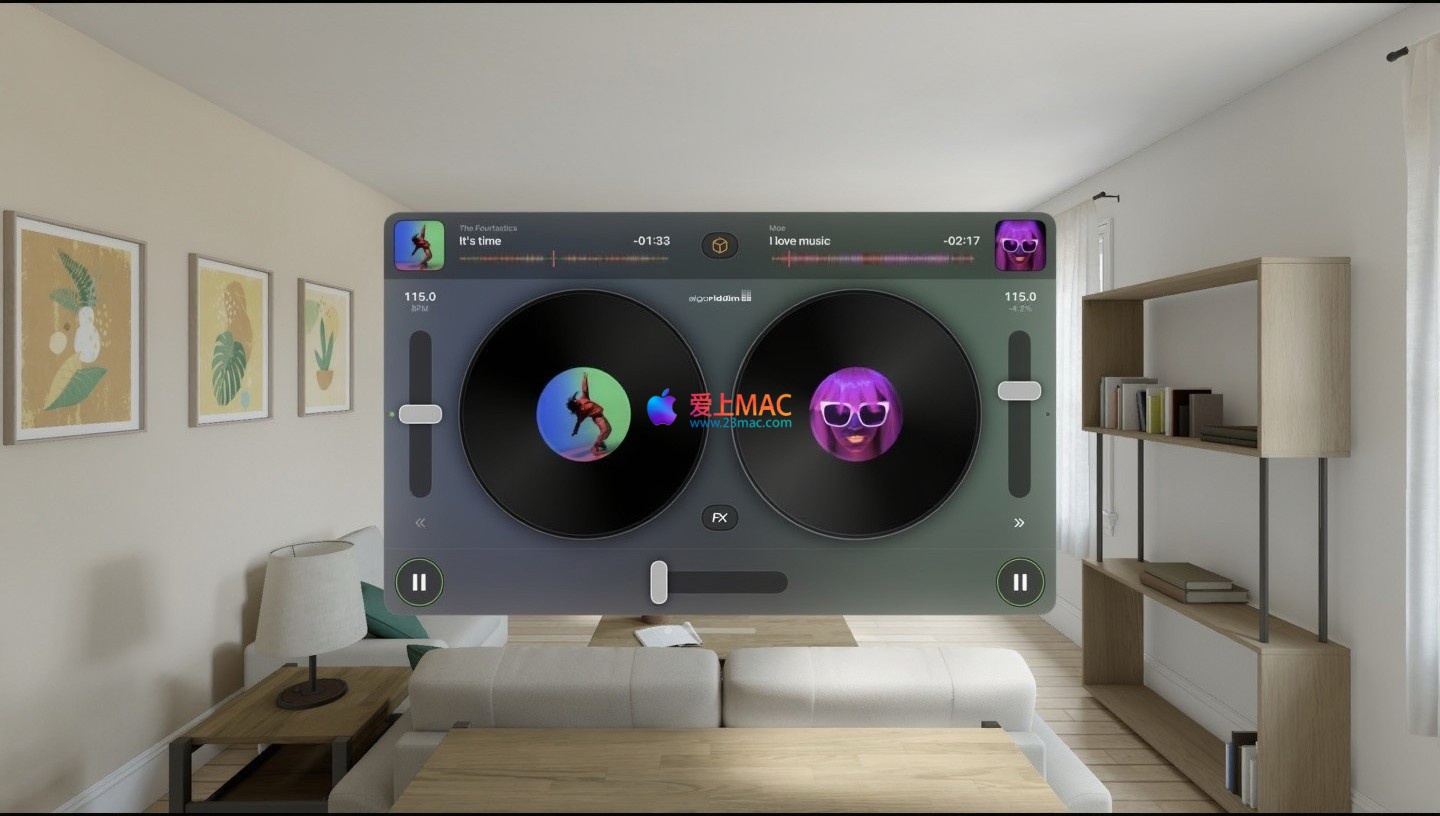
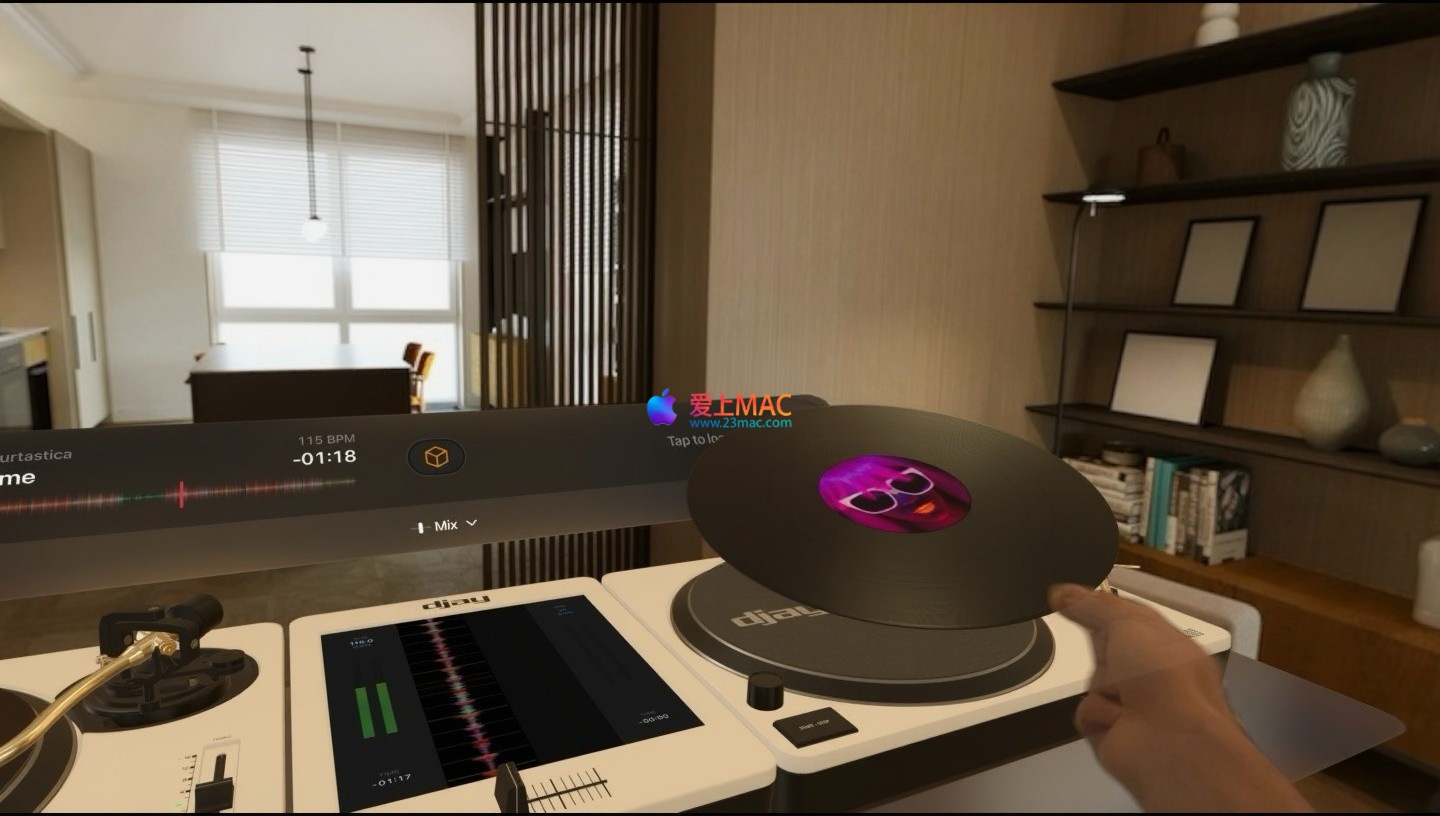
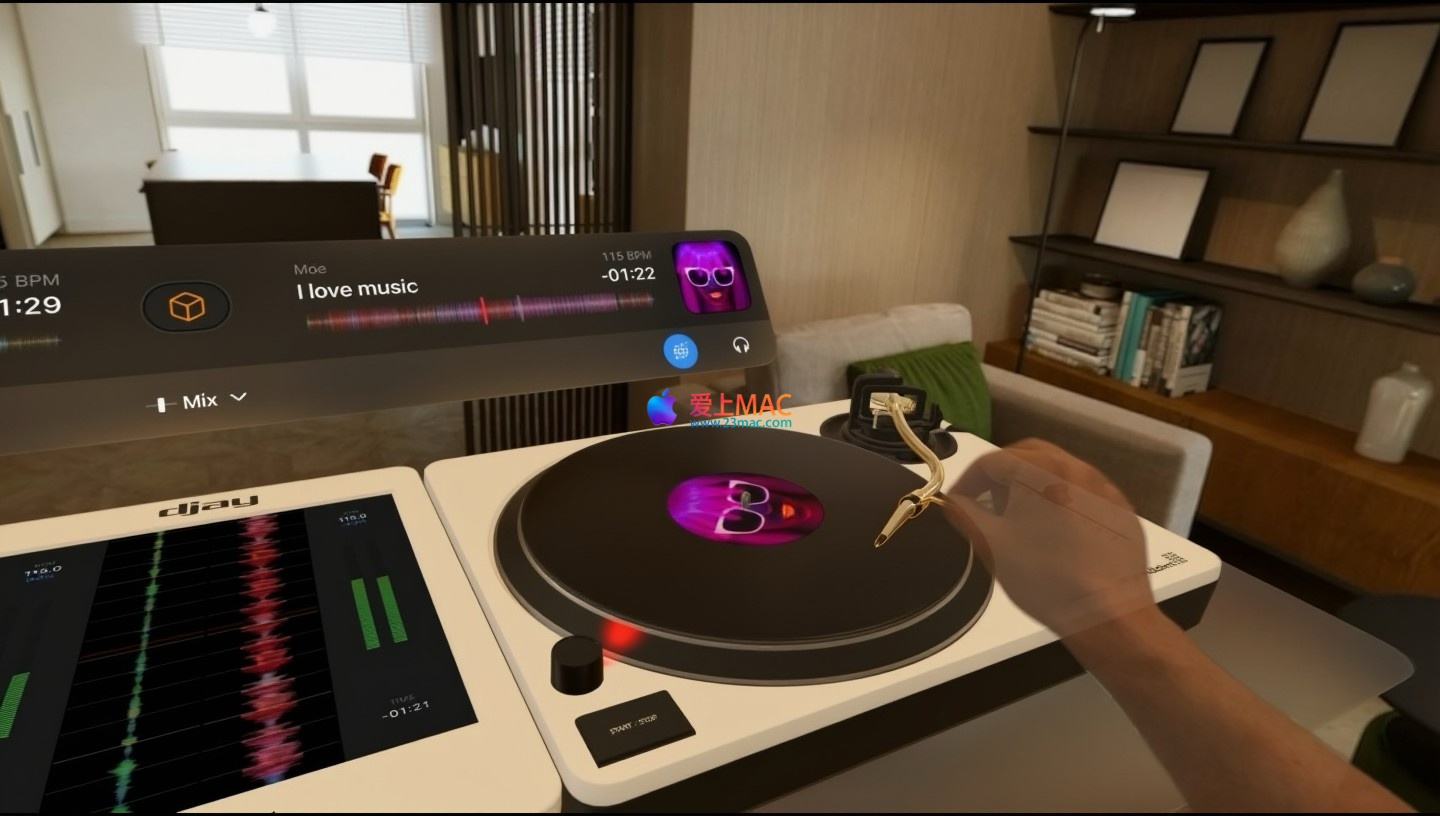
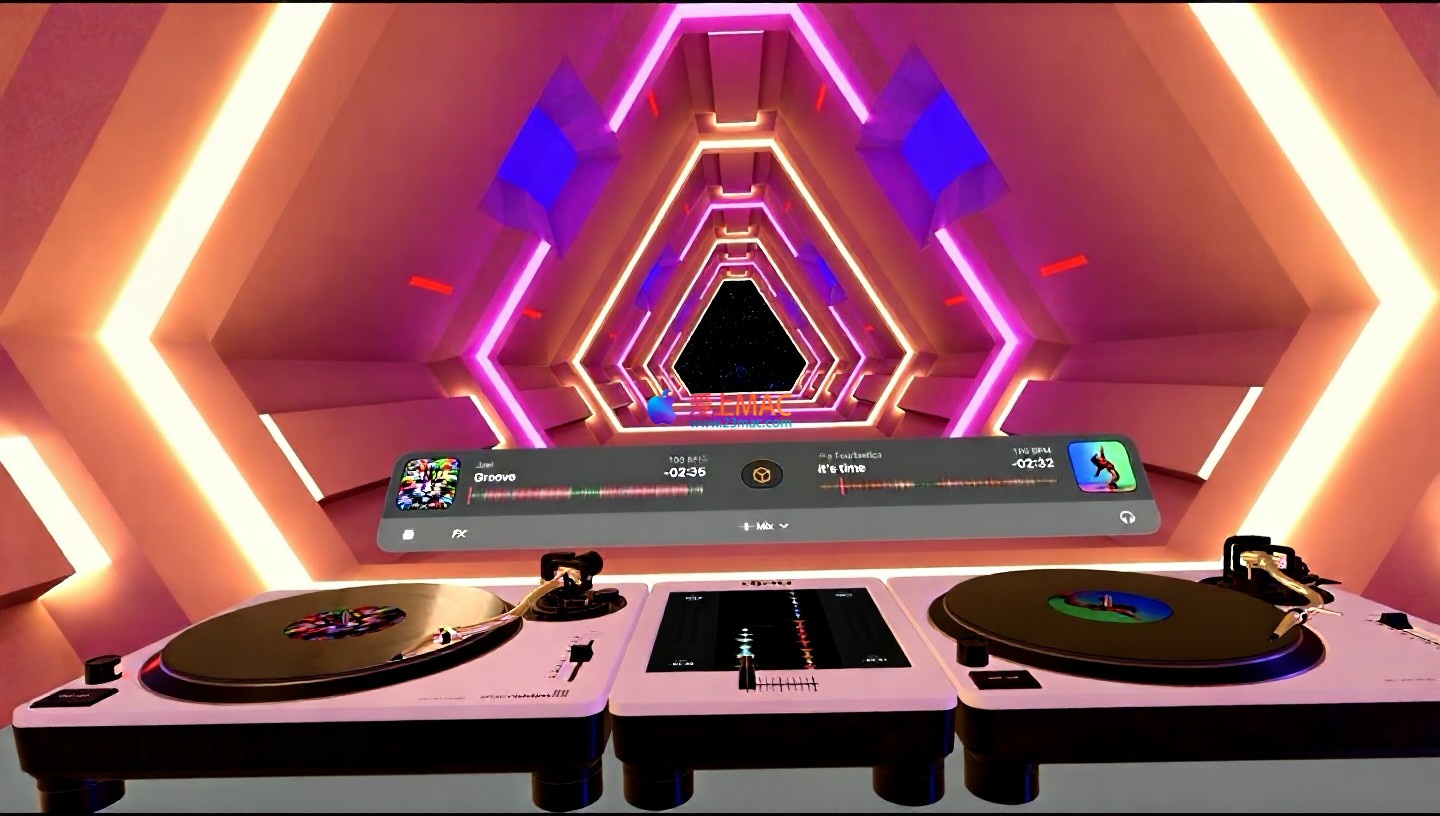
Below are screenshots that give you a clear understanding of the operation interface of djay Pro. Each module is designed with care.
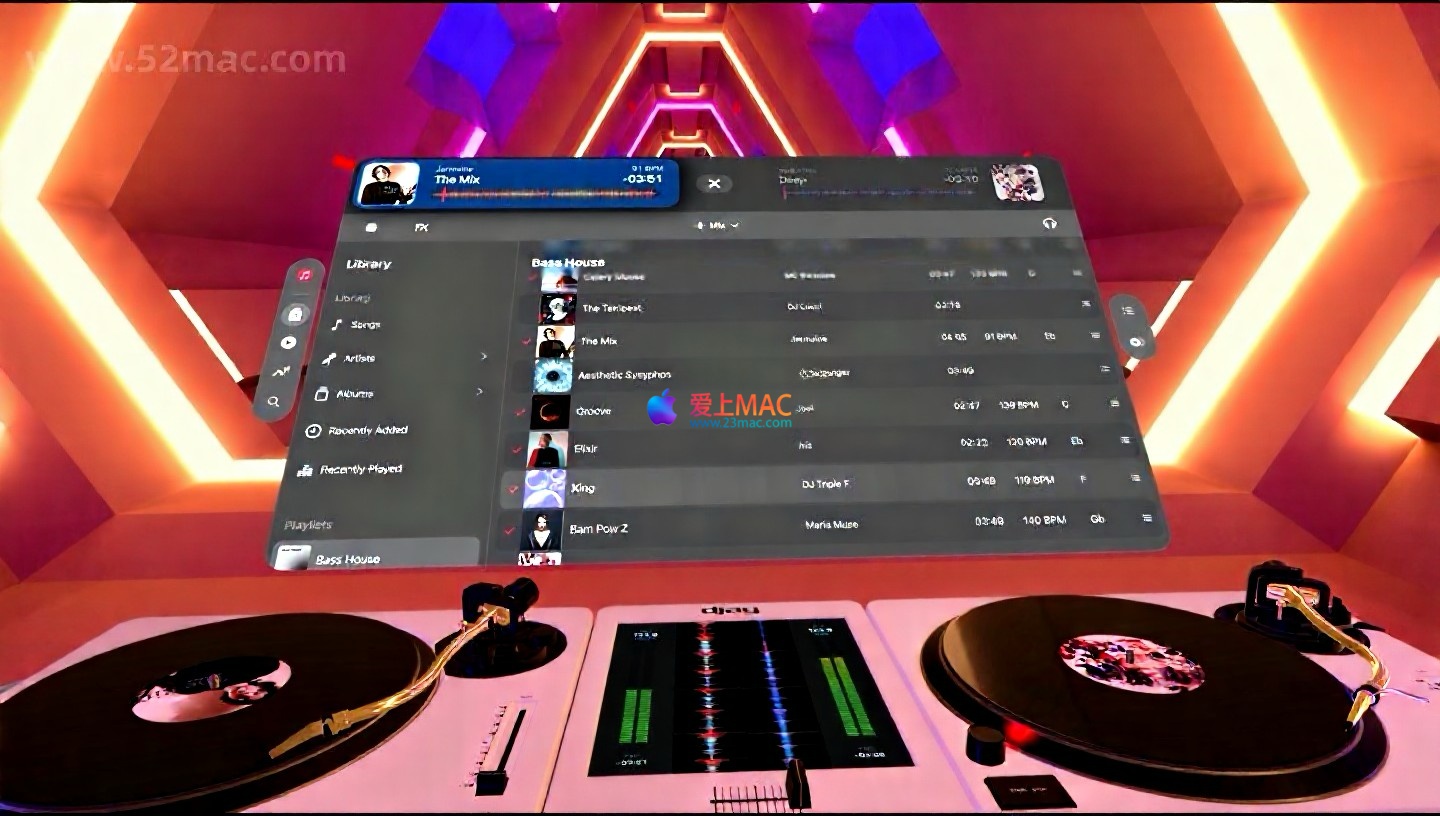
Six – Mac Common Shortcut Table
Mastering shortcuts can significantly enhance your productivity. Below are some of the most commonly used shortcuts in djay Pro, which you are advised to bookmark.
| Function Category |
Shortcut |
Function Description |
| Playback Control |
Space |
Play/Pause the current track |
| Playback Control |
Shift + Space |
Start playback from the Cue point |
| Track Navigation |
← / → |
Rewind/Forward (hold Option for finer adjustment) |
| Track Navigation |
↑ / ↓ |
Jump to the previous/next Cue point |
| Cue Point Management |
C |
Set a Cue point at the current playback position |
| Cue Point Management |
Delete |
Delete the selected Cue point |
| Loop Control |
L |
Enable/Disable loop playback |
| Loop Control |
Shift + L |
Halve the loop length |
| Reverb |
1 – 9 |
Activate the corresponding reverb slot |
| View Switching |
Cmd + 1 |
Switch to 2-track view |
| View Switching |
Cmd + 2 |
Switch to 4-track view |
| Global |
Cmd + Z |
Undo the previous operation |
Seven, Tips and Real-World Cases
More theory is better than hands-on practice. Below are a few practical tips to help you quickly improve your mixing skills.
7.1 Tip One: Using NEURAL MIX for Seamless Song Transitions
- Scenario: You need to transition from a 128 BPM House track to a 140 BPM Dubstep track.
- Operation: Play the House track on Track A and enable NEURAL MIX, completely attenuating the drum track. On Track B, load the Dubstep track and only retain its drum track.
- Effect: The melody from Track A and the drum track from Track B play simultaneously, creating a natural transition. When the drum track from Track B enters, gradually increase the volume of the melody from Track B to complete the transition.
7.2 Tip Two: Using Smart Playlists for Emergency Situations
- Scenario: During a performance, you notice the audience’s mood is low, and you need to quickly switch to a song that can boost the atmosphere.
- Operation: Create a smart playlist named “Emergency” beforehand, with conditions set to: BPM > 130, energy level > 80%, and key of A minor or C major.
- Effect: When you need to switch songs, simply open this playlist, and all the songs are pre-selected high-energy tracks, saving you the trouble of searching for them on the spot.
7.3 Tip Three: Using Ableton Link for Synchronization with Hardware
- Scenario: You’re using djay Pro while also running a synthesizer app on an iPad.
- Operation: Enable Ableton Link in djay Pro’s settings. Ensure both your iPad and the synthesizer app are connected to the same Wi-Fi network and have the Link feature enabled.
- Effect: The two devices will automatically sync BPM and phase. When you adjust the speed in djay Pro, the synthesizer on your iPad will follow the changes.
7.4 Tip Four: Creative Applications of Video Mixing
- Scenario: For a birthday party, you need to provide background music and video.
- Operation: Import a set of friends’ photos into the video track in djay Pro. Enable the “Automatic Slide Show” feature and choose “Rhythm Synchronized” mode.
- Effect: The photos will automatically switch based on the music’s tempo, accompanied by transition effects, creating a warm and dynamic atmosphere.
Eight, Common Issues FAQ
Here’s a FAQ compiled to address the most common concerns.
8.1 Issue: Why Can’t My djay Pro Recognize My MIDI Controller?
Solution: First, ensure the MIDI controller is connected via USB correctly. Then, open djay Pro’s “Preferences” > “MIDI” tab and check if the device is listed. If it’s not, try unplugging and replugging the device or restarting the software. Some third-party controllers require manual MIDI mapping.
8.2 Issue: NEURAL MIX Function Isn’t Working?
Solution: NEURAL MIX requires a strong CPU performance. If your Mac is an Intel chip, consider closing other resource-intensive programs. Additionally, this feature doesn’t support TIDAL and certain low-bitrate audio files. Ensure your macOS version is at least 10.15 (Catalina).
8.3 Issue: How Can I Import Spotify Playlists into djay Pro?
Solution: In djay Pro, click the Spotify icon in the left sidebar to log in with your Spotify account. After logging in, all your playlists will be automatically synchronized. In version v5.6.4, you can directly add Spotify tracks to the “My Collection” playlist.
8.4 Issue: Software Prompting “Need to Disable SIP to Run?”
Solution: Yes, this is a necessary step for activating a cracked version or certain special versions. To disable SIP, restart your Mac and press Cmd + R to enter recovery mode. Open the Terminal and input csrutil disable. Restart after disabling SIP to use the software. Backup important data before proceeding.
8.5 Issue: What Audio Formats Does djay Pro Support?
Solution: djay Pro supports almost all mainstream audio formats, including MP3, AAC, FLAC, ALAC (Apple Lossless), WAV, AIFF. For high-resolution audio, it supports 24-bit/192kHz WAV and FLAC files.
8.6 Issue: How Can I Record My Mixing Process?
Solution: In djay Pro’s main interface, click the recording button (usually a red dot). The recording will be saved in WAV or AIFF format. You can set the output format and save path in “Preferences” > “Recording”.
8.7 Issue: Why Can’t I See My Video?
Solution: Ensure video functionality is enabled in “Preferences” > “Video”. djay Pro supports common video formats like MP4, MOV. If the video file is not compatible, consider using HandBrake to convert it to H.264 encoding.
8.8 Issue: How Can I Update to the Latest Version?
Solution: Open djay Pro, click “djay Pro” > “Check for Updates…”. The software will automatically detect the latest version. If you’re using an activated version, you may need to download and install the update package to perform a full installation.
8.9 Issue: Why Is My Software Running Slow?
Solution: Close unnecessary background programs, especially browsers. Reduce the audio buffer size in “Preferences” > “Audio”. If using a Mac with an M1/M2 chip, ensure the software is optimized for Apple Silicon.
8.10 Issue: Can I Use the Same License on Multiple Macs?
Solution: A license typically allows activation on two Macs. If you need to use it on more devices, purchase additional licenses. After activation, if you switch devices, you need to deactivate the license on the old device first.
Nine, Summary and Recommendations
djay Pro for Mac v5.6.4 is a DJ mixing software that combines professional features with user-friendly interfaces. It boasts powerful NEURAL MIX intelligent track separation technology and integrates deeply with mainstream streaming services such as TIDAL and Spotify, providing an endless library of music.
For beginners, the automatic mixing feature and extensive preset libraries make it easy to get started. For experienced users, the powerful MIDI mapping, DVS support, and Audio Unit plugin compatibility offer endless creative possibilities.
A final reminder: if you encounter any issues during the download or installation process, feel free to leave a message below. We will respond to your inquiries as soon as possible. Enjoy your music journey!




Ratings & reviews
4.8
(Maximum 5 ratings, total 21 user reviews)
Let’s rate it.