

Slim Music Player for Mac v1.5.1 Activation Download
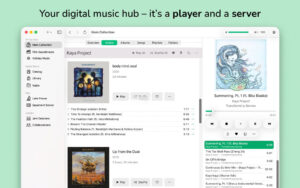
Radiccio is a lightweight music player designed specifically for Mac devices, focusing on the capability to aggregate and play music content from various sources and storage locations in one place.
Key Features:
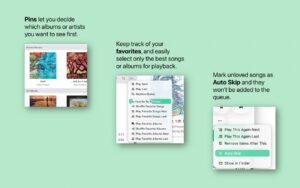
– Floating Feature: Keep frequently used content at the top of the list for quick access.
– Collection Feature: Mark favorite songs and filter them separately for playback.
– Skip Feature: Automatically skip songs you don’t like to avoid unwanted content.
– Music Log Feature: Replace traditional star ratings with detailed records of your listening experiences and information over time.
– AirPlay Playback Support
– Revocable Random Play Feature
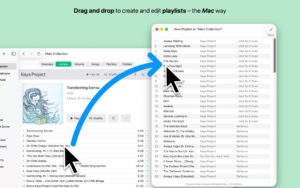
– Save Current Play Queue as a Playlist
– Directly open and play audio files from Finder without creating a source beforehand
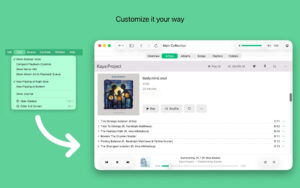
– Customizable Interface Options: Support placing the current playback information and playback controls at the bottom of the interface, and adjust more personalized settings via the View menu
– Interface Design Adapted for macOS Newer Systems, Optimized for macOS 26 Tahoe and Liquid Glass effects
Version 1.5.1 Update Content:
# Bug Fixes
This update has resolved several issues that caused occasional interface lag in previous versions. Now, Radiccio responds more smoothly, and the annoying colored spin wait cursor appears less frequently.
To accomplish this fix, we will perform a one-time interface reset. Settings and data source settings will not be affected, but options like sorting will revert to their default values; when you first launch Radiccio after this update, you will be prompted to choose a data source. I apologize for any inconvenience this may cause, and this situation should not occur again in the future.
I hope this optimization will make Radiccio feel more fluid and user-friendly, and I will continue to seek out more optimization opportunities. The more fluid the experience, the better!
Fixed an issue: When the sidebar is set to “Data Source List” in “Settings > Navigation,” the toolbar cannot be customized. Now, regardless of the setting, the toolbar can be customized normally.
# Function Improvements
Now, you can switch the current playback song’s status between collection, skip, and rating using the program dock menu (hold down the Control key or right-click on Radiccio’s icon in the program dock), provided that your current data source supports these features.
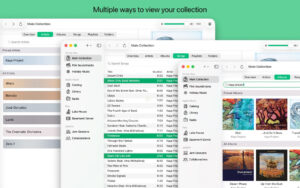
Software Screenshots:
This resource requires login to download
Log in
Proxyman for Mac v6.4.0 HTTP Proxy Sniffer Crack Version Download
Downloads:1135 | 2026-10-26

Vector and Charting Tools for Mac 4.9 Activation Download
Downloads:1136 | 2026-10-22

DxO PhotoLab 7 for Mac v7.1.0 Chinese Activation Version Download
Downloads:2787 | 2026-10-21

Dual-Window File Manager for Mac v3.9.0 Activation Download
Downloads:1604 | 2026-10-19


Ratings & reviews
No rating
Let’s rate it.