



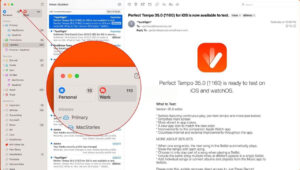
Mimestream for Mac v1.10.4 Chinese Activation Version Download
| Mimestream is a native email client designed specifically for macOS and optimized for Gmail, aiming to combine the functionality of macOS with the advanced features of Gmail to provide users with an efficient and smooth email experience.
Features: 1. Efficient Inbox Management: Smart Categorization: Utilizing Gmail’s smart categorization feature, emails are divided into categories such as “Main,” “Social,” and “Promotional,” helping users focus on important content, while less important emails can be deferred for later. Calendar Invitations Integration: Quick replies to calendar invitations can be made without leaving the application, and the user’s calendar (Google Calendar or Apple Calendar) can be checked to determine if there is an available slot. 2. Multi-account and Personalization Management: Support for Multiple Gmail Accounts: Multiple Gmail accounts (such as personal, work, or school accounts) can be added, allowing unified inbox viewing or separate management. 3. Efficient Email Composition: Rich Tools: Support for Gmail aliases, pre-written templates (with variable-triggered form filling), sending and archiving (one-step operation, shortcut ⌃⌘⏎), and sending and reviving (⌘Z quick draft and re-edit). 4. Privacy and Security: Data is stored only on the user’s device, with tokens and other information saved locally; the client connects directly to Gmail via the API, bypassing any middle-sync services, ensuring privacy and security. Version 1.10.4 Update Highlights: ### Improvements: ### Fixes: Software Screenshot:
|
This resource requires login to download
Log in
Fig Player for Mac v1.3.32 Chinese Activation Version Download
Downloads:1930 | 2026-10-27

Adobe Premiere Pro 2020 for Mac v14.3.1 Full Version Chinese Activation Download
Downloads:3100 | 2026-10-24

Mac Video Converter Ultimate with Chinese Activation Download
Downloads:1439 | 2026-10-24

PDF Editor Pro for Mac v2.9.5 Chinese Activation Version Download
Downloads:3253 | 2026-10-20


Ratings & reviews
No rating
Let’s rate it.