

Mimestream for Mac v1.10.6 Gmail Email Client Chinese Activation Version Download

  • Introduction
Download
Download now
Join VIP Free download

Description

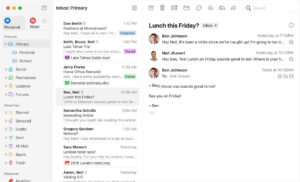
Mimestream is a native email client designed specifically for macOS and optimized for Gmail, aiming to combine the functionality of macOS with the advanced features of Gmail to provide users with an efficient and smooth email experience.

Key Features:

1. Efficient Inbox Management:

– Smart Categorization: Utilizing Gmail’s smart categorization feature, emails are sorted into categories such as “Main,” “Social,” and “Promotional,” helping users focus on important content while postponing less urgent emails.
– Comprehensive Support for Gmail Labels: Including color coding and visibility settings, making it easy to identify email categories.
– Server-side Filtering: Allows for direct management of Gmail’s server-side filters, automatically organizing incoming emails (such as tagging specific senders with a label or skipping the inbox).
– Powerful Search and Filtering: Based on Gmail’s search capabilities, enabling precise content searches; supports filtering by conditions like “Unread” or “Starred.”
– Calendar Invitations Integration: Quick replies to calendar invitations within the application, allowing users to view their own calendars (Google Calendar or Apple Calendar) to check for availability.

2. Multi-User and Personalization Management:

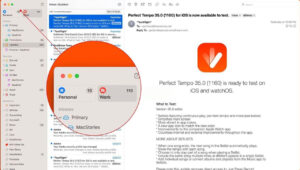
– Multiple Account Support: Supports adding multiple Gmail accounts (such as personal, work, or school accounts), allowing users to view unified inboxes or manage them separately.
– Account Personalization: Allocates unique colors to each account for easier identification of associated emails and labels; customizable notification times for work accounts (e.g., “Work Hours” setting) to balance work and personal life.
– Focus Mode: Filters out important messages from specific accounts during designated focus states, reducing distractions.

3. Efficient Email Composition:

– Rich Tools: Supports Gmail aliases, pre-written templates (with variable-triggered form filling), sending and archiving (one-step operation with shortcut ⌃⌘⏎), and sending and reviving (⌘Z quick undo and re-edit).
– Formatting and Interaction: Supports Markdown formatting and code blocks; enables quick inclusion of others in conversations via “@mention” functionality.

4. Privacy and Security:

– Data is stored only on the user’s device, with tokens and other information saved locally; connects directly to Gmail via API, bypassing intermediate synchronization services to ensure privacy and security.

Version 1.10.6 Update Highlights:

## Function Improvements:
– Default re-enables adaptive cache management for all users.
– Supports changing Gmail email addresses for accounts.
– Directly opens Mimestream account management page via magic link, eliminating the need for manual login.
– Expands synchronization scope to load more emails.

## Fixed Issues:
– Occasionally, draft content could not be saved.
– Emails with multiple labels were not displayed in the main inbox.
– Occasionally, opening existing drafts would continuously show the “Downloading” overlay.
– When selecting folders with insufficient visible sessions, the synchronization range would not automatically expand.
– The “Join Google Meet” link would repeatedly appear on the page load.
– Logging into a Google account might result in a vague “Connection Error” message.

## Minor Enhancements:
– The slider for delayed read support aligns with predefined intervals.
– Fixed text wrapping anomalies in certain language versions’ trial interfaces.

Software Screenshot:


Download info

This resource requires login to download

Log in
Note: This resource is for informational purposes. By using this resource, you agree that you accept full responsibility to the copyright holder. For questions, please contact us.

Ratings & reviews

No rating

Let’s rate it.

  • 5 stars
  • 4 stars
  • 3 stars
  • 2 stars
  • 1 stars

You may also like

More
×
Mimestream for Mac v1.10.6 Gmail Email Client Chinese Activation Version Download
iMac — One-stop Mac Software Download Platform
Social login
captcha
Social login