

Screens 5 for Mac v5.8.8 VNC Remote Desktop Software Chinese Activation Version Download
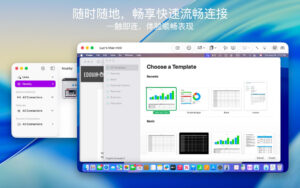
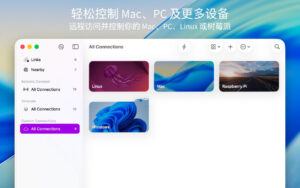
Screens 5 allows you to remotely access Mac, Windows PC, Linux PC, or Raspberry Pi from anywhere, whether you’re at home, in a coffee shop, or on the other side of the world. With high-speed, secure, and reliable performance, Screens provides a smooth remote desktop experience on iPhone, iPad, Mac, and Vision Pro.
Why choose Screens?
随时随地连接
Install Screens Connect on your Mac or Windows PC to easily access your devices globally. Need to connect to a Linux PC or Raspberry Pi? Screens fully supports Tailscale, offering secure and worry-free remote connections.
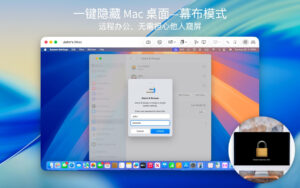
Curtain Mode (Curtain Mode)
Hide the screen when connecting to a remote Mac to protect your privacy, ideal for shared environments.
Safe and convenient connections
Enable Remote Login on your Mac, or configure your Windows PC, Linux PC, or Raspberry Pi for SSH connections. Screens also supports SSH keys for enhanced security.
Quick and convenient login
Screens automatically inputs passwords for quick and secure device connections.
Multi-monitor support
Choose which screens to view on multi-monitor Mac devices, or display all screens simultaneously. Screens remembers your preferences.
Clipboard sharing
Easily transfer rich text, URLs, images, and more between local and remote devices for a seamless cross-device experience.
Session selection
If a remote Mac is already logged in, you can choose to share their screen or start a new session.
Raspberry Pi 5 compatibility
Screens fully supports Bookworm and WayVNC, providing a smooth remote access experience through RSA-AES certification.
Help friends and family
Use the free Screens Assist tool on the Mac to remotely help friends with issues, app updates, etc.
Support for external keyboards and input devices
Use a Magic Keyboard or any compatible external keyboard and mouse for more precise remote control.
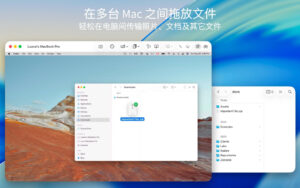
File transfer
Share files between your iPhone or iPad and Mac via simple drag-and-drop.
Apple Pencil
Use the Apple Pencil to interact naturally with remote content.
More features:
– Adaptive and high-definition display modes
– Remote control or just view the computer
– iCloud synchronization
– Complete URL scheme support
– Protect content with Touch ID, Face ID, Apple Watch, or password
Version 5.8.8 Update:
– Improved connection indicators: Screens Connect and Tailscale connection tests are faster and more accurate
– Optimized memory management
– Fixed issues: Toolbar modifier keys work better with VoiceOver
– Fixed issues: Application menus cannot be opened on iPad when set to Italian language
– Stability and performance improvements
Software Screenshot:
This resource requires login to download
Log in
OmniFocus Pro 4 for Mac v4.8.12 GTD Task Manager Chinese Activation Version Download
Downloads:1 | 2026-10-27

DxO PureRAW for Mac v3.6.1 RAW Image Processing Software Chinese Activation Version Download
Downloads:3079 | 2026-10-21

NetWorker Pro for Mac v8.6.2 – Display Network Speed Information – Activated Version Download
Downloads:2343 | 2026-10-17

RDM for Mac v2021.10.236 Redis Database Management Activated Version Download
Downloads:3107 | 2026-10-17


Ratings & reviews
No rating
Let’s rate it.