

SoundSource for Mac v6.1.1 Audio Control Software License
SoundSource is a one-stop audio control and management tool, and the acknowledged system audio capabilities supplement on the Mac platform. It offers a lightweight, menu-bar-resident form to break through the functional limitations of macOS native audio settings, achieving application-level fine audio control, intelligent routing of multiple devices, professional audio quality optimization, and scenario-specific quick configuration across all dimensions. It enables comprehensive control over Mac audio for everyday users’ daily entertainment and online meetings, as well as professional creators’ audio workflows with minimal operations.
Core Function Features:
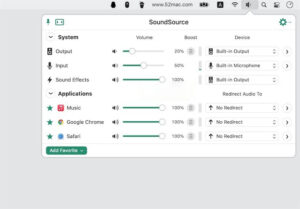
– Independent volume and balance adjustment for single applications: Allows setting the volume and left-right balance of any running application on Mac, enabling the application to be muted, soloed, or boosted to 100% or more, addressing the original system’s inability to globally adjust audio volume.
– Dedicated audio output redirection for single applications: Enables precise control over the destination of audio playback for individual applications, allowing different applications to be routed to different output devices. For example, routing music application audio to high-end external speakers, video conferencing software audio to headphones, and system notification audio to the built-in speaker, to create a fully customizable audio routing solution.
– Independent audio effects mounting for single applications: Allows for the addition of audio effects and equalizer settings for individual applications, enabling each application to have a completely independent audio quality calibration scheme, without interfering with one another, to meet personalized auditory needs.
– Grouping and synchronized playback for multiple devices: Supports the creation of output device groups, merging multiple wired, Bluetooth, and AirPlay devices into a single audio output endpoint, allowing system or individual application audio to be simultaneously played on multiple devices, to meet the need for synchronized audio across multiple rooms and devices.
– Deep native AirPlay adaptation: Optimizes AirPlay audio routing capabilities, allowing the precise delivery of audio from individual applications or the entire system to one or more AirPlay devices, while maintaining audio playback on local devices for scenarios such as live streaming, meetings, and home entertainment.
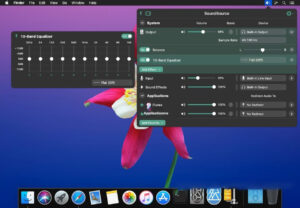
– Professional 10-band graphic equalizer: Includes a high-precision 10-band equalizer, offering a range of factory presets, and supports the saving of equalizer configurations for individual applications or the entire system audio, to precisely adjust the high, mid, and low frequencies, to adapt to different music styles and auditory preferences.
– Exclusive 2nd generation Magic Boost audio enhancement engine: Offers targeted optimization for the built-in speakers and small portable speakers on Mac, enhancing the low and mid-frequency details to produce more饱满 and layered sound quality from compact devices.
– Quick Configs preset management: Allows saving all applications’ volume settings, device routing, effect settings, and input/output device selections as presets, enabling the quick switching of audio configurations for different scenarios, such as “Office Meeting,” “Entertainment,” and “Live Streaming.”
– Automated scene triggers: Enables the setting of preset automatic trigger rules, such as automatically switching to the corresponding audio configuration, adjusting related application volumes, and switching input/output devices when a specified application starts, to achieve fully automated audio scene adaptation.
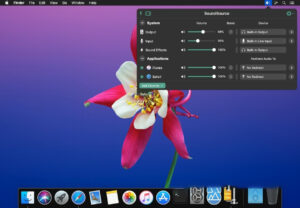
– Full-screen quick access: The software remains in the Mac system menu bar, allowing the quick invocation of the complete audio control panel with a single click, without opening the main program or system settings, to perform all audio operations; supports the customization of global keyboard shortcuts for quick access to the panel, switching presets, and muting the microphone; and supports the fixed floating mode of the control panel, keeping it always on top for frequent adjustments.
– Real-time audio level and activity monitoring: Displays the real-time status of system output and input devices, as well as the audio levels of each running application, to provide a clear view of audio activity, quickly locate applications with abnormal audio output, monitor microphone input status to avoid microphone issues during live streaming or meetings.
– Comprehensive input device management: Enables quick switching of input devices such as microphones, real-time adjustment of input gain and channel balance, and the ability to globally silence microphones, as well as the addition of audio effects and noise reduction for input devices, to optimize the audio quality for online meetings and voice calls.
Version 6.1.1 Update Highlights:
1. Fixed the issue where the gain/attenuation range of the 10-band Lagutin equalizer preset was only half effective, a problem introduced in SoundSource 6.1.0.
2. Reverted the audio device to a smooth and natural volume curve when no volume control is available, addressing the issue introduced in SoundSource 6.1.0.
3. Fixed the issue where buttons and sliders were ineffective when the SoundSource window was not in focus.
4. Prevented the software from arbitrarily overriding the system’s default audio device selection when audio devices are disconnected, addressing the issue introduced in SoundSource 6.1.0.
5. Corrected multiple spelling errors and VoiceOver tag issues throughout the software.
6. Fixed the issue where audio playback was repeated when playing multi-channel audio or outputting to non-default channels, addressing the issue introduced in SoundSource 6.1.0.
7. Prevented the software from incorrectly preventing the system from entering sleep when Siri is activated.
8. Resolved the issue with resource loading, addressing the problem introduced in SoundSource 6.1.0.
9. Ensured that AirPlay devices retain their previously set volume in all scenarios.
10. Fixed the logic for initializing recording and playback on non-default audio devices, addressing the issue introduced in SoundSource 6.1.0.
11. Fixed the program crash issue that occurred when reinstalling the ARK component from the Help menu.
12. Enhanced the visibility of the emphasis colors for the purple, blue, and orange themes.
13. Changed the text color of all window titles to black, replacing the previously overly dark gray.
Software Screenshots:
This resource requires login to download
Log in
Infuse for Mac v8.1.6 Chinese Activation Version Download
Downloads:292 | 2026-10-24

Adobe Photoshop 2020 for Mac v21.1.3 PS Crack with Chinese Activation Version Download
Downloads:1086 | 2026-10-22

ZBrush for Mac v2022.0.5: Digital Sculpting and Painting Software – Download and Activation Version
Downloads:725 | 2026-10-22

AiArt Image Enhancer for Mac v3.8 Activation Download
Downloads:3335 | 2026-10-21


Ratings & reviews
No rating
Let’s rate it.