

DxO ViewPoint 6 for Mac v6.0.0 Geometric Correction Tool Chinese Activation Version Download
Here is the page providing DxO ViewPoint 6 for Mac v6.0.0 image geometric correction tool Chinese activation version download | LoveMAC has been tested and available, if you encounter the situation of link failure or cannot install after downloading, please leave a message to contact us.
DxO ViewPoint is a professional image geometric correction tool deeply optimized for macOS, dedicated to solving issues such as lens distortion, perspective imbalance, and image proportion distortion. It is not only a core tool in the post-processing workflow for amateur photographers, professional photographers, commercial retouchers, and architectural/interior photography practitioners, but also boasts an industry-leading correction capability due to its lossless, precise, and efficient correction features. The software runs as a standalone application and can also be seamlessly integrated as an extension into mainstream post-processing software, ensuring that users can restore the true perspective and visual texture within their familiar workflow.
As a software developed by DxO Laboratory, DxO ViewPoint 6 carries over more than two decades of optical research experience. According to the official technical white paper from DxO, the core algorithm has been tested and validated with over 70,000 combinations of cameras and lenses in real-world conditions. This means that regardless of whether you are using the latest DSLR or a decade-old mirrorless camera, DxO ViewPoint can accurately identify and correct its optical defects. Many professional photographers have mentioned on websites such as DPReview that this software is an essential part of their post-processing workflow.
As the core function of the software, DxO ViewPoint offers a comprehensive solution for lens distortion correction covering various types of lenses, effectively addressing the image distortion caused by optical design or shooting conditions.
Many users have reported that the automatic correction function of DxO ViewPoint can almost “save” images taken with wide-angle lenses, such as a narrow living room where walls and floor lines often appear with barrel distortion. After using the feature, straight lines become straight, significantly improving the visual experience.
To address the common perspective issues found in architectural, interior, and landscape photography, DxO ViewPoint builds a comprehensive suite of correction tools to meet the needs of various processing levels from quick processing to fine-tuning.
According to a real-world test by the photography tutorial website Fstoppers, using DxO ViewPoint’s eight-point perspective correction feature to correct a severely deformed building photo takes only 30 seconds to achieve the precision of traditional manual liquefaction tools in 10 minutes. This efficiency advantage is particularly significant for commercial photographers who need to process a large number of architectural samples.
This feature is DxO ViewPoint’s differentiator, specifically addressing the local stretching and proportion distortion caused by wide-angle and ultra-wide-angle shooting, especially suitable for wide-angle portraits and interior panoramic photography.
In a real-world case, a wedding photographer shared his experience: in a wide-angle group photo, the faces of guests standing at the edge of the frame often appear unnaturally stretched. After using DxO ViewPoint’s local volume deformation repair feature, users can simply select the edge character area, and the software can automatically calculate and correct the deformation, while maintaining the original proportions in the center area, resulting in a very natural final image.
In addition to the professional correction functions, DxO ViewPoint integrates practical creative and editing tools to achieve a one-stop solution for correction and optimization.
For photographers who frequently deal with large batches of photos, the batch processing feature is a huge blessing. You simply need to correct the parameters of the first photo, and then apply these settings to the rest of the batch in one click, ensuring that all photos have a consistent style and significantly saving time from repetitive tasks.
DxO ViewPoint employs a dual-mode design of “independent application + plugin,” allowing it to flexibly integrate into the user’s existing post-processing workflow and achieve seamless integration with mainstream software.
This dual-mode design allows DxO ViewPoint to seamlessly integrate into any post-processing workflow. Whether you are a loyal user of the Adobe ecosystem or a fan of the DxO series software, you can find the most suitable usage method for yourself.
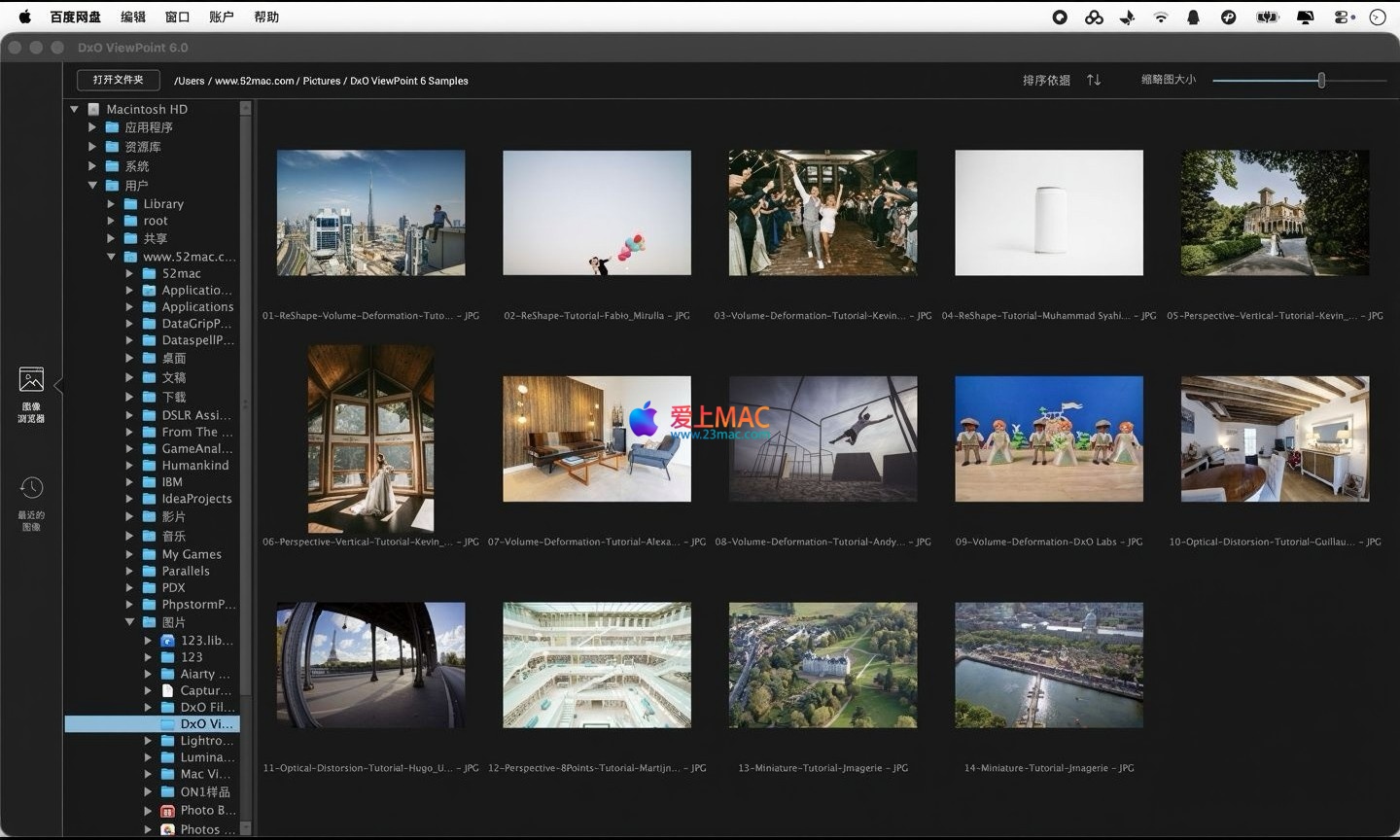
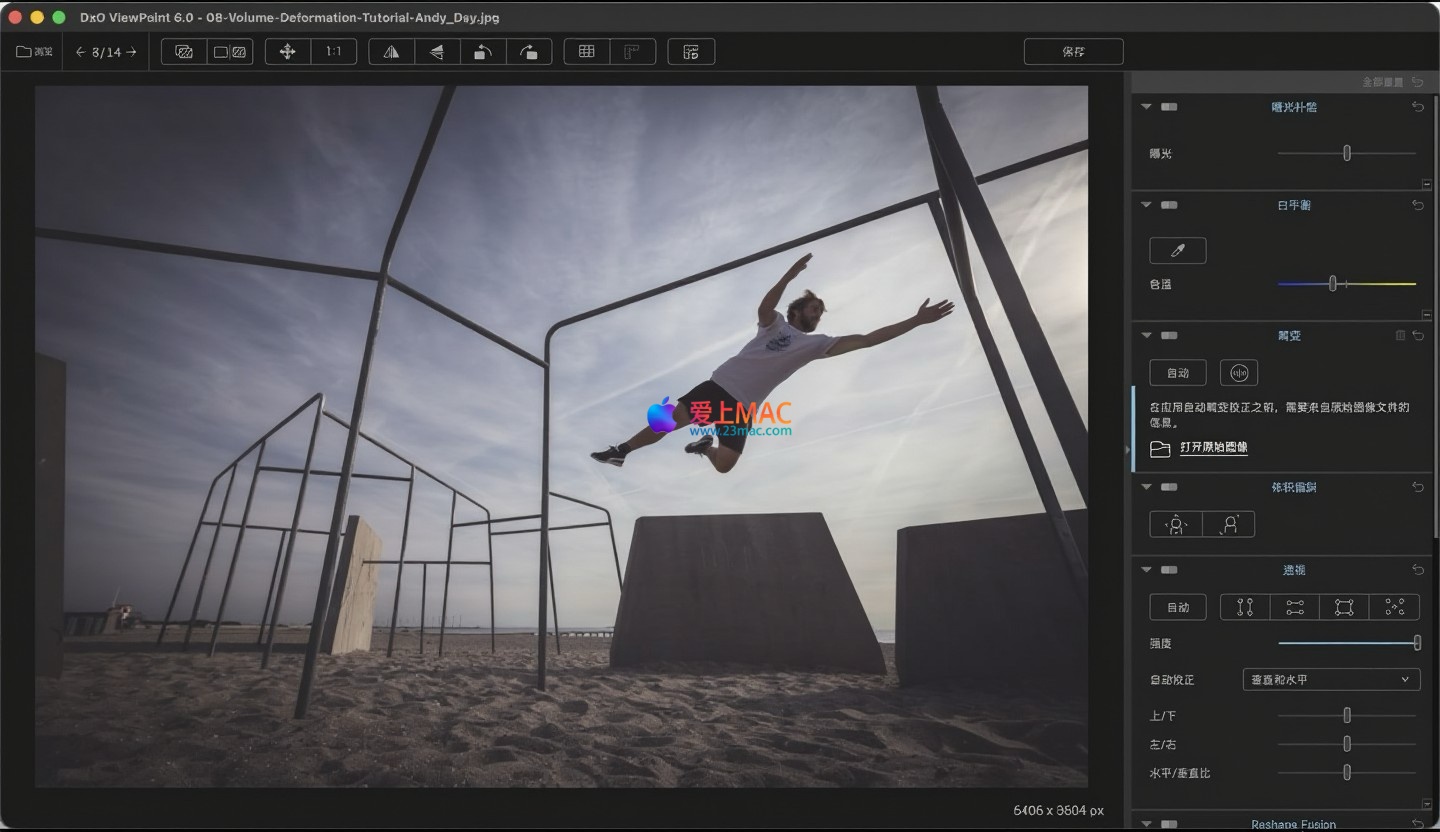
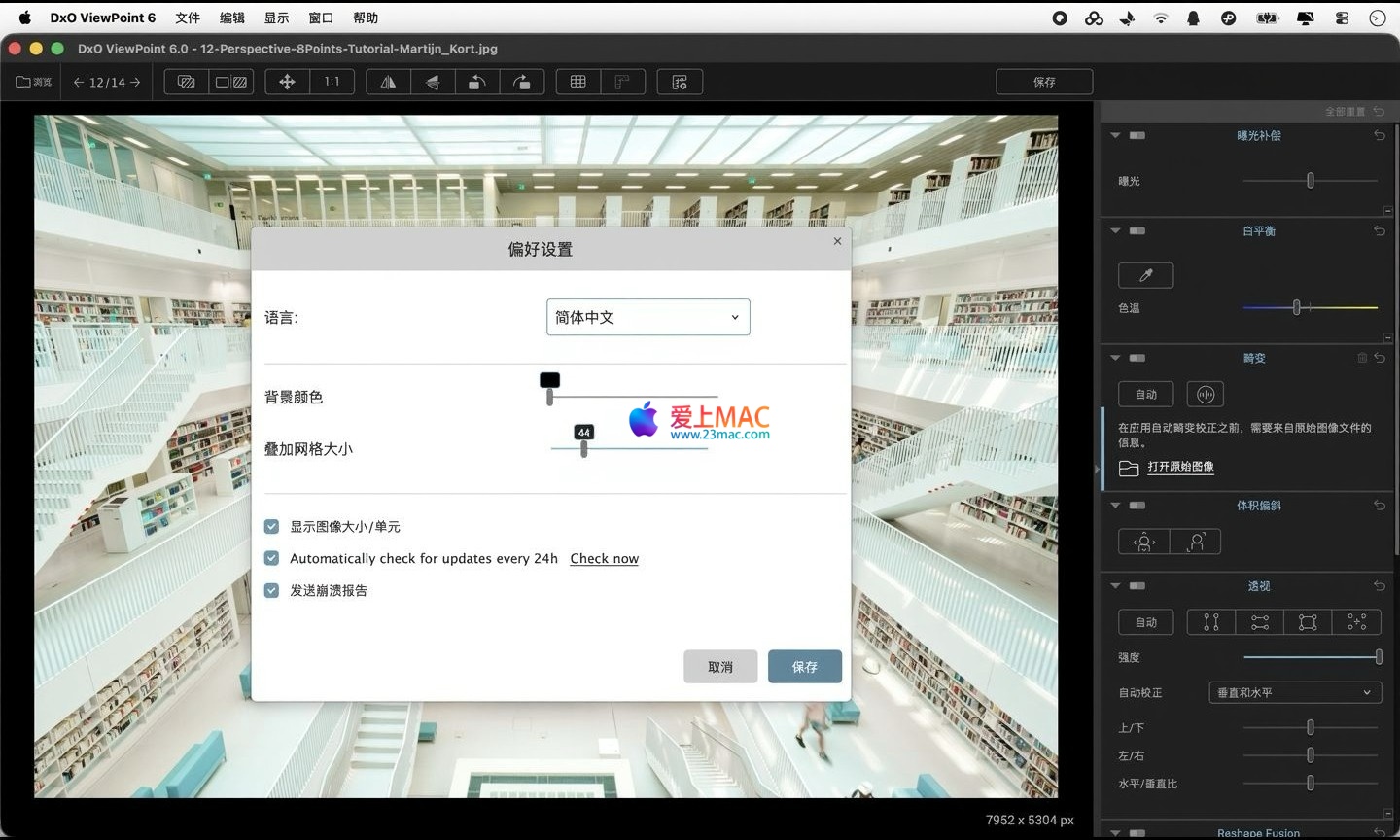
以下为 DxO ViewPoint 6 for Mac v6.0.0 的操作界面示例:
图示版本:DxO ViewPoint 6 for Mac v6.0.0 图像几何校正工具。
Installing DxO ViewPoint 6 for Mac is actually very simple, even for beginners, and you can complete it in just a few minutes. Please follow the steps below:
If you encounter prompts such as “File is damaged” or “Cannot verify developer,” don’t worry. This is usually due to macOS’s security policy. You can go to “System Preferences” -> “Security & Privacy” -> “General,” and click the “Open Anyway” button to resolve the issue.
During long-term use, we have collected the most common questions from users and answered them here:
A: 它支持几乎所有主流 RAW 格式(如 CR2、NEF、ARW、DNG 等),以及 JPEG、TIFF 等常见格式。对于 RAW 文件,软件能够利用其光学模块进行更精准的校正。
A: 支持。你可以在独立应用模式下,选中多张照片,然后应用统一的校正预设。这对于处理同一场景下拍摄的系列照片非常高效。
A: 请确保在安装时勾选了“安装 Lightroom 插件”选项。如果已经安装,请在 Lightroom 中进入“Edit”->“Preferences”->“Presets”,点击“Show Lightroom Presets Folder”,然后手动将插件文件复制到“Modules”文件夹中。
A: 不会。DxO ViewPoint 采用无损校正算法,在调整几何形状时不会对像素进行破坏性压缩。相比手动在 Photoshop 中使用“自由变换”工具,它的算法更为先进,能最大程度保留原图的细节和锐度。
A: DxO ViewPoint 的优势在于其庞大的光学模块数据库和专业的局部变形修复能力。Photoshop 的校正功能相对基础,无法处理复杂的广角体积变形或进行精细的 8 点透视校正。对于专业摄影师来说,DxO ViewPoint 是更优的选择。
A: DxO ViewPoint 6 对 macOS 进行了深度优化,在 Apple Silicon(M1/M2/M3)芯片上运行非常流畅。即使在处理高分辨率 RAW 文件时,内存占用也控制在合理范围内。建议至少配备 8GB 内存。
A: The activation code provided on this page is a long-term valid activation code, but please note that do not upgrade the software version casually, which may cause the activation to become invalid. If you encounter any activation issues, please contact us immediately for the latest activation support.
Mastering the shortcuts can significantly boost your post-processing efficiency. Here is a core shortcuts table for DxO ViewPoint:
| Function Category | Shortcut | Description |
|---|---|---|
| File Operations | ⌘ + O |
Open image file |
| File Operations | ⌘ + S |
Save current image |
| File Operations | ⌘ + Shift + E |
Export image |
| View Operations | ⌘ + + |
Zoom in |
| View Operations | ⌘ + - |
Zoom out |
| View Operations | ⌘ + 0 |
Fit to screen |
| Correction Tools | ⌘ + 1 |
Switch to perspective correction panel |
| Correction Tools | ⌘ + 2 |
Switch to volume deformation correction panel |
| Correction Tools | ⌘ + 3 |
Switch to distortion correction panel |
| Edit Operations | ⌘ + Z |
Undo previous operation |
| Edit Operations | ⌘ + Shift + Z |
Redo previous operation |
| Preview Comparison | Space |
Hold down the spacebar to view the preview before and after correction |
It is recommended that you screenshot and save this table, or print it and stick it next to your monitor. At first, you may not be used to the operations, but after a week of practice, you will find that your operation speed has improved significantly.
To help you better master DxO ViewPoint 6, we share a few practical cases and usage tips:
想象一下,你站在摩天大楼脚下,仰头拍摄了一张照片。画面中的大楼呈现出明显的“汇聚”效果,即顶部看起来比底部窄。在 DxO ViewPoint 中,只需点击“透视校正”面板下的“自动”按钮,软件会瞬间识别建筑线条并拉直它们。如果自动效果不完美,你可以使用“8 点透视校正”工具,手动拖动四个角点,直到大楼的垂直线与网格线完全平行。最后,使用“自动裁剪”工具,去除校正后产生的空白区域。整个过程不超过 2 分钟。
在拍摄广角合影时,站在画面边缘的人脸部常常会被拉伸,看起来很不自然。打开照片后,进入“体积变形”面板。使用“局部”工具,在边缘人物的脸部区域绘制一个选框。然后,向右拖动“校正强度”滑块,你会发现被拉伸的脸部逐渐恢复正常比例。注意不要过度调整,以免导致背景出现不自然的扭曲。这个功能对于婚礼摄影和活动摄影来说,简直是神器。
如果你经常使用某几款特定的镜头拍摄,建议为它们创建校正预设。在校正完一张照片后,点击“预设”面板中的“保存”按钮,命名后保存。以后每次导入同镜头拍摄的照片,只需一键应用该预设,即可完成基础校正,省时省力。
如果你同时安装了 DxO PhotoLab,建议将 ViewPoint 作为其插件使用。在 PhotoLab 中完成基础曝光、色彩和白平衡调整后,可以直接在“几何校正”面板中调用 ViewPoint 的全部功能。这种工作流的好处是,所有调整都在一个软件内完成,且不会产生中间文件,保持了 RAW 文件的无损特性。
任何几何校正都会导致画面边缘被裁剪或拉伸。在进行大幅度的透视校正后,建议仔细检查画面的四角。有时,你可能会发现一些原本在画面边缘的元素(如一只脚或一个标志)被裁剪掉了。此时,可以适当降低校正强度,或者使用手动裁剪工具,重新构图,确保主体完整。
Through the detailed introduction and practical cases, you should now have a comprehensive understanding of DxO ViewPoint 6 for Mac. Whether you are dealing with geometric distortions in architectural photography or optimizing the proportions of portraits, this software can provide you with professional and efficient solutions. Download and experience it now to embark on your journey of lossless correction!
Disclaimer:The software provided on this page is for learning and research purposes only. Please delete it within 24 hours of downloading. For long-term use, please support the正版. All software resources come from the internet. If there is any infringement, please contact us to delete it.
This resource requires login to download
Log in
CorelCAD 2019 for Mac 3D Design Software Chinese Activation Version Download
Downloads:564 | 2026-10-23

Affinity Designer for Mac v1.8.3 Vector Graphics Design Software Chinese Activation Version Download
Downloads:1367 | 2026-10-22

Adobe Photoshop Lightroom CC 2015 for Mac v6.2.1 Chinese Activation Version Download
Downloads:2078 | 2026-10-21

Smultron 12 for Mac v12.4.3 Text Editor Chinese Activated Version Download
Downloads:2608 | 2026-10-17


Ratings & reviews
4.6
(Maximum 5 ratings, total 81 user reviews)
Let’s rate it.