




All-In-One Photo Editing Software: PhotoFoundry for Mac v1.3.3 Activation Download
PhotoFoundry is a comprehensive photo editing software designed specifically for Mac, offering a one-stop solution for image processing from basic adjustments to creative effects. This software leverages the high-performance capabilities of Mac hardware, combined with highly optimized algorithms, to provide a smooth editing experience for photographers and designers who seek efficiency and quality.
Intuitive and user-friendly experience
PhotoFoundry adopts a minimalist design philosophy, allowing users to start editing by simply opening the application or dragging photos onto the interface. No complex learning process is required, making it easy for even novice photo editors to get started quickly. The software’s interface is well-organized, with all features easily accessible, ensuring a more focused and efficient creative process.
Strong performance and compatibility
PhotoFoundry is optimized for the Mac platform, providing lightning-fast processing speeds even when handling large, high-resolution images. The software supports virtually all common image formats, allowing users to export their work in various formats such as PNG, JPEG, BMP, TIFF, and GIF, to suit different scenarios.
Rich and diverse editing features
PhotoFoundry comes equipped with nearly 200 customizable editing operations, covering a wide range of needs including color adjustments, layer blending, and effect applications. Whether you need precise color corrections, artistic filter effects, or professional watermarking, you can find the appropriate tools in this software. Each feature offers detailed parameter adjustments, ensuring creative freedom.
Smart preview and export system
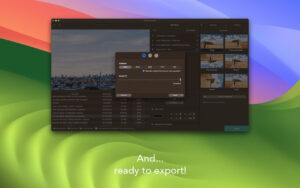
PhotoFoundry features real-time preview functionality, allowing users to see the effect changes while adjusting parameters. It also supports side-by-side comparison modes to ensure accuracy in every edit. After completing a work, users can simply click the “Export” button, and PhotoFoundry will handle the remaining tasks intelligently, simplifying the workflow and increasing output efficiency.
Version 1.3.3 Update Highlights:
Fixed multiple errors and added numerous small improvements.
Software Screenshots:
This resource requires login to download
Log in
Mp3tag for Mac v1.10.0 Audio Tag Editor Chinese Activated Version Download | Love Mac
Downloads:919 | 2026-10-30

Affinity Photo for Mac v1.9.1 Professional Photo Editing Software with Chinese Activation Download
Downloads:3062 | 2026-10-23

Adobe Prelude 2020 for Mac v9.0.1 Activated Version Chinese Activated Version Download
Downloads:1402 | 2026-10-18

VMWare Fusion Pro for Mac v12.1.2 VM Virtual Machine Chinese Activated Version Download
Downloads:3656 | 2026-10-17


Ratings & reviews
No rating
Let’s rate it.