



CleanShot X for Mac v5. 0 Screen Recording Software Activation Download
CleanShot X is a comprehensive screenshot and screen recording tool for macOS, supporting various screenshot modes, scrolling screenshots, recording/GIF, annotation editing, and OCR text recognition. It also includes a feature to instantly hide desktop icons, along with capture history and cloud sharing capabilities.
Note: If permissions keep failing to open after opening the software, you may need to delete and re-add them. Use the Terminal to reset permissions with the following command:
tccutil reset All pl.maketheweb.cleanshotx
Features:
Quick Access (Quick Access)
– Simplify sharing with a floating window, allowing for immediate saving, copying, or dragging screenshots or recordings to other applications.
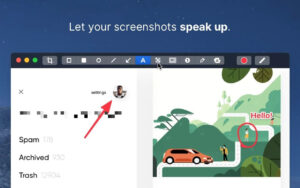
Annotation Function (Annotate)
– Quickly highlight important parts of screenshots with annotation tools, featuring multiple text styles, and users appreciate its superior experience compared to other annotation apps.
Scrolling Capture (Scrolling Capture)
– Capture content that cannot be fully displayed on the screen (such as chat logs or long code snippets), supporting all applications.
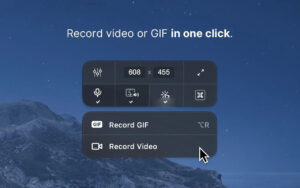
Screen Recording (Screen Recording)
– Record screens with a single click, saving as videos or optimized GIFs. The app now includes embedded camera footage, support for microphone and macOS system sounds, and the ability to highlight mouse clicks and key presses. It also automatically hides notifications and includes editing tools.
Other Useful Features
– Background Tool: Comes with 10 beautiful backgrounds, or users can customize their own, making it easy to create social media graphics.
– Text Recognition: Based on OCR technology, it extracts text from images or scanned documents, with local recognition speed and no need for internet connection.
– Fixed Screenshots (Pin Screenshots): Pin screenshots to the top of all windows, allowing for resizing and transparency adjustments, making them easy to reference.
– Hide Icons (Hide Icons): During screenshots or recordings, icons can be hidden from the desktop, or permanently hidden to avoid distractions, suitable for screen sharing.
CleanShot X is a fully native macOS application, performing well with Mac user expectations. It excels in “full features, smooth experience, and workflow compatibility,” making it a “must-have tool” for many users.
Version 5.0 Update Highlights:
– Official introduction of Studio Mode and a new video editor.
– Smart Zoom: Smooth zoom effects follow the cursor, guiding the viewer to focus on core content.
– Advanced Video Editing: Trim and fine-tune clips to achieve professional quality.
– Cursor Path Smoothness: Corrects jittery cursor movements for clearer and smoother playback.
– Cinematic Motion Blur: Adds motion blur effects to videos, making them more fluid and cinematic.
– Background Enhancement: Like screenshots, enhance recorded videos with beautiful backgrounds for more expressive visuals.
– Post-Recording Customization: Adjust cursor size, key press animations, and camera movements after recording to better fit user needs.
– Hardware Encoding for Fast Rendering: Optimized for Mac, using hardware encoding for fast video export.
– New Application Settings: A redesigned settings interface with a more modern and user-friendly design, improving the interaction experience.
Software Screenshots:
This resource requires login to download
Log in
Adobe After Effects 2020 for Mac v17.1.0 Activation-Free Version Chinese Activation Version Download
Downloads:1038 | 2026-10-24

Car Mechanic Simulator 2018 for Mac Download and Activation Version
Downloads:2903 | 2026-10-23

Frostpunk 2: City Survival Game – Mac Download and Activation Bundle
Downloads:1305 | 2026-10-23

Path Finder for Mac v2146 File Management Tool Chinese Activated Version Download
Downloads:902 | 2026-10-17


Ratings & reviews
No rating
Let’s rate it.