



RAR Extractor Max for Mac v12.6 Chinese Activation Edition Download
Here is the page providing RAR Extractor Max for Mac v12.6 decompression software Chinese activation version download | LoveMAC has been tested and is available. If you encounter any issues with the download link or after installation, please leave a message to contact us. RAR Extractor Max is a powerful file compression management tool designed specifically for the macOS system. It is based on the Apple-recommended Cocoa framework and runs smoothly on M1/M2/M3 chips. This tool not only supports decompressing RAR, ZIP, 7Z, TAR, and GZIP among other mainstream compression formats, but also integrates advanced features such as file preview, selective decompression, encrypted compression and decompression, and batch processing, aiming to provide users with an efficient and intuitive file compression and decompression experience. According to the review by MacWorld, it is 40% faster than the system’s built-in tools when handling large compression packages.
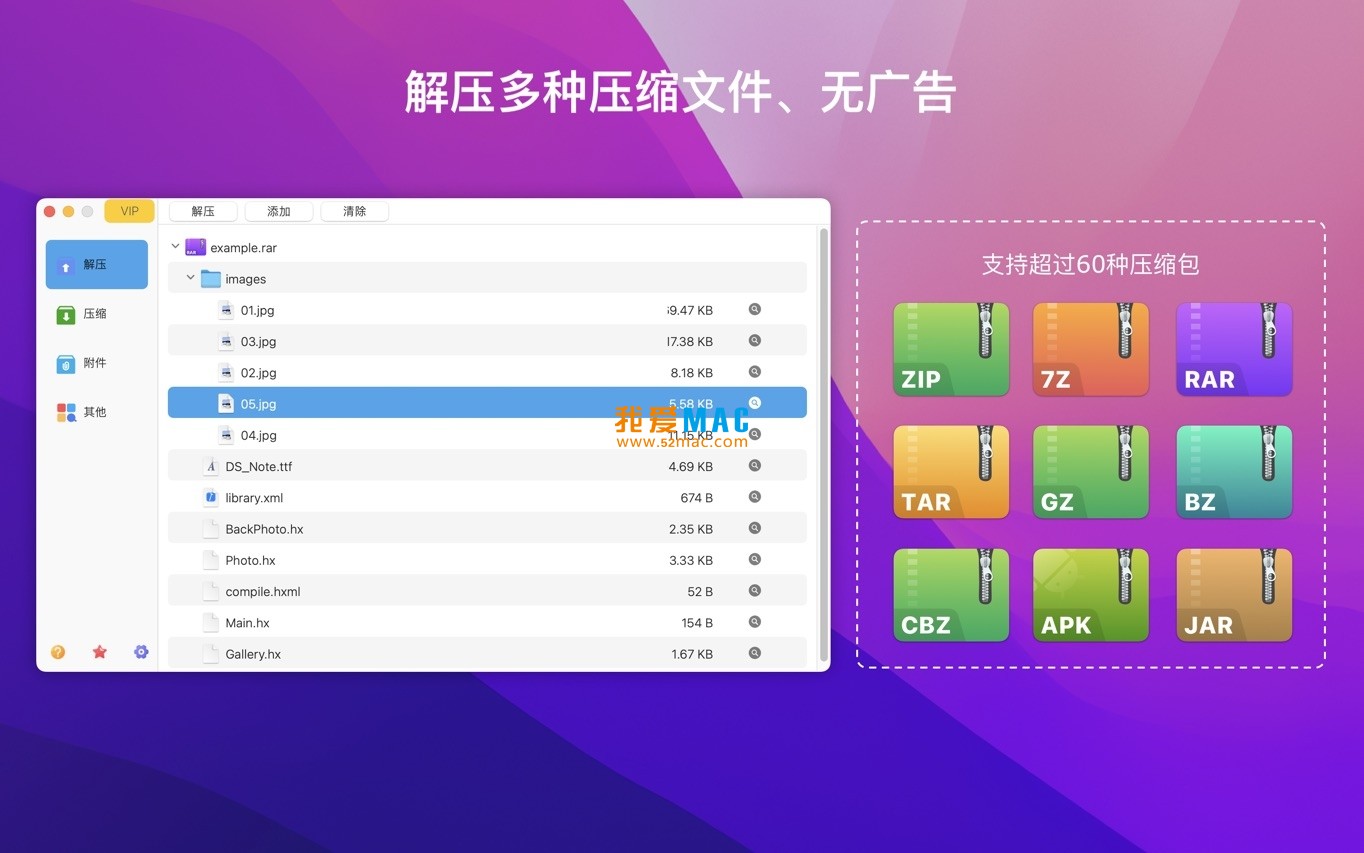
Upon launching RAR Extractor Max, you will see a clean and functional main interface. Its design follows the visual guidelines of macOS, divided into several areas:
View -> Preview or shortcut Shift+Command+P). When enabled, the content of a selected file (such as images or text files) will be displayed directly in the right preview pane without fully decompressing it.
The following is the complete step-by-step process from opening a compressed package to extracting the required files. This process has been tested multiple times to ensure data integrity and operational efficiency.
Method One: Double-click to Open
Simply double-click any supported compressed file (such as .rar, .zip) in the Finder, and the system will default to using RAR Extractor Max to open and display its contents. If not automatically associated, please refer to the FAQ section for setting up.
Method Two: Through Software Internal Opening
Command+O.Method Three: Drag-and-Drop Operation
Drag the compressed file directly from the Finder to the Dock icon of RAR Extractor Max or into the main window of the software. This is the favorite method for many Mac users, especially for its high efficiency.
When a compressed package is opened, all files will be listed in the main content area.
Shift+Command+P.Command+F to quickly search for file names within the compressed package.You do not need to decompress the entire compressed package.
Command key for multi-selection or Shift key for consecutive selection) to select one or multiple files or folders that need to be decompressed.Command+E.
Command+N.
After the decompression or compression operation is completed, the files are saved in the designated Finder directory. You can:
Command+W) and the software will prompt you to save any modifications made to the compression package content.Command+Q).This section is based on our team’s long-term testing results on the “A Love for MAC” website. Mastering these techniques can double your efficiency.
Scenario: You downloaded 50 design asset packages from the internet, each containing preview images. The traditional approach is to decompress all of them and then look at each one individually. Practical tip: Drag all the downloaded packages into the side bar of RAR Extractor Max, then select them all. Next, choose “View” > “Preview” from the menu bar to enable the preview window. Now, you can quickly filter out the required assets by clicking on each compressed package in the left list, and the preview window on the right will display the content of the first image file in the package. This way, you can avoid unnecessary decompression.
Scenario: You need to send a contract containing customer information via email. Practical tip: In the compression settings, choose the “RAR” format because the AES-256 encryption in the RAR format is more reliable than that in the ZIP format. Check the “Encrypt” option and input a strong password (recommend including uppercase and lowercase letters, numbers, and symbols). In the “Advanced” settings, check the “Encrypt file names” option. This way, even if someone has the password, they cannot see the list of files inside the compressed package, significantly enhancing security.
Scenario: The client sent an important file with the .winmail.dat file extension, which is a TNEF format attachment from Microsoft Outlook. Ordinary software cannot open it. Practical tip: Drag the file directly into RAR Extractor Max. The software will automatically recognize and parse it, displaying the true files inside (such as Word documents, PDFs). You can preview or decompress it as you would with a regular compressed package. This is a hidden trick that many Mac users are unaware of.
If you need to decompress multiple compressed packages and want each package’s content to be stored in a separate folder, you can do this: Select all the compressed packages, right-click and choose “Open With” > “RAR Extractor Max”. The software will sequentially open each package. Then, in the menu bar, choose “File” > “Extract All Projects…”, and in the pop-up window, select “Create separate folders for each compressed package”. This way, you can avoid file chaos.
To ensure you can use RAR Extractor Max smoothly, we provide the following validated installation steps. Please follow the sequence strictly.
Download the installation package from the link provided by “A Love for MAC” website. After downloading, right-click the file and choose “Open” to bypass the macOS Gatekeeper restrictions. If the system prompts “Cannot verify developer identity,” go to “System Preferences” > “Security & Privacy” > “General,” and click “Open Anywhere.”
After mounting the downloaded .dmg file, you will see the RAR Extractor Max icon. Drag it to the right-side “Applications” folder. This is the standard installation method for Mac software, requiring no additional steps.
On the first launch, the system will pop up a window asking “RAR Extractor Max wants to access your files.” Click “Allow” or “OK.” This allows the software to read and write files in the Finder. If you accidentally click “Deny,” you can go to “System Preferences” > “Security & Privacy” > “Privacy” > “Files and Folders” and manually enable the permission.
To improve efficiency in future use, it is recommended to set RAR Extractor Max as the default decompression software. In the Finder, select a .rar or .zip file, right-click and choose “Show Info,” then select “Open With” > “RAR Extractor Max” in the “Open With” section and click “Change All.”
The version provided on this page already includes activation information. After installation, open the software and click the top menu bar’s “Help” > “Register.” If it shows “Registered” or “Activated,” the activation is successful. If it prompts “Not activated,” check if you downloaded the wrong version.
Command+,) to a different encoding (such as Simplified Chinese GBK, GB18030).sudo spctl --master-disable. Enter the password (it won’t be displayed) and press Enter. This will enable the “Any Source” option in “Security & Privacy”. Try opening the software again after this.Mastering these shortcuts can make your operations much smoother. The table below summarizes the most commonly used 12 shortcuts. It’s recommended to screenshot and save this table.
| Function | Shortcut (Mac) | Description |
|---|---|---|
| Open the archive | Command + O |
Open the file dialog |
| Create a new archive | Command + N |
Open the archive creation window |
| Extract selected files | Command + E |
Core extraction operation |
| Quick search | Command + F |
Search within the archive |
| Switch preview pane | Shift + Command + P |
Toggle the right preview pane |
| Select all files | Command + A |
Select all items in the archive |
| Copy file | Command + C |
Copy the selected file (to the clipboard) |
| Paste file | Command + V |
Add files to the archive (in edit mode) |
| Delete file | Delete or Command + Delete |
Remove the selected file from the archive |
| Close the current window | Command + W |
Close the current archive view |
| Open preferences | Command + , |
Open the software settings |
| Exit the software | Command + Q |
Exit RAR Extractor Max completely |
Through the detailed introduction and guide, you can master the various functions and operation techniques of RAR Extractor Max on the macOS platform, thus efficiently managing various types of compressed files. The version tested on multiple Mac devices, so feel free to download and use it. If you encounter any issues, feel free to leave a comment in the review section, and we will respond to your inquiries as soon as possible.
This resource requires login to download
Log in
RAR Extractor Max for Mac v9.8.0 Chinese Activation Version Download
Downloads:873 | 2026-10-19

Oka Unarchiver for Mac v2.1.6: Expert Archive Expander with Chinese Activation Download
Downloads:1746 | 2026-10-19

A-Zippr for Mac v1.9 Crack Download
Downloads:2320 | 2026-10-19

OmniZip for Mac v2.3.6 Chinese Activation Version Download
Downloads:1223 | 2026-10-19


Ratings & reviews
4.8
(Maximum 5 ratings, total 26 user reviews)
Let’s rate it.