
OmniGraffle Pro for Mac v7.26 Mind Mapping Software Chinese Activation Version Download
OmniGraffle Pro is a professional-level diagramming and vector design software that integrates **diagramming, rapid prototyping, and vector design** functionalities. It can present complex ideas, structures, and processes in precise and visually appealing ways.
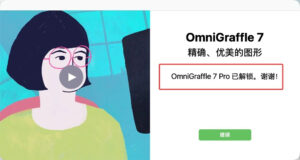
Installation and activation instructions: Drag the software to the installation folder, and after the first launch, the software will automatically activate, allowing you to use it immediately.
## 一、三大核心用途
– **图表绘制(Diagramming)**: Designed for clear explanation of complex concepts, suitable for flowcharts, organizational charts, mind maps, network topology diagrams, UML diagrams, engineering illustrations, and floor plans.
– **快速原型(Rapid-prototyping)**: Quickly draw wireframes and interface sketches for websites and mobile apps, accurately exploring and validating product ideas.
– **矢量设计(Design)**: Provides professional vector graphics tools, all content is scalable vector objects, resulting in high-quality, printable output.
## 二、智能图表与自动排版
– **一键自动布局**: Driven by the Graphviz engine, supports four layout algorithms: hierarchical, force-directed, circular, and radial. Automatically adjusts node spacing and hierarchy with a single click; also enables automatic layout, real-time repositioning during content entry.
– **大纲即图表**: Build flowcharts or mind maps using the Outline panel, similar to writing an outline—press Enter to create a new item, Tab to indent, Shift+Tab to outdent, and the graphical structure updates accordingly.
– **智能连线**: Lines and shapes always remain connected, and lines automatically follow shape movements; precise attachment points (Magnet) can be used to specify line attachment positions; lines support straight, orthogonal, curved, and Bezier curves.
– **图表快速建模工具**: Click continuously to quickly create parent-child nodes and automatically connect them.
## 三、专业矢量绘图与图形编辑
– **纯矢量图形体系**: All elements on the canvas are scalable vector shapes, which can be enlarged to any size without losing clarity and can be exported as PDF or other vector formats.
– **钢笔工具与点编辑器**: Draw custom shapes using Bezier control points and finely adjust each point.
– **形状组合(Pro)**: Perform non-destructive operations like union, intersection, and subtraction on multiple objects, and still edit the original graphics afterward.
– **文字转形状(Pro)**: Convert any text to a Bezier object, allowing direct editing of the text outline.
– **线条转形状(Pro)**: Convert line edges to editable Bezier shapes, enabling gradient or fill effects.
– **高级填充与特效(Pro)**: Supports multiple graphics blending modes, as well as blur, pixelate, and magnifying glass fill distortion effects, which can be stacked and used together.
– **丰富的样式表现**: Linear, radial, and bi-directional gradients; single, double, inner, and outer borders, as well as hand-drawn and plastic texture styles; text along paths; non-destructive clipping masks and transparency handling for images.
## 四、Pro 级文档组织与画布管理
– **多画布文档**: A file can contain multiple canvases (drawings), which can be used as different pages or save multiple versions of the same design.
– **图层化管理**: Organize content on each canvas using layers to create a clear depth and hierarchy.
– **共享图层(Pro)**: Share headers, footers, logos across multiple canvases, allowing for updates in one place that propagate to all canvases.
– **画板图层(Pro)**: Use artboards to define export areas, and objects within the artboard can be grouped and moved together for batch exporting.
– **子图折叠(Pro)**: Fold subgraphs that are not currently needed, allowing them to be displayed or hidden with a single click.
– **表格(Pro)**: Convert objects to tables and can add or remove rows and columns in any direction.
– **灵活画布与比例**: Provide fixed, flexible, and unlimited canvas modes; support custom units and document scale settings, allowing for precise planning of layouts and then scaling down to fit a single page.
## 五、精准对齐与高效创作
– **智能辅助系统**: Smart reference lines, grids, and anchors, manual reference lines, rulers, object alignment, and spacing, balancing speed and pixel-level precision.
– **批量提效工具**: Smart replication (automatically maintaining initial spacing and alignment), rubber stamp (quickly copying objects), and style brushes (selectively copying and pasting graphic styles).
– **可定制工作环境**: Save multiple workspace layouts; support custom keybindings, and include preset shortcuts for Illustrator and Sketch (Pro version also allows exporting and sharing custom keybindings).
– **模板与模具库**: Include numerous templates and reusable stencils, and can directly search and use free stencils from the Stenciltown community.
– **无鼠标编辑(Pro)**: Navigate between shapes and edit text using only the keyboard.
## 六、自动化与可交互原型(Pro)
– **脚本自动化**: Support writing cross-platform automation scripts using JavaScript, which can be run once and used for plugins or batch processing graphics; also support AppleScript for automation control.
– **交互动作(Actions)**: Assign interactive behaviors to objects, such as showing or hiding layers, switching to a specific canvas or view, running scripts, or opening links, to create interactive prototypes.
– **演示模式(Presentation Mode)**: Full-screen looping playback of each canvas and artboard, with the ability to zoom in for detailed views and combine interactive actions for high-fidelity prototype presentations.
– **HTML 图像地图导出**: Export graphics and actions as web image maps, preserving clickable navigation links in the browser.
– **对象元数据**: Attach names, notes, custom key-value pairs, or scripts to any object on the canvas, for interactive and automated calls.
## 七、强大的文件兼容与导出(Pro 重点)
– **Visio 双向兼容(Pro)**: Read Visio files, templates, and stencils in formats such as `.vsd`, `.vsdx`, `.vdx`, `.vst`, `.vtx`, `.vss`, and `.vsx`, and export to XML format for collaboration with Visio users.
– **广泛的导出格式**: Support PNG, JPG, GIF, BMP, TIFF, PDF, EPS, PSD (layered Photoshop files), and SVG; Pro version also supports SVG export, and objects can be pasted as SVG directly.
– **SVG 导入**: Directly import SVG files or paste SVG code onto the canvas.
– **一键多分辨率导出**: Set a base DPI and export multiple resolutions at once, easily adapting to multi-screen material needs.
– **分辨率无关设计(Pro)**: Match pixel, points, and PostScript points at 100% zoom to ensure consistent design presentation across different resolutions.
– **精确坐标定位(Pro)**: Use the point editor and geometric checker to directly input the X/Y coordinates of any control point on an object.
## 八、适用人群
产品经理与 UX/UI 设计师(线框图、交互原型)、软件工程师与系统架构师(架构图、UML、网络拓扑)、项目经理(组织架构图、流程图、时间线)、工程与设计专业人员(等比例平面与示意图),以及所有需要用图形清晰表达复杂信息的商务、教育与研究人员。
This resource requires login to download
Log in
Netherworld Covenant: A Third-Person 3D Action Roguelike Game
Downloads:1 | 2026-10-27

Automatically Run Applications and Scripts on Mac with Lingon X v6.6.2 Chinese Activation Download
Downloads:1312 | 2026-10-27

Screenium 3 for Mac v3.2.8 Screen Recording Software with Chinese Activation Download
Downloads:157 | 2026-10-24

AutoMounter for Mac v1.6.5 Chinese Activation Version Download
Downloads:2617 | 2026-10-19


Ratings & reviews
No rating
Let’s rate it.