

Vibe Island for Mac v1.0.53 AI Programming Management Tool Chinese Activated Version Download
Vibe Island is a native AI programming management tool designed specifically for macOS. It cleverly utilizes the MacBook’s Dynamic Island as a unified interactive console, helping developers centrally monitor the running status of multiple AI coding agents, handle permission approvals and plan reviews with one click, track API quotas in real time, and support precise jumping to the corresponding terminal window, thereby reducing the interference of frequent window switching and maintaining a focused coding flow.
Features:
#### 1. Unified Management of Multiple AI Agents
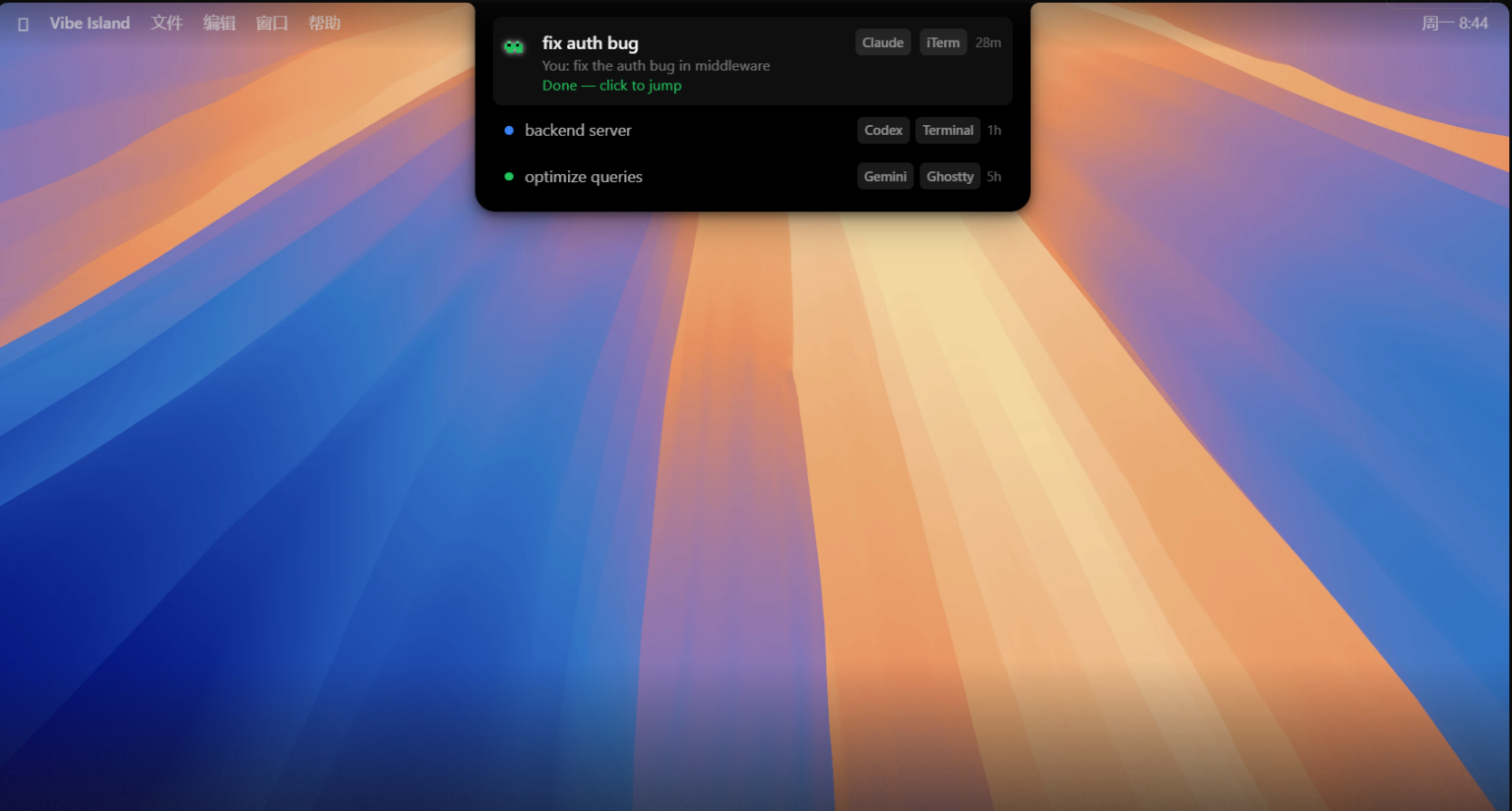
Supports centralized management of 30+ mainstream AI programming agents, including Claude Code, Codex, ZCode, Gemini CLI, Antigravity CLI, Cursor, Trae, OpenCode, MiMoCode, Droid, Devin, Qoder, QoderWork, Qwen, QwenWork, Grok Build, Kimi Code, DeepSeek, DeepSeek Harness, Mistral Vibe, Copilot, CodeBuddy, WorkBuddy, Kiro, Hermes, Amp, Pi Agent, Oh My Pi, Gajae Code, Kimi, etc. All sessions are displayed in a unified Dynamic Island panel, supporting multiple agents running simultaneously. With color-coded status indicators (running, awaiting reply, completed), you can grasp the progress of all tasks at a glance without switching between multiple terminal windows for troubleshooting.
#### 2. Zero Configuration, Ready to Use Out of the Box
On first launch, it automatically completes the configuration of all supported CLI tools, with no need to manually edit configuration files, enter API keys, or register cloud accounts. It preserves the user’s original tool settings without overwriting them. After installation, it can be used immediately upon launch, and also supports one-click installation and upgrade via Homebrew.
#### 3. Immersive Dynamic Island Interaction
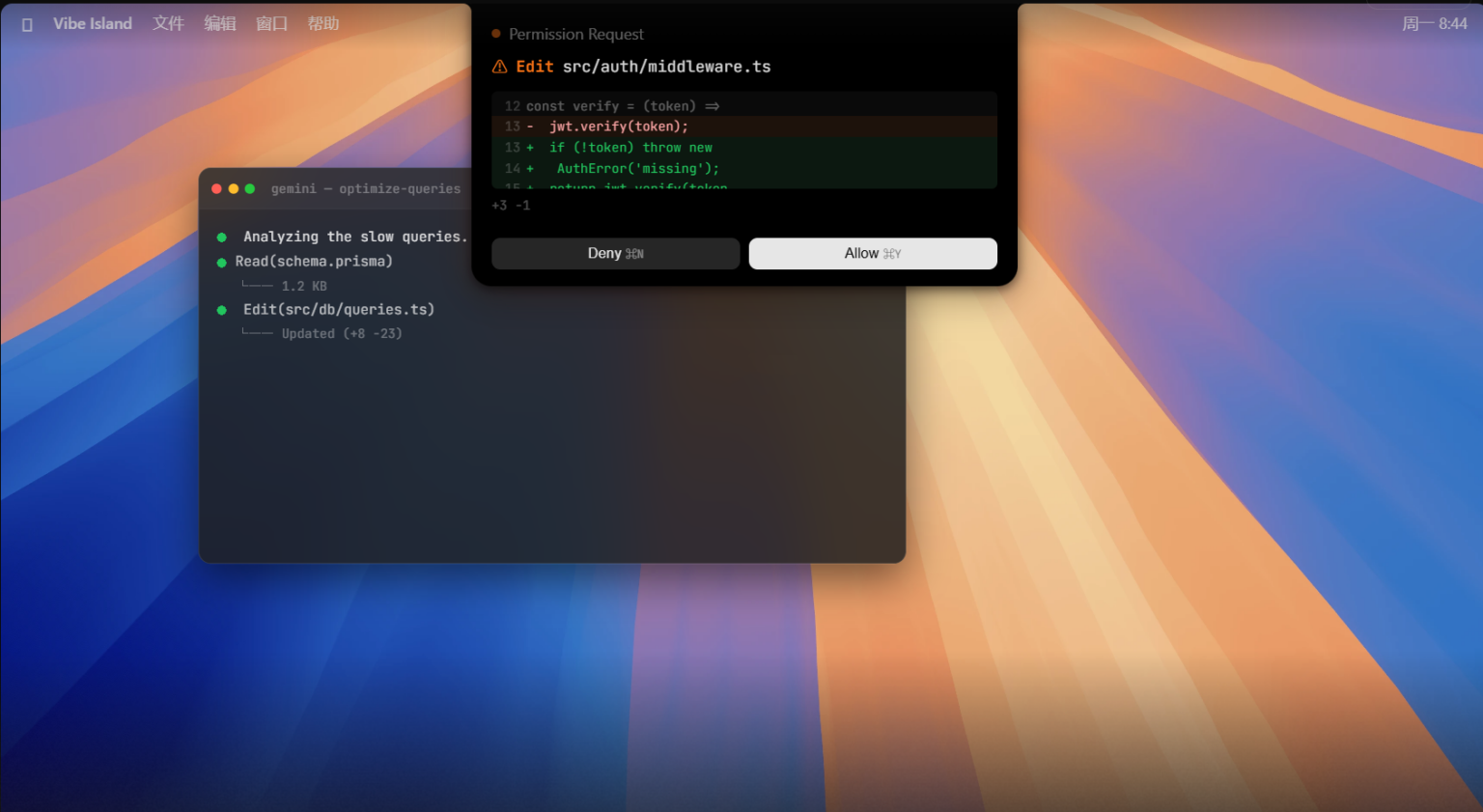
– **Real-time Approval Operations**: When an AI Agent requests tool permissions or performs high-risk operations, the Dynamic Island automatically expands the panel. Simply click “Allow/Deny” to complete the approval without switching back to the terminal or editor. Supports parallel permission approval queues.
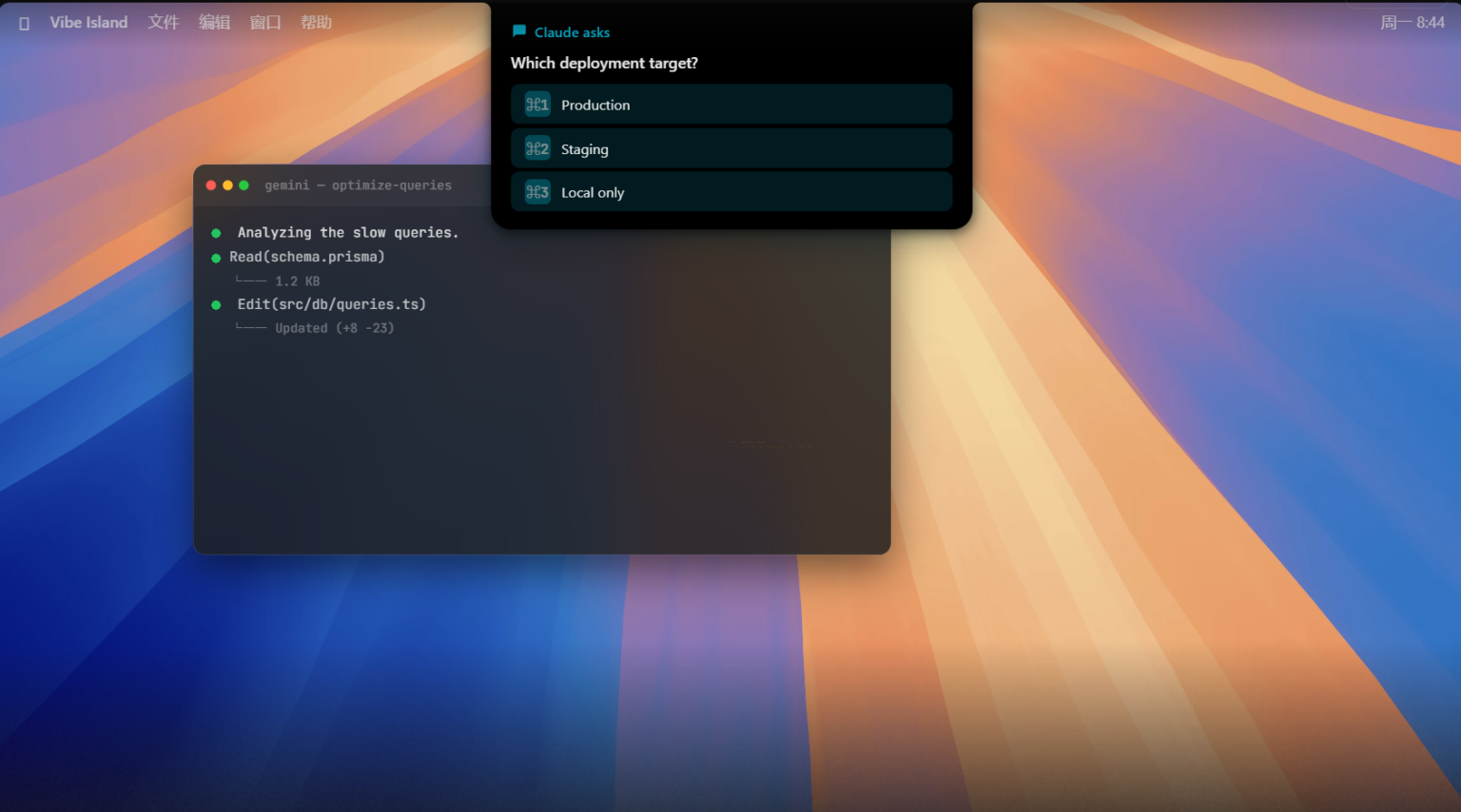
– **Interactive Q&A**: When an Agent asks a question, you can directly select an option in the panel to reply, or manually enter multi-line custom answers and paste content. Drafts are automatically retained after the panel is collapsed.
– **Plan Review Preview**: Execution plans generated by Agents support full Markdown rendering, including code blocks, lists, tables, and other formats. You can view and provide feedback directly in the panel without leaving the current work interface.
– **Task Completion Reminders**: Automatically push notifications when a session ends; click to jump directly to the corresponding work window. Supports follow-up reminders, allowing a single reminder for unhandled requests and unviewed completed tasks.
#### 4. Precise Terminal Jumping
Supports precise jumping to 20+ terminals and IDEs, including iTerm2, Ghostty, Warp, Terminal.app, WezTerm, Kitty, Zellij, VS Code, Cursor, Windsurf, etc. Clicking a session card can directly locate the corresponding tab, split pane, or even tmux session, supporting cross-desktop and cross-workspace jumps, greatly reducing context switching costs.
#### 5. Comprehensive Usage Tracking
Real-time statistics on remaining quotas and reset times for various AI service providers, covering mainstream platforms such as Claude, Codex, Kimi, GLM, DeepSeek, etc. Supports multi-account quota management, displays input, output, cached token consumption and per-model costs, and tracks usage by day/month, with early warnings for rate limits, eliminating the need to open additional usage query pages.
#### 6. SSH Remote Session Support
Can monitor AI Agent sessions running on remote servers, supporting one-click deployment of assistants, automatic reconnection, and multi-server management. Remote sessions offer the same experience as local sessions, fully supporting lifecycle display, approval interaction, terminal jumping, and all other features.
#### 7. 8-bit Sound Reminder System
Built-in 8-bit chip sound synthesis engine, with a dedicated sound effect for each event, and support for importing custom sound packs. Silent scenarios can be set to automatically mute during focus mode, screen lock, screen recording/screen sharing to avoid interruptions.
#### 8. Lightweight Native Performance
A native application developed purely in Swift, not Electron-based, optimized for Apple Silicon, with memory usage typically below 100MB and near-zero CPU usage when idle. The Dynamic Island panel runs as a floating layer and does not steal focus from the current window. Devices without a notch automatically adapt to a top-centered floating bar style.
#### 9. Local Privacy and Security
All data and communication are completed locally, with no data sent to any cloud servers, no accounts, no telemetry, and no background uploads. Session content, tool information, and terminal metadata are all kept on the local Mac.
Version 1.0.53 Update Contents:
New Features:
Support for Antigravity 2.0: Questions and approvals in the Antigravity app and IDE now display correctly and can be answered directly on the island. Clicking a card opens the corresponding conversation; the card retains the project name and title and is restored after Vibe Island restarts.
Support for DeepSeek Harness Desktop: The official DeepSeek Harness Desktop now configures smoothly. Clicking a card opens the corresponding conversation in the desktop app and web page, including web pages opened via localhost.
OpenCode support via SSH Remote: OpenCode 2, OpenCode, and MiMoCode sessions on remote hosts now appear on the island.
Antigravity usage can now be displayed even if you only use the Antigravity IDE, or only use the agy command-line tool (version 1.1.11 or later), and do not have the Antigravity app running.
Custom Agents (Beta): Run a command per event to connect your own Agent to Vibe Island. It will display status and completion reminders on the island with its own neutral appearance, and clicking the card will jump back to your tool. Integration guide: https://vibeisland.app/docs/custom-agents/ (also accessible in Settings → Integrations → Developer).
Improvements:
Adapted to Claude Desktop 2.x (Chat and Cowork merged): Conversations now complete correctly after ending and no longer stay in “working”; when Claude is waiting for your answer or approval, the card is displayed with the model and project folder.
After quitting Agent apps such as Zed, T3 Code, WorkBuddy, or Paseo, their cards are cleaned up after a moment and no longer linger; cards also no longer disappear while the app restarts for updates.
SSH Remote: Remote components are automatically updated after each Vibe Island update.
Smart suppression now supports zellij: when only one terminal is connected and you are looking at the pane where the Agent is located, the island no longer pops up.
The hide button on each card is now renamed to “Archive”.
Settings now explain the purpose of the Antigravity and IDE rows.
The About page now provides links to the privacy policy and terms of use.
Overall stability and reliability have been improved.
Fixes:
Claude Desktop: Background runs started by plugins in Code sessions no longer flood the panel with a large number of cards and notification sounds.
Claude Desktop: Code session cards no longer linger after Claude Desktop puts a conversation to sleep. Cards are removed once you have read the reply; unread cards follow your idle cleanup settings.
Claude Desktop using third-party inference (gateway, Amazon Bedrock, Google Vertex AI, or Microsoft Foundry): Clicking a Code session card now opens the corresponding conversation instead of just bringing Claude Desktop to the foreground.
Claude Desktop: The 5-hour usage limit no longer displays “–” or outdated numbers.
Antigravity: Conversations that end with an error no longer stay in “working”.
Codex 0.157 and later: Sessions in different terminal tabs no longer jump to the wrong tab, remove each other’s cards, or lose completion notification sounds.
OpenCode 2: After denying a permission request or canceling a question, the turn is marked as interrupted without affecting other pending cards.
OpenCode 2: No more stuck or duplicate cards after restarting OpenCode or resuming a conversation.
OpenCode 2: When only one OpenCode window is open, clicking a card switches to the corresponding session in Ghostty and tmux.
OpenCode: Cards retain the model label after Vibe Island restarts.
Ghostty: When jumping to a session, keyboard focus now lands on the correct window, including with multiple monitors.
Otty: Jumping from a background pane now lands on the correct pane.
zellij and herdr: OpenCode and MiMoCode sessions now jump to the correct pane.
Software Screenshots:
This resource requires login to download
Log in
ColorFolder for Mac v1.1.0: Folder Colorizer Full Activated Version Download
Downloads:2689 | 2026-10-27

Keka for Mac v1.5.0 Chinese Activation Download for Compression and Decompression Tool
Downloads:913 | 2026-10-19

Disk Drill Enterprise for Mac v5.3 Data Recovery Software Chinese Activation Version Download
Downloads:355 | 2026-10-19

MouseBoost Pro for Mac v3.6.0 Right-Click Assistant Professional Edition Chinese Activation Download
Downloads:891 | 2026-10-18


Ratings & reviews
4.8
(Maximum 5 ratings, total 44 user reviews)
Let’s rate it.