

Auto Time Tracking Tool for Mac v2026.4 Full Activation Download
Timing is a specialized time-tracking tool designed for Mac, eliminating the hassle of manually starting and stopping timers. It helps you precisely track where every minute goes, significantly improving your productivity.
## Features:
### 一、全场景自动时间追踪
1. **深度追踪电脑端**:自动记录Mac上所有应用、文档、网站的使用时长,精确到具体文件路径和URL。覆盖几乎所有主流工具:
– 浏览器:Safari、Chrome、Arc、Firefox、Edge、Brave等
– 远程办公:Slack、Zoom、Gmail、Outlook、Google Meet、Teams等
– 办公创作:Pages、Google Docs、备忘录、Obsidian、Evernote等
– 开发工具:VSCode、Cursor、GitHub、Xcode、Windsurf等
– 视频制作:Final Cut Pro、DaVinci Resolve、Cinema 4D、Logic Pro等
2. **非电脑端工作覆盖**:支持追踪电话、线下会议、日历事件和提醒事项,不错过任何可计费的工作时间。
3. **全设备数据整合**:是**唯一能导入iOS/iPadOS屏幕使用时间数据**的第三方时间追踪工具,可查看手机、平板、多台Mac的完整工作时间概览。
### 二、AI智能与自动化,告别繁琐操作
1. **AI智能摘要**:一键生成每日工作内容总结,自动提炼关键工作主题和时间分配模式,无需手动翻阅冗长的活动记录。
2. **智能活动分组**:自动归类相关活动,只需几次点击即可生成精确的时间条目。
3. **自定义自动化规则**:按住`⌥`键拖拽活动即可创建永久规则,自动完成时间分配,随着使用会持续节省手动分类时间。
4. **空闲时间自动检测**:能识别你离开Mac的时段,自动排除无效空闲时间,保证数据准确性。
### 三、高效时间管理与效率提升
1. **多维度时间视图**:提供统一分类、时间线等多种视图,清晰呈现每日、每周、每月的时间去向,直观看到不同项目、不同类型工作的耗时占比。
2. **效率评分系统**:可为所有项目分配效率评分,追踪个人效率随时间的变化趋势,针对性优化工作方式。
3. **菜单栏实时小组件**:实时显示当前工作时长和效率评分,提供即时反馈,帮助减少拖延行为。
4. **灵活的手动补充**:支持追溯添加离线工作时间,也可手动启动计时器,兼顾自动化的便捷和手动记录的精准。
### 四、专业级工时与计费支持
1. **精准可计费工时表**:自动捕捉每一分钟的工作内容,即使忘记启动计时器,也能准确还原任意时间点的工作,放心向客户计费。
2. **多格式数据导出**:支持将时间数据导出为PDF、CSV、Excel、HTML格式,快速生成工时表和发票。
3. **发票应用对接**:可与Mac端的GrandTotal发票应用集成,自动将追踪的工时导入为可计费项目。
4. **日历与通话集成**:一键分配日历事件为工作时间,每次视频/音频通话结束后自动提醒记录,避免遗漏可计费工作。
Version 2026.4 Update Content:
When you select a project in the side bar, Timing now aggregates all activity records under that project, including those in collapsed or archived sub-projects, thanks to the new “When Selected Project” option in the advanced settings (default enabled). If the total time includes data from archived sub-projects, the top title bar will display the archived sub-project contribution, avoiding the issue of hidden data without prompts.
The rule editor now uses the tilde “~” to display file paths instead of the full user root directory path; if the rule path contains your username, the software will pop up a warning and provide a “Replace with Tilde” fix button — this optimization is particularly useful when using Timing’s sync or team sharing features, as these rules cannot be applied to other Mac devices.
New and improved support for Claude, Codex, and Cursor desktop clients, capturing dialogue names, smart assistant titles, and corresponding project information.
The right-click menu in the project drag-and-drop area now includes a switch for “Create Rules Automatically with Drag-and-Drop Projects.” If you prefer manual rule management, you can disable this switch; dragging activities, files, or folders will still create projects and bind them to the content, but won’t generate matching rules automatically.
New Helium browser URL tracking support has been added.
Fixed the issue of duplicate “Call Ended” notifications popping up for Microsoft Teams calls.
Updated for Microsoft Outlook, fixing the issue of using record tracking.
Fixed the issue where ChatGPT conversation titles could not be properly tracked.
Fixed the issue where the rule editor displayed abnormal bright background in dark mode on macOS 13 Ventura and earlier.
Fixed the bug where dragging multiple “AI Mode” search-generated Google search groups failed.
Disabled the call detection feature for Addictive Drums 2.
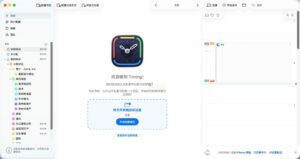
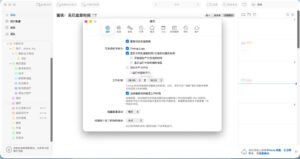
Software Screenshots:
This resource requires login to download
Log in
Latest Chinese Activated Version of Adobe Media Encoder CC 2019 for Mac v13.1.5 Download
Downloads:1584 | 2026-10-24

First-Person Action Shooting Game: STRAFE for Mac 1.0 Activation Download
Downloads:3198 | 2026-10-23

Cut the Rope Remastered for Mac v2.7.0 – A Casual Puzzle Game | Cut the Rope Remastered Mac Download Activated Version
Downloads:2421 | 2026-10-18

SQLPro Studio for Mac v2022.12 Advanced Database Management Tool Activated Version Download
Downloads:1063 | 2026-10-17


Ratings & reviews
No rating
Let’s rate it.