| A Better Finder Rename is a classic professional-grade batch file renaming tool for the Mac platform, continuously iterating and optimizing since 1996. It covers a wide range of renaming needs from everyday file organization to professional asset archiving, serving as a core file management efficiency tool for photographers, audio professionals, content creators, and office users.
## 一、全品类重命名规则体系
The software comes equipped with a rule system encompassing 15 categories and hundreds of renaming rules, covering fundamental operations such as text search and replace, prefix and suffix addition and deletion, character position adjustment, case conversion, content truncation, and extension batch modification. It supports the generation of custom sequence numbers, date and time formatting, and file name standardization, allowing for flexible combinations to meet various common renaming needs. It also fully supports regular expression matching, enabling precise searches and replacements for complex patterns, and is suitable for advanced customization scenarios.
## 二、专业元数据驱动命名
The software provides deep metadata reading capabilities for different industries, allowing direct extraction of file metadata to generate standardized file names:
– **Photography asset scenario**: Supports reading EXIF metadata from JPEG, HEIC, and mainstream RAW formats, extracting information such as shooting date and time, camera model, lens parameters, and more to generate file names. It also supports handling consecutive shots and time zone conversion, ensuring synchronization of RAW and JPG file naming.
– **Audio file scenario**: Supports reading ID3 tags from MP3, AAC, FLAC, and OGG formats, as well as Broadcast Wave (BWF) broadcast-grade audio metadata. It extracts professional fields such as scene, track number, and production information for naming. It also supports the use of general parameters such as audio format, channel count, and bit depth.
– **Video and document scenario**: Supports extracting metadata from video and document files, allowing the construction of naming rules based on file attributes and content tags, suitable for batch archiving of video project assets and office documents.
## 三、可视化安全操作机制
The software employs a real-time preview mechanism, displaying all file modifications in real-time when adjusting renaming rules, with highlighted changes to eliminate the cost of trial and error in batch renaming. It supports drag-and-drop file import, allowing for free file sorting. It includes a built-in mechanism for automatic conflict resolution, ensuring the stability of renaming operations. It supports multi-step renaming combinations, enabling the execution of complex naming logic in a single step.
## 四、高效可复用工作流
The software supports saving commonly used renaming schemes as exclusive presets, which can be invoked and reused with a single click. It supports preset import and export, allowing for cross-device configuration synchronization. It can be quickly invoked via the Finder right-click menu, without the need to open the main program. It also supports advanced features such as Droplet automation and importing naming lists from text or tables, suitable for enterprise-level and batch automated file management needs.
Version 12.34 Update Content:
– New “ image tag for outputting image resolution in dots per inch (DPI), independent of the file’s storage resolution units.
– New “ image tag for returning scale identifiers such as @1x, @2x, and @3x for images with 72 DPI integer multiples.
– Image size and resolution now read the largest embedded image within the file, preventing the incorrect return of sub-image sizes for multi-page TIFF files, files containing embedded thumbnails or previews.
– Fixed a text error in the trial version restriction prompt dialog box.
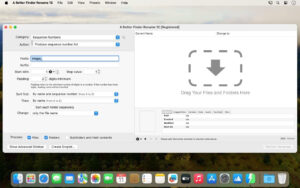
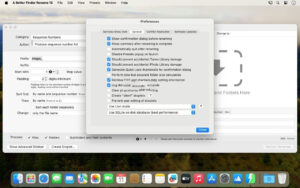
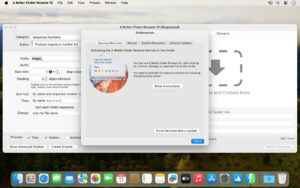
Software Screenshot:
|




Ratings & reviews
No rating
Let’s rate it.