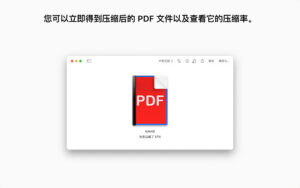
| PDF Squeezer is a professional-grade PDF compression and optimization tool tailored for macOS, a top-rated product on the Mac platform that has long been among the leaders in its category. It features a streamlined operation logic and an efficient intelligent compression algorithm, maximizing file size reduction while preserving the core content and visual quality of PDF documents. This significantly reduces file size, addressing the issues of file size limitations, high storage usage, and slow webpage loading that are common with large PDF files, making it an essential productivity tool for various scenarios such as office work, design, education, and law.
Key Features:
Smart Targeted Compression Algorithm
The software is equipped with a multi-dimensional compression processing system, capable of intelligently identifying different content elements such as text, images, vector graphics, and forms within PDF documents. It automatically matches the optimal compression strategy for each content type, without requiring manual tuning. This ensures maximum file size reduction while avoiding the destruction of core content. The software fully supports PDF versions 1.0 to 1.7 and 2.0, ensuring that compressed files can be opened by all mainstream PDF readers without compatibility risks.
Image Fine-Tuning Optimization Engine
For the highest PDF file volume content, the software offers professional-level optimization capabilities, supporting JPEG, JPEG 2000, and ZIP among various mainstream image compression formats. Users can set different compression levels for colored, grayscale, and black-and-white images. Additionally, the software supports custom image maximum resolution, color depth, and sampling rate. Users can choose between lossless and lossy compression modes to achieve precise balance between file size and visual quality, avoiding issues like blurring and distortion in compressed images.
Deep Document Structure Cleanup
In addition to core content compression, the software can thoroughly clean up redundant data within PDF documents, supporting the removal of annotations, forms, thumbnails, bookmarks, redundant metadata, and hidden layers. This further reduces unnecessary volume, achieving the most extreme file simplification while preserving core reading and usage functions unaffected.
Core Content Lossless Guarantee
The software optimizes text content and vector graphics specifically, ensuring that documents like contracts, resumes, proposals, and design drafts retain their clarity and sharp edges during compression. This guarantees that professional documents such as contracts and resumes are usable in formal business and legal scenarios without loss or deformation.
Full-Scenario Batch Compression Support
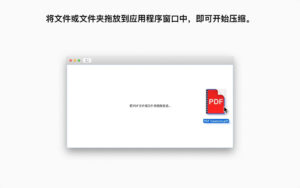
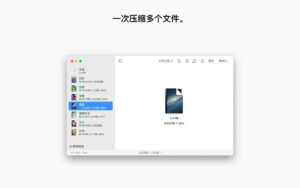
The software supports batch compression of multiple PDF files, allowing users to import multiple PDF files at once. The software will automatically process all files in sequence, without requiring manual operations. This significantly enhances the efficiency of handling large volumes of documents. It also supports folder-level recursive processing, enabling the automatic batch compression of all PDF files within a folder, including those in subfolders. This is suitable for scenarios like archiving documents or organizing invoices.
Rich Preset Compression Configuration Files
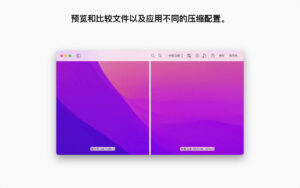
The software includes multiple official preset compression configuration schemes, covering low, medium, and high compression levels, each tailored to different scenarios such as email transmission, web publishing, and document archiving. New users can quickly complete compression without needing to understand professional parameters by selecting the appropriate preset.
Version 4.8 Update Content:
### New Features
– Now supports deleting individual pages in comparison mode, allowing users to remove unnecessary pages to further reduce file size.
– Added progress indicators and completion percentage display, enabling users to view the overall progress of PDF compression more intuitively.
– Added an option: when saving files with a new name, the original file can be automatically moved to the Recycle Bin.
– Optimized progress details, clearly showing the current operation being performed, such as image optimization or removing redundant resources.
– Added an option in the application settings to use the old compression engine. This option should only be enabled when using the new engine causes anomalies with some PDF files, and users are encouraged to provide feedback for potential fixes.
### Bug Fixes
– Fixed the application from crashing unexpectedly when converting some files’ color profiles.
– Added missing user interface translation text.
– Fixed the application from crashing when compressing multiple files simultaneously.
– Fixed the issue where color profiles should remain unchanged but were modified, leading to color shifts in some scenarios.
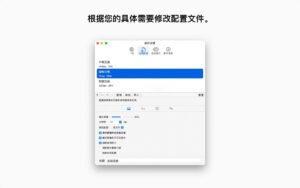
Software Screenshots:
|




Ratings & reviews
No rating
Let’s rate it.