| TextSoap is a text processing tool designed specifically for macOS, aimed at helping users quickly clean, format, and automate text operations.
Features:
Simplified Interface
TextSoap features a modern interface. We removed all the “chrome” to focus on your content, whether you’re dealing with text or building custom cleaning solutions.
Text Editing +
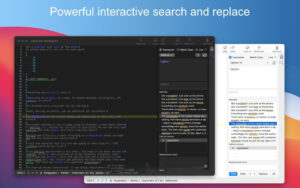
While TextSoap focuses on handling text, sometimes you need a text editor. That’s why we include standard TextEdit features, such as line numbers, invisible characters, line switching, and statistics.
Built-in Cleaners
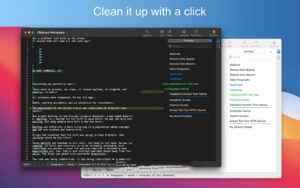
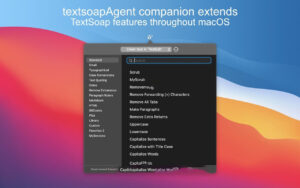
TextSoap comes with a large collection of over 100 built-in cleaners. These cleaners can fully resolve your text issues or serve as building blocks for custom text cleaning solutions.
Import/Export
Shared cleaners allow for easier creation of solutions for others or use of solutions created by others. New library files allow exporting multiple cleaners and groups in a single library file.
Custom Cleaner Editor
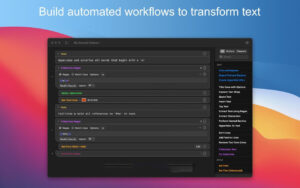
When you need a custom text processing solution, the powerful custom cleaner editor is always ready to help. Using a大纲-oriented interface, you can create custom text processing workflows.
Group Editor
Groups are collections of both built-in and custom cleaners. Create groups to provide quick access to the cleaners needed for your projects.
## Key Features of TextSoap 9
Dark Mode Support
We’ve completely redesigned TextSoap to look great in dark mode. Set your preferred appearance in the application preferences.
Apple Silicon Support
While some additional work was required, we’re excited to support native running on Apple Silicon. Enhance your text cleaning functionality on the latest Apple hardware.
Single-Window Interface
We’ve combined multiple windows for editing custom cleaners, custom groups, importing, and exporting into a single integrated experience.
Line-by-Line Operations
A common workflow involves processing text line by line. While regular expressions can help, the new “line-by-line operations” feature greatly simplifies this process. Each line is treated as independent text, further simplifying text processing tasks.
Line Sorting Operations
The “line sorting” operation now offers enhanced features, including case sensitivity, skipping whitespace, sorting numbers as values, and combining with regular expressions to sort lines in new ways.
List Operations
Lists allow you to perform a specific operation on each line using a data table. This makes repetitive find-and-replace operations more convenient. You can define your own list and process each line using the data from that line.
Changes in Version 9.7.4:
## Fixes
1. Fixed issues with the custom cleaner editor freezing or crashing in specific scenarios.
2. Fixed layout issues in the “General” settings interface.
3. Added support for displaying newly created groups in the custom group editor without restarting the software.
## Adjustments
Removed the American flag pattern from custom icons.
Screenshots:
|




Ratings & reviews
No rating
Let’s rate it.