


Numbers for Mac v15.3: Create Spreadsheets Compatible with Excel Chinese Activation Download

  • Introduction
Download
Download now
Join VIP Free download

Description

On Mac, use Numbers to create beautiful spreadsheets. From household budgets to invoices, various Apple-designed templates are available for use. Various Apple-designed templates are available for use. Use a flexible canvas to add tables, charts, text, and images anywhere. Add interactive charts to data for animation effects, use data pivots to discover patterns, and use hundreds of powerful functions.

Quick Start
– Access iCloud.com from iPhone, iPad, Mac, or PC to handle work
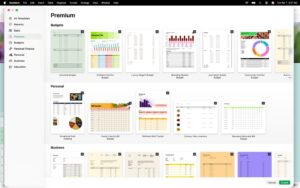
– Various Apple-designed templates are available for use
– A variety of pre-defined styles for shapes, tables, and charts are available for use
– Import and edit Microsoft Excel and CSV files

Create Beautiful Spreadsheets
– Place tables, charts, text, and images anywhere on a flexible canvas
– Create forms on iPad for quick data entry anytime
– Draw or write on iPad using Apple Pencil

Powerful Formulas for Everyone
– Hundreds of powerful functions are available, including XLOOKUP and RegEx
– Search the integrated function browser for built-in help and formula examples
– Easily add stock information to spreadsheets
– Use overflow arrays to view the results of a single formula in multiple cells

Everything Fits Together
– Use data pivots and categories to view data in a new way
– Quickly organize and summarize tables for new analysis
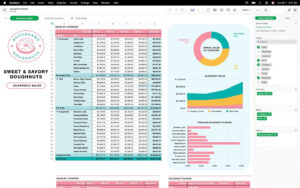
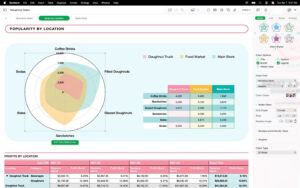
– Insert beautiful 2D and 3D charts, including bar charts, column charts, line charts, area charts, pie charts, donut charts, and radar charts
– Add animation effects to data with interactive bar charts, column charts, scatter plots, and bubble charts
– Easily filter large tables for specific values, text, or repeated entries
– Use sliders, step controls, checkboxes, pop-up menus, and star ratings to modify values in cells

Share with Anyone
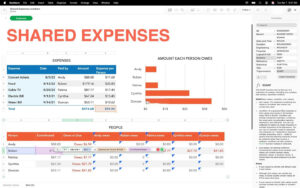
– Share spreadsheets publicly or collaborate with specific users using iCloud or Box
– Make changes on any device and view changes made by others in real-time
– Export spreadsheets to CSV, TSV, PDF, and Microsoft Excel

Apple Smart
– Use writing tools to proofread, rewrite, summarize, and create text
– Create interesting personal images based on descriptions using “Artboard”

Version 15.3 Update:

For Apple Creative Workshop subscribers:
– Directly open Numbers spreadsheets in iPad Pixelmator Pro and view edited versions in the spreadsheet
– Generate editable custom shapes based on text descriptions to explain spreadsheets

For everyone:
– Hide or show individual worksheets for quick navigation
– Add colors to worksheet tab pages
– Easily replace images in spreadsheets with content from the content center

Software Screenshots:


Download info

This resource requires login to download

Log in
Note: This resource is for informational purposes. By using this resource, you agree that you accept full responsibility to the copyright holder. For questions, please contact us.

Ratings & reviews

No rating

Let’s rate it.

  • 5 stars
  • 4 stars
  • 3 stars
  • 2 stars
  • 1 stars

You may also like

More
×
Numbers for Mac v15.3: Create Spreadsheets Compatible with Excel Chinese Activation Download
iMac — One-stop Mac Software Download Platform
Social login
captcha
Social login