




Task Organizer for Mac v4.4.9 Chinese Activation Download
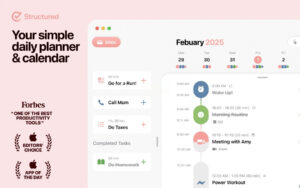
Structured is a highly-rated productivity app for managing schedules, to-do lists, and habits, serving as a comprehensive time management tool for various scenarios.
The app is designed with an intuitive visual timeline as its core, making it easy to use and flexible. It can accommodate a wide range of daily tasks, including business meetings, personal events, and to-do lists. Users can drag and drop tasks to rearrange them quickly, setting deadlines and adjusting schedules in seconds. Users can also easily move missed tasks to the next day, the trash, or the inbox for future planning, or remove them from the timeline. This feature allows for quick adaptation to various changes in daily plans.
Key features include:
1. Visual Timeline for Scheduling: A simple and clear daily timeline allows users to manage various types of tasks, including business meetings, personal events, and to-do lists, all in one place. Users can drag and drop tasks to rearrange them quickly, set deadlines, and adjust schedules. Users can also quickly move missed tasks to the next day, the trash, or the inbox for future planning, or remove them from the timeline, adapting to various changes in daily plans.
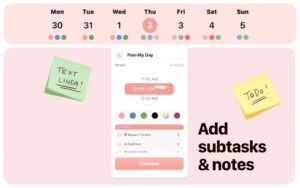
2. Task Breakdown and Fine-Tuning: Users can add detailed notes and sub-tasks to tasks, breaking down large and complex goals into smaller, actionable modules to reduce the barrier to execution and help users progress steadily towards their goals.
3. Inspiration Inbox: The app includes a dedicated inbox feature to store temporary ideas and tasks to be planned later. This helps users clear their minds of redundant information and maintain focus and clarity of thought.
4. Cloud Synchronization Across Devices: The app supports seamless synchronization of schedule data across multiple Apple devices, including iPhone, iPad, Mac, and Apple Watch, allowing users to view, edit, and manage schedules from any device, covering all scenarios.
5. Focus Enhancement Tools: The app includes a dedicated focus timer, along with live activities and interactive desktop widgets, to create an undistracted, efficient work environment, helping users improve their focus and task completion efficiency.
6. Personalized Scheduling Design: The app offers color-coded categorization and hundreds of unique icons, allowing users to mark and differentiate various types of schedules as needed. This not only enhances the recognizability of schedules but also creates a personalized planning interface.
7. Cross-Zone Scheduling: The app supports creating tasks across time zones, making it suitable for travel planning and cross-border team collaboration scenarios.
8. Comprehensive Accessibility Features: The app includes comprehensive accessibility features, fully supporting VoiceOver narration, VoiceControl voice control, and reading-friendly fonts and multiple language translations, catering to various user needs.
Pro Version Exclusive Features:
1. Integrated Scheduling Across All Platforms: Users can integrate all their devices’ calendars and to-do lists into a single, comprehensive overview of daily schedules, eliminating the need to switch between multiple apps for scheduling management.
2. Customizable Periodic Repetition: Users can create custom periodic repetition tasks, such as fixed workday routines or weekend plans, to streamline regular procedures and reduce repetitive operations.
3. Structured AI for Scheduling: The app includes AI-generated and edited scheduling capabilities, allowing users to quickly create and modify schedules using natural language recognition, significantly reducing the time required for scheduling.
4. Customized Notification System: Users can customize notification rules based on different usage scenarios and personal preferences, ensuring they don’t miss important tasks while avoiding unnecessary interruptions.
Version 4.4.9 Update Highlights:
## New Features
– Reminder notifications now support distinguishing between morning planning reminders and overdue reminders, allowing users to receive precise reminders at the right time. Users can adjust these reminders in the **Settings-Notifications** section.
– Major version updates now include an update notification window, providing quick updates on new features and allowing users to revisit settings for detailed information.
This update also improved several details and fixed various minor issues, enhancing the overall scheduling management experience.
App Screenshots:
This resource requires login to download
Log in
DJay Pro AI for Mac v4.0.10 Download Activation Version
Downloads:1519 | 2026-10-24

250 Pages Templates by Nobody for Mac v2.3 Activation Download
Downloads:1503 | 2026-10-20

One-Click System Switcher for Mac v1.21 Chinese Activation Download
Downloads:226 | 2026-10-19

Money Pro for Mac v2.8.10 Personal Finance App Chinese Activated Version Download
Downloads:3002 | 2026-10-17


Ratings & reviews
No rating
Let’s rate it.