


Ghost Buster Pro for Mac v6.1.4 Download with Chinese Activation
Ghost Buster Pro is a disk utility focused on cleaning up residual data from applications that have been uninstalled, targeting and clearing cache, containers, support folders, and other “ghost files” left behind by software after uninstallation. It efficiently frees up disk storage space while maintaining a lightweight and user-friendly interface, ensuring system stability and security.
## Precise Residual Depth Scan
– Conducts a thorough traversal of the system to identify all residual data left behind by uninstalled applications, including application caches, container files, preference configurations, support folders, and log files, to reclaim disk space occupied by invalid files.
– Scans only the associated files of uninstalled applications, avoiding any interaction with system-native files and installed application data to ensure system and software stability.
– Automatically initiates a full scan upon software startup, requiring no complex configuration or setup, and can be completed for residual detection right out of the box.
## Visual Space Recovery Display
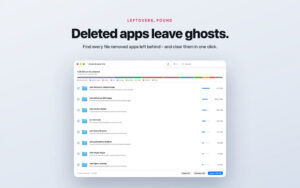
– Provides a clear overview of the total space that can be recovered after scanning, along with a residual file distribution statistical chart, clearly showing the ranking of residual occupancy by different uninstalled applications.
– Each residual entry is annotated with the specific space it occupies, allowing sorting by file size or application name, enabling users to prioritize the removal of large-volume residuals for space release or precisely locate target residuals.
## Safe and Controllable Cleanup Mechanism
– No automatic deletion occurs throughout the process; all cleanup actions require user confirmation and selection. The bottom status bar continuously displays the number of selected items and total occupied space, allowing for clear and controllable cleanup ranges.
– Offers two modes for cleanup: items can be moved to the trash, allowing for recovery of mistakenly deleted content at any time, or permanently deleted to fully release disk space.
## Customizable Scan Rules
– Supports ignore lists, allowing users to exclude specific folders from scanning, adapting to personalized file retention needs.
Version 6.1.4 Update Content:
– The space recovery statistics are now accurate and error-free.
– Tool bar buttons display the correct titles in the “icon + text” mode.
– The “Applications” folder now correctly identifies subfolders containing applications.
– Extensions, widgets, and auxiliary tools are now correctly matched to their respective applications.
– Plugins, preference panes, and system extensions like Java and macFUSE are now included in the list of installed applications.
– User’s main file directory outside standard paths is now correctly detected.
Software Screenshot:
This resource requires login to download
Log in
Easy Video Editor: Wondershare Filmora for Mac v9.4.8 Download and Activation Version
Downloads:1174 | 2026-10-24

Civilization VII for Mac v1.5.0 文明7 战略决策游戏
Downloads:720 | 2026-10-24

Old Photo Colorizer for Mac v2.0.0 Chinese Activation Download
Downloads:3534 | 2026-10-23

High-Resolution Dynamic Wallpaper for Mac v15.2 Chinese Activation Version Download
Downloads:1508 | 2026-10-18


Ratings & reviews
No rating
Let’s rate it.