
Warning: Attempt to read property "slug" on null in /www/wwwroot/www_23mac_com/wp-includes/taxonomy.php on line 4763

Tab Launcher for Mac v3.1 Chinese Activation Version Download

  • Introduction
Download
Download now
Join VIP Free download

Description

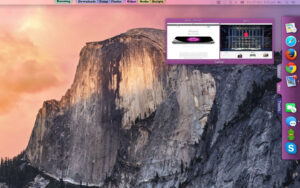
TabLauncher allows your favorite apps, files, folders, and web pages to be within reach — they are neatly docked on any edge of the screen, ready to open with a swipe when needed.

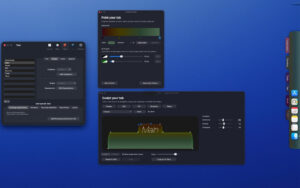
Version 3 is a complete visual overhaul. The tabs are no longer static — they become living, organic shapes that can be shaped to your heart’s content. Choose from pre-installed options like Classic, Pill, or Wave, or open the Shape Studio to drag and sculpt curves. Paint each tab with gradients and borders, watch everything move with smooth animations — the tabs deform as they open and close, icons slide out of the way for drag-and-drop. The whole launcher is alive.

Customize to your heart’s content
– Precisely shape the tabs: corners, shoulders, curves — every dot and tangent can be dragged.
– Gradient support with any number of stops, and ready-to-use recipes based on the tab color.
– Borders, shadows, transparency, fonts, and tab styles — blend in with the desktop or stand out.
– Five carefully tuned shape presets as a starting point, and save and reuse your own presets.

Organized
– Place an unlimited number of tabs on any edge of any screen, remembering each layout — including the gap for the camera area on the new MacBook.
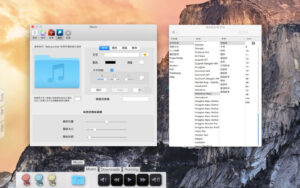
– Special tabs: running apps, app windows, recently modified files, synced real folders, and music players for local files and network radio.
– One-click import your Dock — apps, folders, web links, even separators.
– Hover over an app icon in use to preview its window.
– Anything can be dragged in: apps, documents, folders, web pages.

Work the way you like
– Choose how the launcher opens: pointer stops or edge touch, hover over tabs, tap, or keep open.
– Choose how it closes: after a delay you set, or on tap of a tab, icon, or any external location.
– Fully automatic hiding, leaving a graceful gradient trail where the tabs sleep.
– Any project can have global keyboard shortcuts, and each icon can have custom AppleScript, with system event triggers (wake, login, timer) to automatically launch or quit apps.
– Fully supports AppleScript scripting.

Version 3.1 Update Content:

Multi-line icons — in Preferences → Body, use the new Rows slider to set up to 6 rows, any icon can be dragged to any row.
Free placement — in Preferences → Body, the new Items option (Centered ↔ Free) lets you place icons anywhere in the grid, and the tabs will stretch with your layout.
Scroll with the mouse wheel when tab content exceeds the screen.
Other layout fixes and improvements.

Software Screenshot:


Download info

This resource requires login to download

Log in
Note: This resource is for informational purposes. By using this resource, you agree that you accept full responsibility to the copyright holder. For questions, please contact us.

Ratings & reviews

No rating

Let’s rate it.

  • 5 stars
  • 4 stars
  • 3 stars
  • 2 stars
  • 1 stars

You may also like

More
×
Tab Launcher for Mac v3.1 Chinese Activation Version Download
iMac — One-stop Mac Software Download Platform
Social login
captcha
Social login