

Rectangle Pro for Mac v3.94 Window Management Tool Activated Version Download
Rectangle Pro is a professional-grade window management tool for macOS, offering advanced features such as cursor gestures, custom layouts, and workspace memory, achieving efficient desktop window arrangement with extremely low resource usage.
## 1. Core Window Control
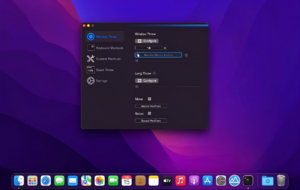
– **One-Key Window Throw**: Hold a specified modifier key to quickly throw any window (including unfocused windows) to 16 preset sizes and positions. No need to memorize numerous shortcuts; repeated key presses cycle through different layouts.
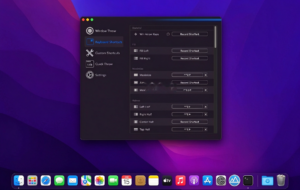
– **Rich Shortcut System**: Built-in preset shortcuts far exceeding similar software, including Windows-style arrow keys, multi-window batch operations, left/right half-screen filling, etc., fully customizable.
– **Cursor Gesture Operation**: Complete window snapping using only keyboard modifiers + mouse movement. Compared to touch gesture tools, it significantly reduces CPU usage, consuming minimal system resources only when keys are pressed.
## 2. Custom Snapping and Layouts
– **Custom Snap Areas**: Draw exclusive snap areas anywhere on the screen, supporting any ratio and size, suitable for special display scenarios such as portrait and ultra-wide screens.
– **Quick Snap Panel**: Configure a floating snap panel to quickly access commonly used window positions and sizes with one click, making high-frequency operations more efficient.
– **Custom Size and Position**: Precisely set pixel-level window sizes and coordinates, define cycling logic for repeated shortcut execution, and create your own arrangement habits.
## 3. Workspace and Multi-Window Management
– **Workspace Layout Memory**: Save entire sets of multi-application window arrangements with one click, instantly restore the complete work environment via shortcut, and support naming multiple layout schemes.
– **Automatic Multi-Display Switching**: Automatically trigger corresponding layout schemes when an external monitor is connected or disconnected, seamlessly switching between laptop single-screen and desktop multi-screen workflows.
– **Batch Window Operations**: Support cascading windows, moving all windows of the same application to another display in batch, and quickly tiling top-level windows into 2×2 or 2×3 grids.
## 4. Advanced Window Features
– **Edge Hide and Stash**: Push windows beyond the screen edge to hide them, automatically sliding out when the cursor touches the edge, keeping the desktop clean while retaining quick access.
– **App Side Pinning**: Todo mode pins specified applications to one side of the screen, creating a focused workspace, with multiple pinning ratios and behavior configurations.
– **Smart Handling of Duplicate File Names**: Customize rules for handling files with the same name when moving or copying, supporting three modes: ask every time, automatically keep both, or replace directly.
## 5. Personalization and Sync
– **Fully Customizable Menu Bar**: Freely add or remove menu bar command lists, set shortcut invocation, or present as a right-click context menu.
– **iCloud Configuration Sync**: All shortcuts, layouts, and custom settings can be synced across devices via iCloud, ensuring a consistent experience on multiple Macs.
– **App Ignore Mechanism**: Specify certain applications to automatically pause shortcuts when active, avoiding conflicts with professional software’s built-in shortcuts.
Version 3.94 Updates:
– Optimized the trigger sensitivity of Window Throw, reducing the probability of accidental operations.
– Optimized the sync speed and reliability of iCloud configuration sync.
– Fixed the issue of window snapping position offset in some applications when Stage Manager is enabled.
– Improved the edge detection algorithm for custom snap areas.
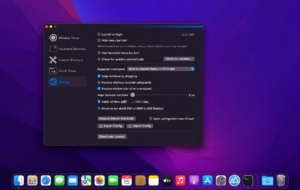
– Minor adjustments to the interactive layout of the settings interface.
Software Screenshots:

Wake for Mac v1.1.67 Control Computer Sleep Mode Activator Download
Downloads:3592 | 2026-10-19

USBclean for Mac v3.2: USB Cleanup Tool Activation Download
Downloads:2844 | 2026-10-19

Color Folder for Mac v3.4: Colorize Folder Icons Mac Activation License Download
Downloads:1088 | 2026-10-19

Mac Weather Forecast Software: Mercury v3.0.1 Chinese Activation Download
Downloads:3456 | 2026-10-18


Ratings & reviews
No rating
Let’s rate it.