



App Cleaner & Uninstaller Pro for Mac v8.2.5 – App Uninstaller | Chinese Activated Version Download
This page provides App Cleaner & Uninstaller Pro for Mac v8.2.5 – App Uninstaller | Chinese Activated Version Download | Love Mac. It has been tested and is working. If you encounter a broken link or cannot install after downloading, please leave a comment to contact us.
App Cleaner & Uninstaller Pro is a professional-grade application uninstaller and system optimization tool designed specifically for macOS. It is not just an uninstaller; it is more like a system butler. When using a Mac daily, many apps are not uninstalled cleanly, and residual files gradually slow down the computer. This tool can completely uninstall applications and all their associated files, and also deeply clean system junk data, manage startup items and system extensions, effectively freeing up disk space and improving system performance. It is a capable assistant for maintaining long-term stability and high performance of your Mac.
This tool aims to solve common macOS issues such as incomplete app uninstallation, accumulation of system junk, and excessive background resource usage. The main feature modules include:
The traditional drag-to-trash uninstallation method often leaves behind a large number of support files, preferences, caches, and log files in the system. App Cleaner & Uninstaller Pro uses intelligent scanning to:
Too many login items, launch agents, and daemons are one of the main reasons for slow Mac startup and lag. This tool provides fine-grained management control:
Steps:
If system extensions, browser plugins, and other components are not managed properly, they may affect system security and stability. This tool supports centralized management of various extension types:
When the default application for opening a certain file type does not match your usage habits, this tool provides a more intuitive and powerful solution than System Settings:
This update mainly includes the following improvements and fixes:
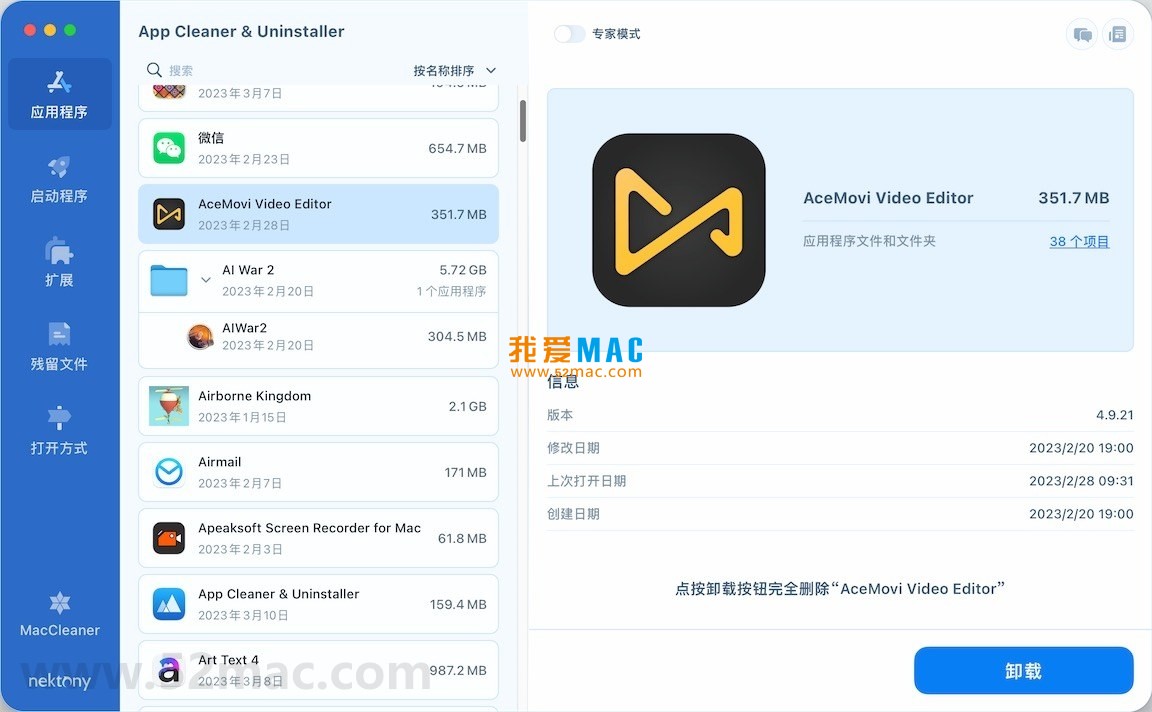
The following are screenshots of the main feature interfaces of App Cleaner & Uninstaller Pro:
Many novice users don’t know how to install after downloading. Don’t worry, let’s go step by step. Please ensure you have downloaded the dmg image file from our site.
Step 1: Open the installation package
Double-click the downloaded .dmg file. The system will mount a virtual disk, and a new installation window will pop up on the desktop. You will see the App Cleaner & Uninstaller Pro icon and a shortcut pointing to the “Applications” folder.
Step 2: Drag and drop to install
This is the most classic installation method for Mac software. Simply click and hold the App Cleaner & Uninstaller Pro icon with the left mouse button, and drag it onto the “Applications” folder icon next to it. The system will automatically start copying files.
Step 3: Complete installation
After copying is complete, you can find App Cleaner & Uninstaller Pro in Launchpad or the Applications folder. When opening it for the first time, macOS may prompt “App Cleaner & Uninstaller Pro is an app downloaded from the Internet. Are you sure you want to open it?”. Click “Open” to proceed.
Step 4: Activate the software
If it is an activated version, an activation window will pop up after the software starts. You can find the activation code or registration file in the downloaded folder. Enter it as prompted to complete activation and enjoy all features.
Mastering keyboard shortcuts can greatly improve Mac efficiency. The following table summarizes the most commonly used shortcuts. It is recommended to save it.
| Shortcut | Function | Use Case |
|---|---|---|
Command + C |
Copy | Copy selected text, files, or folders |
Command + V |
Paste | Paste copied content to the current location |
Command + X |
Cut | Cut selected content (mainly for text editing) |
Command + Z |
Undo | Undo the last operation, very useful |
Command + Shift + Z |
Redo | Restore an undone operation |
Command + A |
Select All | Select all content at once |
Command + F |
Find | Quickly locate keywords in documents or web pages |
Command + Q |
Quit Application | Completely quit the currently open application |
Command + W |
Close Window | Close the current active window without quitting the app |
Command + Tab |
Switch Applications | Quickly switch between open applications |
Command + Space |
Spotlight Search | Open Spotlight search to quickly find files or launch apps |
Command + Shift + 3 |
Full Screen Screenshot | Capture the entire screen, image saved to desktop |
Command + Shift + 4 |
Area Screenshot | Manually select an area for screenshot |
Option + Command + Esc |
Force Quit | Bring up the Force Quit window when an app is frozen |
Actions speak louder than words. Here are several real scenarios using App Cleaner & Uninstaller Pro to help you solve practical problems.
Case 1: Completely uninstall Adobe Creative Cloud
Adobe software (such as Photoshop, Premiere) is extremely troublesome to uninstall, and the built-in uninstaller often leaves behind a large number of cache and license files. Using App Cleaner & Unins
This resource requires login to download
Log in
Disk Expert for Mac v2.10 Disk Space Analysis and Cleanup Activated Version Download
Downloads:1204 | 2026-10-17

DaisyDisk for Mac v4.21.4 Graphical Disk Usage Display Chinese Activated Version Download
Downloads:2027 | 2026-10-17

Sensei for Mac v1.5.12 Software and Hardware Optimization Tool Chinese Activated Version Download
Downloads:612 | 2026-10-17

Ghost Buster Pro for Mac v3.4.7 Computer Cleaning and Optimization Software Chinese Activated Version Download
Downloads:995 | 2026-10-17


Ratings & reviews
No rating
Let’s rate it.