

Mac Video Format Converter Permute 4 v4.0.3 Chinese Activation Version Download
Permute 4 is a native multimedia format conversion and processing tool for Mac, developed by the same developer as the popular download tool Downie. It focuses on “minimal design,极致 performance, and full-featured coverage,” making it one of the best format conversion software for Mac.
### Features:
#### 一、覆盖所有媒体类型
– **视频格式**:MP4、MOV、AVI、MKV、WMV、FLV、WebM、HEVC(H.265)、AV1、ProRes、HLS流等
– **音频格式**:MP3、AAC、FLAC、WAV、OGG、M4A、Apple Lossless等
– **图片格式**:JPG、PNG、HEIC、GIF、TIFF、BMP、WebP、AVIF、PSD等
– **文档格式**:支持多图拼接为PDF、PDF页面导出为图片
#### 二、强大的批量编辑与处理能力
– **批量转换**:一次性导入几十上百个文件同时处理,保持文件顺序
– **批量编辑**:统一对多个文件进行裁剪、旋转、翻转、调整大小等操作
– **队列管理**:支持创建多个转换队列,可暂停、继续、调整顺序
– **右键扩展**:无需打开软件,直接在Finder中右键选择转换
#### 三、丰富的音视频编辑功能
– **基础编辑**:视频裁剪、旋转、翻转、变速、音量调节
– **精确剪辑**:可视化时间轴,精确到帧的视频和音频剪辑
– **字幕处理**:自动检测并合并外挂字幕(SRT/ASS),支持内嵌字幕转换
– **音轨管理**:替换、删除或提取独立音轨,支持多音轨视频
– **目标文件大小**:可直接设置输出文件大小,软件自动调整参数
#### 四、文件合并与拆分
– **文件合并**:将多个视频、音频或图片片段合并为一个文件
– **文件拆分**:按时间、章节或EDL/CUE信息拆分长视频或音频
– **无损提取**:无需重新编码即可导出独立的视频、音频或字幕轨道,避免质量损失
#### 五、智能工具集
– **OCR文字识别**:将图片中的文字提取为可编辑文本
– **文字转语音**:将文本转换为自然语音旁白
– **iPhone铃声制作**:一键制作iPhone铃声并自动导入
– **视频幻灯片**:将多张图片转换为带背景音乐的视频幻灯片
– **帧导出**:按自定义时间间隔导出视频帧为图片
#### 六、专业级功能
– **硬件加速**:利用Apple Silicon芯片的Metal硬件加速,HEVC转换速度比Permute 3提升3倍以上
– **ProRes编码**:支持硬件加速的ProRes编码,满足专业视频制作需求
– **IP摄像头文件修复**:修复损坏的IP摄像头录制文件
– **高级自定义预设**:支持直接输入原始FFmpeg命令,满足专业用户需求
– **元数据编辑**:修改输出文件的标题、作者、专辑等元数据信息
#### 七、海量场景化预设
内置数百种预设,覆盖几乎所有使用场景,无需手动调整参数:
– **设备预设**:iPhone、iPad、Apple TV、Android设备、PS5、Xbox等
– **平台预设**:微信友好、YouTube上传、B站投稿、抖音短视频等
– **办公预设**:PPT适配、PDF转换、邮件附件优化等
#### 八、与Downie完美联动
作为同开发商的兄弟软件,Permute与Downie深度集成:
– 可在Downie中设置下载完成后自动发送到Permute转换
– 自动合并Downie下载的分段视频
– 一键将下载的视频转换为适合各种设备播放的格式
Version 4.0.3 Update Content:
New Features: The audio and video preset now supports the option to generate a cover image for video assets.
New Features: Added the import function in the preset popup window, allowing you to import .permutePresets format preset files.
New Features: If the conversion fails due to damaged audio tracks, the software will automatically detect and ask if the track should be disabled before retrying.
New Features: When there is an ongoing conversion task, exiting the software will prompt for confirmation.
Bug Fixes: Fixed the issue where some presets could not be fully restored after resetting.
Function Adjustments: By default, the QuickTime metadata is no longer enabled in Apple TV-related presets; this option will be automatically disabled after upgrading to version 4.0.3. To continue using it, you can manually enable it in **Settings > Presets > Corresponding Preset > Metadata**. This feature can copy location data, but may cause the TV app to fail to recognize the file.
Bug Fixes: Fixed and optimized other minor interface issues.
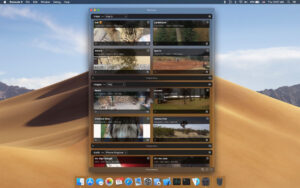
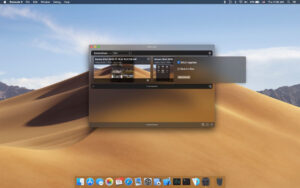
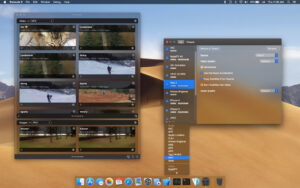
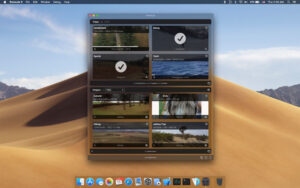
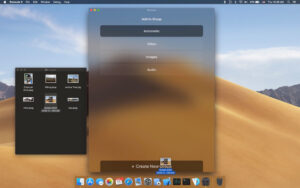
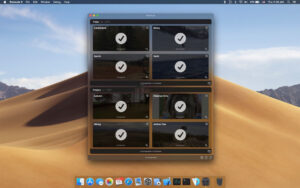
Software Screenshot:
This resource requires login to download
Log in
Void Bastards for Mac v2.0.24 First-Person Action-Shooters Game_Download and Activation Version
Downloads:2142 | 2026-10-23

Hot Door CADtools for Mac v11.2.3 AI Engineering CAD Plugin Chinese Activation Version Hot Door CADtoolsmac Download
Downloads:2299 | 2026-10-23

PhotoReflector for Mac v1.1 Mirror Effect Activation Download
Downloads:3664 | 2026-10-23

Watercolor Studio Pro for Mac v1.4.6 Activation Download
Downloads:1514 | 2026-10-22


Ratings & reviews
No rating
Let’s rate it.