

Warning: Attempt to read property "slug" on null in /www/wwwroot/www_23mac_com/wp-includes/taxonomy.php on line 4763

MuMu Simulator Pro for MAC v1.8.11 Android Simulator

  • Introduction
Download
Download now
Join VIP Free download

Description

MuMu模拟器Pro for Mac is a customized Android emulator developed by NetEase specifically for Apple M-series chips (Apple Silicon). It focuses on “extreme performance release,” allowing Mac users to run Android games and applications smoothly on their computers. It supports Android 12 system and is compatible with popular mobile games such as “Dingzai Party,” “Dream West Tour,” and “Yinyu Huan.”

Note: Do not update or upgrade cracked versions!

ARM64 native compatibility
The first batch of industry-wide optimized emulator for Apple Silicon chips, fully leveraging the efficiency of M1/M2/M3/M4 chips, with a 25% performance boost over general emulators and more efficient background multitasking (tested to extend battery life by 1.5 hours when running 3 games simultaneously compared to Intel versions).

Temperature and power balance
Optimized for Mac’s fanless design, allowing for more aggressive temperature control under high loads (e.g., 60 fps in “Genshin Impact” with CPU usage 18% lower than in a general emulator), preventing temperature-induced frequency drops.

Touchpad gestures native support
Adapts to Mac user preferences: two-finger scrolling, three-finger application switching, pinch-to-zoom, etc., without additional settings, offering smoother operation compared to traditional emulators.

Key highlights of core features:

Android 12 system
Supports the latest Android features, compatible with games like “Boku no Kiseki: Star Rail,” and pre-installs the Google Services Framework (GMS).

240 FPS super-resolution
Exclusive graphics technology, 4K resolution + 240 FPS (requires compatible screen), with a tested frame rate drop of less than 0.5% in “QQ Car Racing.”

Infinite multitasking
Supports 10+ windows running simultaneously, with independent settings for each instance (resolution/ performance), essential for multi-account gaming.

Smart keyboard and mouse
Built-in “Skill Cancel” key for “King of Glory,” and supports controller mapping (Xbox/PS5 direct connection).

Version 1.8.11 Update Highlights:

Improved mouse and keyboard control experience;
Optimized game performance in “My Solo Rise: Rise;”
Fixed known issues.

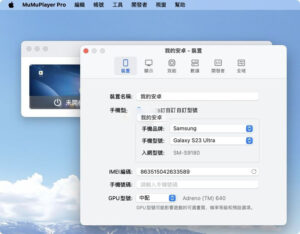
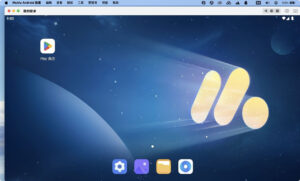
Software Screenshot:


Download info

This resource requires login to download

Log in
Note: This resource is for informational purposes. By using this resource, you agree that you accept full responsibility to the copyright holder. For questions, please contact us.

Ratings & reviews

No rating

Let’s rate it.

  • 5 stars
  • 4 stars
  • 3 stars
  • 2 stars
  • 1 stars

You may also like

More
×
MuMu Simulator Pro for MAC v1.8.11 Android Simulator
iMac — One-stop Mac Software Download Platform
Social login
captcha
Social login