Pixelmator Pro for Mac is a professional-grade image editing software designed for users, combining powerful image processing capabilities with an intuitive user interface to facilitate efficient image editing, graphic design, and photo retouching for various users.
一、核心功能与专业工具
Pixelmator Pro offers a comprehensive suite of image editing tools to cater to a wide range of needs, from basic adjustments to advanced creations:
- Comprehensive image editing tools: Easily enhance existing images or create new works.
- No-destructive editing: Allows for adjustments or reversals of individual operations while preserving the original image data.
- Object management and composition: Facilitates the movement, resizing, and alignment of objects to create complex visual compositions.
- Advanced color adjustments: Provides lossless color adjustment tools for precise control over image tones and saturation.
- Machine learning enhancements: Utilizes Core ML technology to automatically optimize photo quality.
- RAW file support: Directly edits RAW format images without the need for pre-conversion.
- Digital painting tools: Features customizable dual-texture brushes, fully compatible with digital tablets.
- Effects and styles: Includes a rich array of artistic and effect filters, with the ability to save custom adjustment combinations for reuse or sharing.
- Removal and correction tools: Smartly removes imperfections or objects, supports cloning and local brightness adjustment.
- Shape transformation: Flexibly adjusts the shape of objects or regions within an image, suitable for artistic creation or portrait retouching.
- Vector graphics design: Offers high-quality customizable vector graphics, supporting the creation of custom shapes with the pen tool.
- Professional layout tools: Includes a full suite of text design features, making it easy to create aesthetically pleasing text content.
- Web optimization and batch processing: Supports advanced image compression and batch processing through Automator.
二、机器学习增强的图像编辑
Pixelmator Pro leverages machine learning technology to introduce several intelligent editing features:
- Based on large-scale professional photo training, automatically enhances images.
- Generates descriptive layer names automatically for new layers.
- Features a cropping tool with horizontal line detection, allowing for straightening images with a single click.
- Removal tools can intelligently remove objects and naturally reconstruct image content.
- Quick selection tools can perform selection operations with precision and efficiency.
三、兼容性与集成
Pixelmator Pro supports a wide range of file formats and integrates deeply with the macOS ecosystem:
- Supports JPEG, TIFF, PNG, PSD, HEIF, SVG, PDF, GIF, BMP, TGA, JPEG-2000, and other mainstream formats.
- Supports opening and editing Photoshop files with layers.
- Supports editing SVG vector graphics.
- Supports launching from the Photos app and saving edited results back to the original photo library.
- Supports quick sharing of work through Photos, Mail, AirDrop, and other channels.
四、版本 3.7 更新内容
Pixelmator Pro 3.7版本引入了对Apple智能功能的支持,提供了更高效的创意实现方式,并进一步优化了RAW支持与辅助功能。
1. 图乐园(AI 图像生成)
- Generates original images based on photos, text descriptions, or characters from the photo library.
- Converts existing layers or drawings into artistic styles such as animations or illustrations using the “Add to Image乐园” feature.
- Inserts generated images as new layers or replaces existing layers.
- Quickly replaces placeholder images with Image乐园-generated works in design templates.
2. 写作工具(AI 文本处理)
- Supports text correction, summarization, rewriting, and style adjustments within designs.
- The “Create” feature generates new original text based on brief prompts or descriptions using ChatGPT.
- Simple operations: Hover or hold the Control key over highlighted text to access the writing tool.
3. 其他改进
- Supports high-resolution RAW images captured by OM SYSTEM OM-1 Mark II cameras.
- Enhances the “Narrator” accessibility feature, providing voice and braille support for tool descriptions.
- Supports navigating between tool options using the keyboard with “Narrator.”
- The “Hover Text” feature displays tool names when the mouse is hovered over.
五、软件界面截图
以下是Pixelmator Pro for Mac v3.7的操作界面示例:
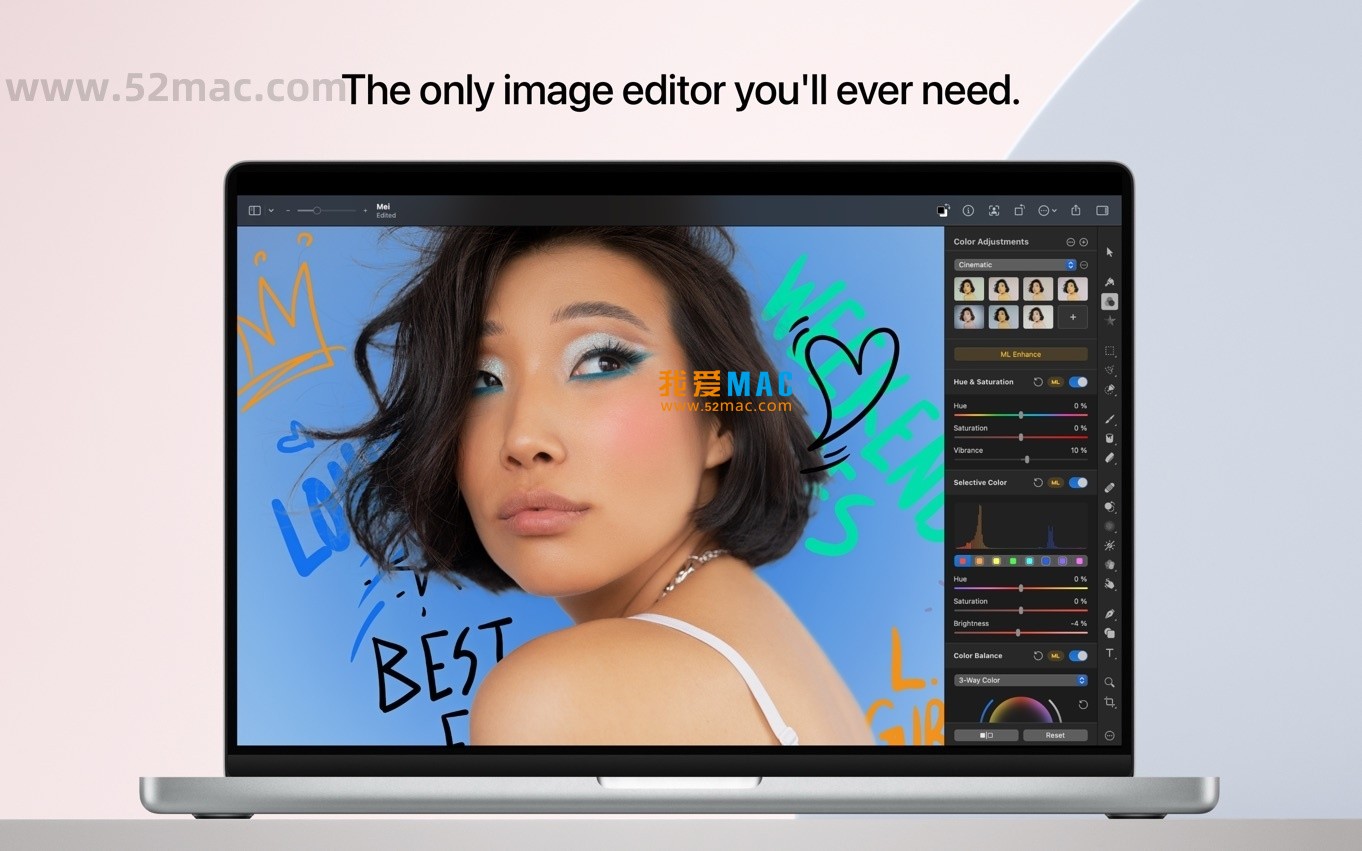


注:本文基于Pixelmator Pro官方功能说明整理,旨在介绍软件特性与更新内容。软件使用请遵守相关许可协议。



Ratings & reviews
5
(Maximum 5 ratings, total 61 user reviews)
Let’s rate it.