| Xliff Editor for Mac is a professional XLIFF file editor tool that supports multiple formats, offering features such as fuzzy search, spelling check, error detection, term management, batch processing, and real-time preview. It integrates a translation memory database to enhance localization efficiency.
## Fully Compatible with XLIFF Format
Strictly adheres to the specification to edit two versions of documents, with visual display of embedded format tags like bold, italic, and placeholders to avoid accidental deletion and damage. Character data segments, namespace metadata, contextual grouping, and custom extension content can be saved and fully restored.
## Adaptable to Xcode Development
Can open localization resource packages generated by Xcode, editing only the translated content and then saving it back, without modifying other files. This is suitable for the localization process of iOS and macOS applications.
## TMX Translation Memory
Supports importing and exporting translation memory files to reuse historical translations. Translation results and match percentages are intuitively displayed, and matching content can be applied with a single click.
## AI Intelligent Translation
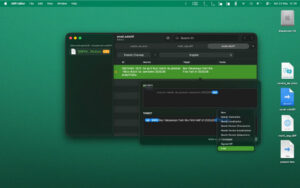
Integrates AI translation services to improve efficiency. You can obtain translation suggestions for single sentences or batch translate documents. AI translations are marked as pending review, and they are reviewed by human translators before finalizing.
## Professional Editing Capabilities
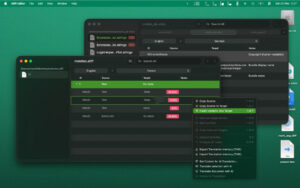
Supports inline text editing and specialized editing of format tags, with operations that can be undone and redone. It supports regular expressions and fuzzy searches, allowing for global find and replace of original text, translated text, notes, and numbering.
## Intelligent Status Management
Uses color coding to distinguish between untranslated, pending review, and finalized content, enabling filtering and real-time updates of statistics. The list is updated in real-time, making it easy to see the progress.
## Notes and Context Lookup
Directly view editor notes, with each content item synchronized to development notes and relevant explanations, ensuring a comprehensive understanding of the translation background.
## Multi-File Convenient Management
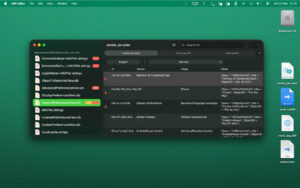
The sidebar can browse multiple file projects, providing a clear view of the tasks in each file, and retaining the expanded state of the page when switching files.
## Pure Keyboard Efficient Operation
Editing items and opening the editing panel can be done entirely with the keyboard, without the need for mouse operations, significantly speeding up office workflows.
## Other Features
– Supports SDLXLIFF and XLZ packaging formats
– Customizable spelling and grammar checks for documents
– Multiple column sorting by translation status
– One-click to collapse and expand all items
– Batch reuse of original text, clearing translated text while retaining tags
– Global uniform modification of target language
– Complete dark mode compatibility
– Native macOS application, lightweight and smooth, not based on Electron architecture
Version 4.0 Update Content:
– Newly restructured parsing engine
– Supports XLIFF 2 version format
– AI translation feature integrated
– Compatible with TMX translation memory
– Adds dedicated embedded tag editor
– Adds pending review and finalized status indicators
– Optimized interface experience
– Enhanced character data parsing capabilities
– Improved undo operation functions
– Adjusted the logic for refreshing the outline view when resizing windows and columns
– Fixed the issue of the window position shifting after startup
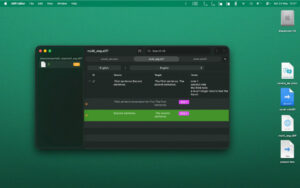
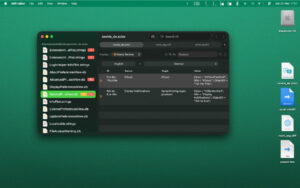
Software Screenshot:
|





Ratings & reviews
No rating
Let’s rate it.