


Gitfox for Mac v4.8.1 Git Client License Download
| Gitfox is a native Git client designed specifically for macOS, focusing on a smooth native experience and a clean interface. It integrates features such as fine-grained code staging, interactive rebasing, and one-click conflict resolution. It seamlessly integrates with popular code hosting platforms, allowing for efficient management of code repositories.
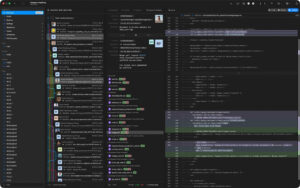
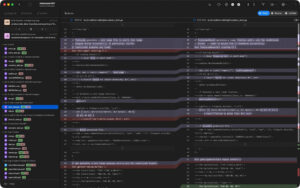
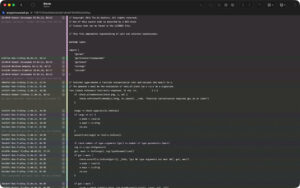
Repository Manager Quickly browse all repositories to see if there are uncommitted changes. If your repository has a Markdown README, it will automatically render. Your repository information is at your fingertips, including build status tags, and more. Service Accounts Add your GitHub, Bitbucket, or GitLab accounts to Gitfox via OAuth for seamless authentication. Interactive Rebasing Who says you can’t rewrite history? Edit, rewrite, delete, compress, correct, or move your commits. GIT Flow Directly manage features, bug fixes, hotfixes, and releases within Gitfox. Git Flow is fully integrated into Gitfox, making the next Git Flow operation a one-click process! Conflict Resolution Resolve merge conflicts with a single click. Touch Bar Using the Touch Bar can make your work faster. Most views have their own Touch Bar controls, allowing you to complete tasks more quickly! Line Formatting Proceed step by step, allowing you to refine your commits by only committing selected lines or stages. Only commit what you truly want! Drag-and-Drop Make complex Git commands as simple as drag-and-drop. Who wants to remember and type every command? Just drop and create branches, tags, pushes, picks, merges, or rebases. Image Differences If you work with web design or graphics, finding differences in images is crucial. Gitfox displays changes, sizes, and dimensions of your image assets, ensuring the correct assets are included in your project. Search Gitfox features powerful full-text and prefix search capabilities. It intelligently highlights your search matches, diffs, and file names directly in the log. Identity Are you involved in multiple projects, even across different organizations? Gitfox allows you to easily manage multiple identities and set default values for each repository. You can even modify the author and committer separately! REFLOG Git records every reference update in its reflog. If you accidentally deleted a branch, or need to recover a lost commit, you might still find them in the Reflog! Version 4.8.1 Update Highlights: # New Features # Function Improvements # Bug Fixes Software Screenshot:
|
This resource requires login to download
Log in
IP Scanner Pro for Mac v3.71: Local Network Scanner Activation Download
Downloads:3322 | 2026-10-27

Substance Painter for Mac v2020.2.1 3D Painting Software Chinese Activation Version Download
Downloads:479 | 2026-10-23

Cinema 4D for Mac R25.113 C4D Animation and Rendering Software Chinese Activation Version Download
Downloads:1134 | 2026-10-22

EazyDraw for Mac v10.10.1 Chinese Activation Version Download
Downloads:981 | 2026-10-22


Ratings & reviews
No rating
Let’s rate it.