
Warning: Attempt to read property "slug" on null in /www/wwwroot/www_23mac_com/wp-includes/taxonomy.php on line 4763

Meta for Mac v2.5.2 Music Metadata Editor Chinese Activation Version Download

  • Introduction
Download
Download now
Join VIP Free download

Description

Core Features:

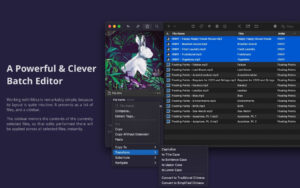
  • Batch Edit Tags and Album Artwork
  • Batch Adjust Album Artwork (Zoom, Crop, Compress)
  • Batch String Conversion
  • Batch Arrange Track Numbers
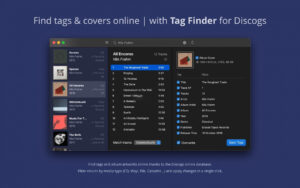
  • Online Search for Tags and High-Quality Album Artwork
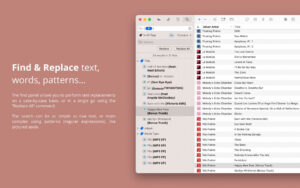
  • Text, Word, and Regular Expression Search and Replace
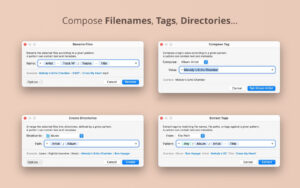
  • (Based on Tags) File Renaming
  • (Based on Tags) Create Directory Structure
  • (From File Name, Path, Other Tags) Extract Tags
  • (Based on Text and Tags Combination Patterns) Arrange Tags
  • In-Built File Management Tools (Move to Recent Location, Preview, Display, Delete)
  • Playlist Import/Export
  • Tags Import/Export in CSV Format
  • Can Sync with Your Preferred Music Libraries (iTunes, Music, Doppler, etc.)

Widespread Media Format Support:

  • Meta Supports All Mainstream Audio File Formats, Such As:
  • MP3 (ID3v1, ID3v2, APE Tags)
  • MP4, M4A, M4B, M4V (Atom Tags)
  • FLAC (Vorbis Comments Tags)
  • OGG, OGA, OPUS, SPEEX (Vorbis Comments Tags)
  • AIFF, WAV (ID3v2, RIFF-Info Tags)
  • DSF, DSDIFF (ID3v2 Tags)

Customizable Interface:

  • Meta Allows You to Customize the Tag Panel (Sidebar) Configuration, Which Is Your Most Frequently Edited Tag Group. Just Select Which Tags to Display and Name Them, Then You Can Easily Switch Between Different Layouts and Edit Corresponding Tags (e.g., Release-related, Classical Music, Podcast Layouts).

Fast, Simple, and Reliable:

  • Meta Is a Native macOS Application Developed Based on Taglib (A Mature and Widely Trusted Open-Source Tag Processing Engine), Ensuring Stability. Tag Editing Operations Are Generally Instantly Effective, and No Manual Saving Is Required — See-What-You-Get.

Version 2.5.2 Update Content:

  • Added New “Move to” Floating Window and Associated Logic
  • Automatically Clear Colons in Generated File Names
  • Fixed Program Crashes Caused by Predicate Generation
  • Keep the Software Window Topmost When Opening the File Location After a Successful Operation
  • Fixed Bug Where the “New Folder” Function in the “Current Directory” Selection Does Not Save After Restarting

Fixed Items:

  • Fixed Program Crashes When Opening the Tag Searcher
  • Fixed Excessive Text in the “Delete Empty Folder” Pop-Up Window
  • Fixed Misaligned Display of File Count in the Colorful Editor in Light Mode
  • Slightly Adjusted the Layout of the Main Menu Bar
  • Unified Shortcut Keys for All Windows with Filtering Functionality

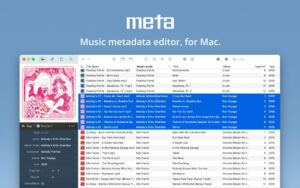
Software Screenshot:


Download info

This resource requires login to download

Log in
Note: This resource is for informational purposes. By using this resource, you agree that you accept full responsibility to the copyright holder. For questions, please contact us.

Ratings & reviews

No rating

Let’s rate it.

  • 5 stars
  • 4 stars
  • 3 stars
  • 2 stars
  • 1 stars

You may also like

More
×
Meta for Mac v2.5.2 Music Metadata Editor Chinese Activation Version Download
iMac — One-stop Mac Software Download Platform
Social login
captcha
Social login