
Professional Metadata Cleaner Tool: BlueHarvest for Mac v8.5 Chinese Activation Download
BlueHarvest is a professional disk metadata cleanup tool designed for macOS, known as the most effective “metadata killer” on Mac. It automatically identifies and deletes unnecessary hidden files generated by the system on various disks, such as .DS_Store and ._AppleDouble files, addressing common issues for Mac users when sharing files across platforms and using external devices.
### Core Functionality Features:
### 1. Automatic Real-Time Cleanup
– Automatically triggers cleanup when connecting external devices, without manual intervention
– Deletes metadata in real-time as files are created or modified, addressing the root cause
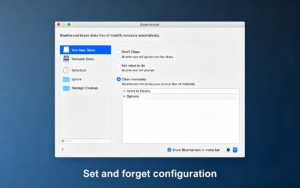
– Supports different cleanup strategies based on device type: automatic cleanup, cleanup after asking, or no cleanup
### 2. Comprehensive Support for Multiple Device Types
– **Non-Mac Disks**: USB drives, SD cards, external hard drives, digital cameras, music players, etc., formatted in MS-DOS/FAT, ExFAT, NTFS
– **Network Disks**: File servers, NAS devices, connected via SMB/CIFS, NFS, WebDAV, and AFP protocols
– **Local Disks**: Customizable cleanup for specific Mac internal disks or folders
### 3. Convenient Manual Operation Methods
– **Finder Right-Click Integration**: Right-click any disk or folder in Finder, choose “Use BlueHarvest to Clean,” and perform cleanup immediately
– **Compressed File Cleanup**: Right-click a ZIP archive, delete the __MACOSX folder and other Mac metadata, and send it to Windows users without embarrassment
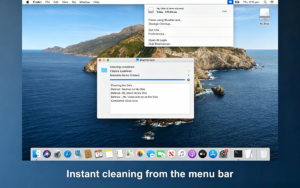
– **Quick Access Menu Bar**: Display BlueHarvest icon in the system menu bar for one-click cleanup
### 4. Highly Customizable Cleanup Rules
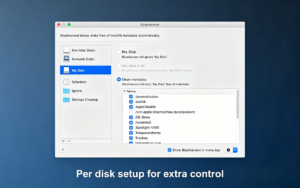
– **Whitelist Function**: Exclude specific folders or file types from being cleaned
– **Custom File List**: Supports adding files or folders to be deleted using wildcards
– **Metadata Retention Options**: Choose to retain aliases, tags, custom icons, security data, or Finder marks
– **Scheduled Cleanup**: Set fixed times for full disk cleanup tasks
### 5. Useful Auxiliary Features
– **Check Function**: Preview removable metadata files and confirm before executing cleanup
– **Extension Property Removal**: Manually delete extended properties from files on Mac disks
– **Cleanup and Eject**: Automatically eject the disk after cleanup for convenience
– **Built-in Log Viewer**: Record all cleanup operations for easy troubleshooting
## Supported File Types for Cleanup
BlueHarvest includes support for deleting the following common system garbage files:
– .DS_Store (Desktop Service Storage File)
– ._AppleDouble (Resource Fork File)
– .apdisk
– .AppleDouble (SMB Shared Folder)
– .com.apple.timemachine.donotpresent
– .fseventsd
– .Spotlight-V100 (macOS 10.14 and above)
– .TemporaryItems
– .VolumeIcon.icns
– $Recycle.bin (Windows Recycle Bin)
– Desktop.ini (Windows Desktop Configuration)
– Icon?
– Thumbs.db (Windows Thumbnail Cache)
– __MACOSX folder (Mac metadata in ZIP archives)
– System Volume Information folder
## Main Usage Scenarios
1. **Cross-Platform File Sharing**: Before sending files to Windows or Linux users, use BlueHarvest to clean Mac metadata, avoiding the display of strange hidden files.
2. **External Device Management**: Automatically clean external devices like USB drives, SD cards, and external hard drives when connected to Mac.
3. **Version Control Systems**: Prevent .DS_Store files from being accidentally committed to Git, SVN, etc., to avoid repository chaos.
4. **Network Sharing Maintenance**: Automatically clean Mac metadata from file servers to improve server performance and reduce unnecessary file numbers.
5. **ZIP Package Creation**: Generate clean ZIP archives without any Mac system files.
Version 8.5 Update Content:
Support for disks mounted in user application support folders has been added.
More detailed error reports are provided when files cannot be deleted.
The disk ejection is more reliable when using “Cleanup and Eject.”
Support for deleting the __MACOSX folder has been added. The feature is disabled by default.
The System Volume Information folder is now correctly deleted.
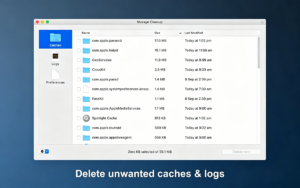
Software Screenshot:
This resource requires login to download
Log in
Better Finder Rename 12 for Mac v12.34 Activation Download
Downloads:0 | 2026-10-27

Topaz Impression for Mac 1.1.2 Activation Download: Oil Painting, Sketch, Watercolor Filters
Downloads:727 | 2026-10-21

Extract Static Images from Videos on Mac v5.2.0 Activation Download
Downloads:1853 | 2026-10-20

Money Pro for Mac v2.8.3 Finance & Accounting Software Chinese Activated Version Download
Downloads:712 | 2026-10-17


Ratings & reviews
No rating
Let’s rate it.