

MacDroid for Mac v2.10 Android File Manager Chinese Activation Download
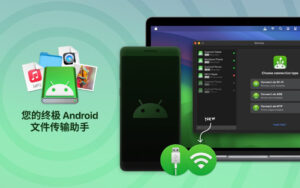
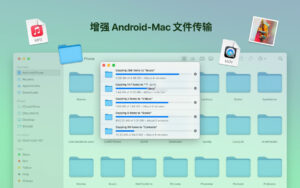
MacDroid – The Ultimate Solution for Transferring Files Between Android and Mac Systems. This software seamlessly transfers any type of file between Android devices and Mac systems, regardless of their location within the file structure. Whether it’s images, videos, music, or any other file type, MacDroid can handle it all.
MacDroid can transfer the following files:
– Any images stored within any folder on an Android device, such as the default DCIM folder, Download folder, screenshot folder, or any custom folder created by the user.
– Any folder on an Android device, such as the Camera folder, Download folder, Video folder, or any custom folder created by the user, including videos.
– Any music stored within any folder on an Android device, such as the Music folder or any custom folder created by the user.
– Any other files between any other folders on both systems.
– Even entire folders.
However, that’s not all! MacDroid can also transfer data between the SD card of an Android device and the Mac system, just like internal storage, provided the Android device’s settings support it.
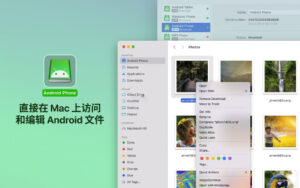
The convenience of MacDroid makes it a specialized Mac system Android file transfer tool. Users can easily open and edit Android files on a Mac computer and save any modifications directly to the Android device. Additionally, the program can control Android folders on a Mac computer, allowing for copying, creating, deleting, backing up, or renaming files.
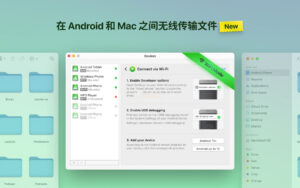
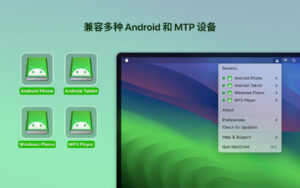
Experience the ultimate compatibility of MacDroid. The software is compatible with Android 4 and above, even MTP devices. Yes, you heard right! Users can enjoy the convenience of file transfer between different devices, not just between Android and Mac systems, but also with MTP devices. When using MacDroid, no additional software is required on the Android device. Connect to the Mac computer via Wi-Fi or USB, and run the program.
Experience the convenience and efficiency of MacDroid, the ultimate Mac system Android file transfer tool. Try it now and experience better file transfer.
Version 2.10 Update Content:
New: Localized to Traditional Chinese.
Optimized: Improved connection and operation experience for MTP protocol devices.
Optimized: Increased the speed of loading files and folders.
Optimized: Connected to some devices via ADB protocol.
Fixed: Fixed file download issues after changing the cache disk.
Fixed: Fixed issues with displaying file and folder directory lists.
Software Screenshots:
This resource requires login to download
Log in
Ghost Buster Pro for Mac v6.1.4 Download with Chinese Activation
Downloads:0 | 2026-10-27

Fidelia for Mac v2.7.1 High- fidelity Music Player Activation Download
Downloads:1 | 2026-10-27

Video Converter Pro for Mac v23.1.1 Activation Download
Downloads:522 | 2026-10-24

MarginNote 4 for Mac v4.1.20 Reading and Learning Software Chinese Activation Version Download
Downloads:3160 | 2026-10-20


Ratings & reviews
No rating
Let’s rate it.