One、Core Functionality Features
Pixelmator Pro is a professional image editing software tailored for the macOS system, combining powerful features, elegant interfaces, and intuitive operations. It provides a complete set of non-destructive editing tools, catering to diverse needs from beginners to professionals in photography post-production, graphic design, vector design, and text layout, to help you realize your creative visions in any way you imagine.
Two、Machine Learning Enhanced Editing
Pixelmator Pro leverages machine learning technology to implement several intelligent editing features:
- Based on algorithms trained on millions of professional photos, it automatically enhances images.
- It automatically generates descriptive layer names for layers, improving workflow efficiency.
- The cropping tool includes horizontal line detection, automatically straightening photos with a single click.
- The repair tool can intelligently remove objects and naturally reconstruct the background.
- The quick selection tool can perform precise and efficient selection operations.
Three、Widespread Format Compatibility
Pixelmator Pro supports importing and exporting multiple mainstream image formats and has good system and application integration:
- Supported Formats: JPEG, TIFF, PNG, PSD, HEIF, SVG, PDF, GIF, BMP, TGA, JPEG-2000, etc.
- Layer Editing: Supports opening and editing PSD files containing layers.
- Vector Editing: Supports opening and editing SVG vector graphics.
- System Integration: Can directly start from the “Photos” app and save the edited results back to the original image.
- Quick Sharing: Supports quick sharing through photos, email, AirDrop, and other methods.
Four、Version 3.5.2 Update Details
This update mainly introduces support for new file formats, new holiday theme templates, and various performance improvements and bug fixes.
1. New Format Support
- Supports Adobe Illustrator (AI) and Illustrator EPS file formats.
- Can open and edit AI documents containing original layers, shapes, text, and layer groups.
- Retains metadata (such as layer names, color tags, hidden layers) in a superior manner compared to solutions that only read PDF previews.
- Even when macOS 14 no longer natively supports EPS format, AI and EPS files can still be opened.
- Supports batch conversion of AI and EPS files through the “Quick Actions” “Convert Image” operation in the “Quick Actions” menu.
2. New Holiday Templates and Shapes
- Includes 14 holiday theme templates suitable for social media posts, stories, posters, and greeting cards.
- Features beautiful animated effects to make holiday designs more lively.
- Includes a series of holiday theme shapes to enrich the design element library.
3. Performance Improvements and Bug Fixes
- Optimizes tool switching and document opening speed for smoother operations.
- Adds special badges to templates and models containing video or animation content.
- Fixes the issue where JPEG file export extension displays as .jpeg (originally .jpg).
- Improves the software’s stability when handling HDR videos and images.
- Fixes the edge artifacts that may appear on HDR images with “Super Resolution” applied to transparent background HDR images.
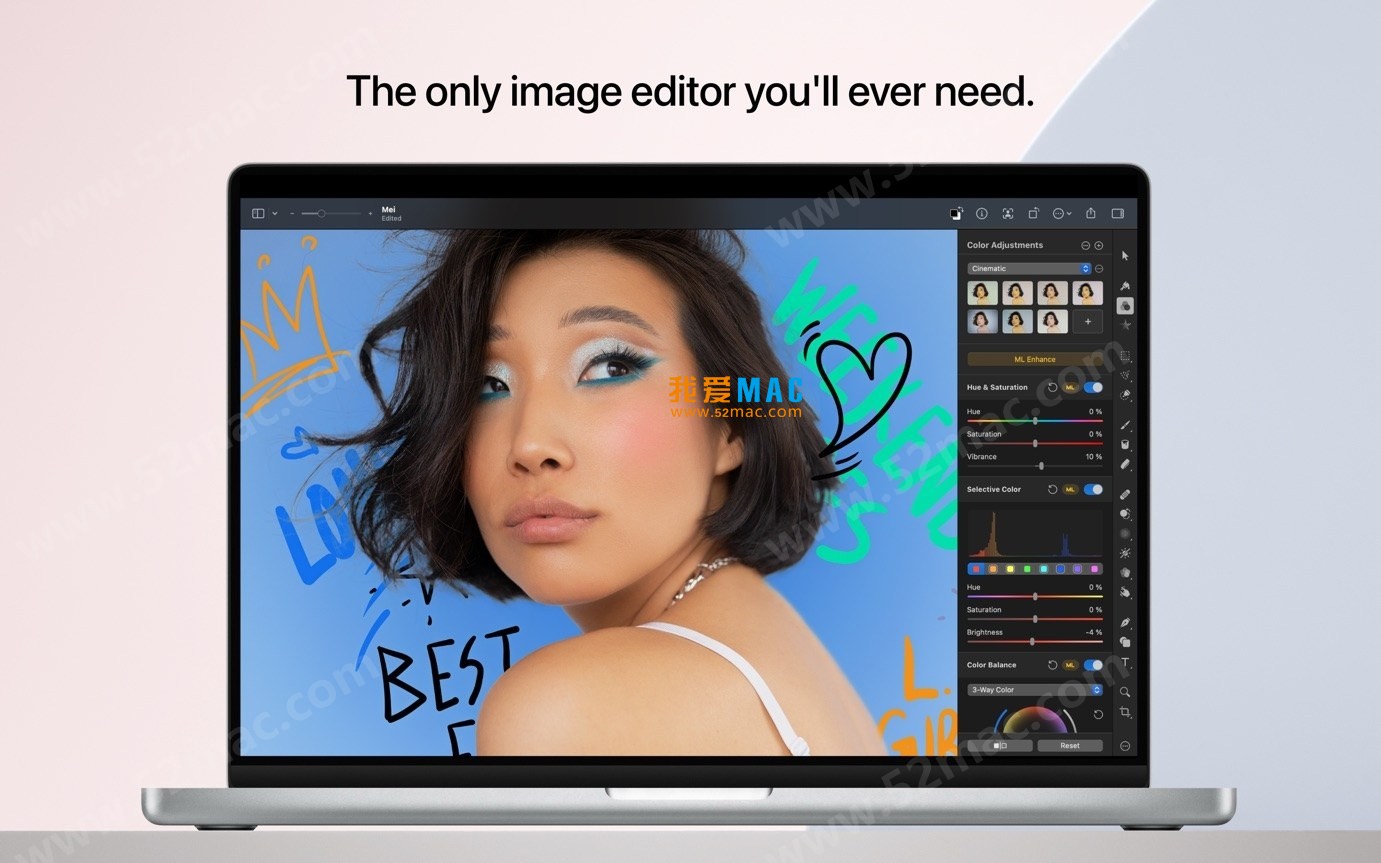
Five、Software Interface Screenshots
Here are some screenshots of the Pixelmator Pro for Mac v3.5.2 interface:






Ratings & reviews
4.8
(Maximum 5 ratings, total 100 user reviews)
Let’s rate it.