




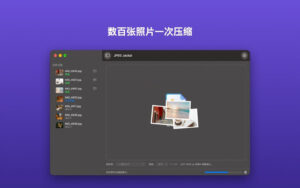

JPEG Jackal for Mac v3.2 Image Compression Tool Chinese Activated Version Download
Optimize your images with JPEG Jackal, free up gigabytes of storage, and speed up network uploads! Whether you’re a professional photographer or an ordinary user, this tool leverages the native macOS engine to strike a perfect balance between file size and image quality, providing you with a fast and secure compression experience.
Why choose JPEG Jackal? High-resolution photos often take up a lot of valuable space. JPEG Jackal uses advanced intelligent algorithms to compress images, ensuring clear image quality while significantly reducing disk usage.
Key features:
Batch optimization: Simply drag and drop to process thousands of images at once, with amazing efficiency.
Smart compression: Automatically selects the best compression rate, preserving details while minimizing size.
Safety first:
Supports “test folder” preview, apply to the entire library only after you’re satisfied.
Completely offline processing: Your photos never leave your Mac, ensuring absolute privacy.
Efficient and intuitive: View real-time how much disk space is saved and the compression ratio.
Easy to use: Intuitive interface, no complex settings, ready to use out of the box.
Perfect for web designers, photographers, and anyone who needs to manage large photo libraries.
Version 3.2 updates:
Main window presets.
Overwrite original files, ask for folder, or use a fixed output folder (including subfolders).
Drag to menu bar and Finder services.
Custom quality and size.
Software screenshots:

Aiarty Image Enhancer for Mac v3.14 Professional Image Enhancement Tool Activated Version Download
Downloads:0 | 2026-10-19

Adobe Photoshop 2026 for Mac v27.3.0 Latest Chinese Activated Version Download
Downloads:323 | 2026-10-18
Adobe Photoshop 2026 for Mac v27.0.0 Latest Chinese Activated Version Download
Downloads:3905 | 2026-10-18


Ratings & reviews
No rating
Let’s rate it.