| TabLauncher allows your favorite apps, files, folders, and web pages to be within reach — they are neatly docked on any edge of the screen, ready to open with a swipe when needed.
Version 3 is a complete visual overhaul. The tabs are no longer static — they become living, organic shapes that you can sculpt to your heart’s content. Choose Classic, Pill, or Wave, or open the Shape Studio to drag and curve your own way. Paint each tab with multi-color gradients and borders, watch everything move in smooth animation — the tabs deform as they open and close, icons slide out of the way for drag-and-drop. The whole launcher comes to life.
Customize to your heart’s content
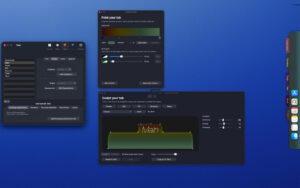
– Shape your tabs precisely: corners, shoulders, curves — every dot and tangent can be dragged.
– Gradient support for any number of color stops, with ready-made recipes based on tab colors.
– Borders, shadows, transparency, fonts, and tab styles — blend in with the desktop, or stand out.
– Five carefully tuned shape presets as a starting point, and save and reuse your own presets.
Organized
– Place an infinite number of tabs on any edge of any screen, remembering their layout for each edge — including a dedicated layout for the camera area on the new MacBook.
– Special tabs: running apps, app windows, recently modified files, synced real folders, and music players playing local files and network radio.
– One-click import from your Dock — apps, folders, web links, even dividers.
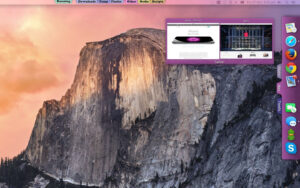
– Hover over an app’s icon to preview its window.
– Anything can be dragged in: apps, documents, folders, web pages.
Work the way you want
– Choose how the launcher opens: pointer stops, edge touches, hover tabs, tap, or keep open.
– Choose how the launcher closes: after a delay, or on tap of the tab, icon, or any external location.
– Automatically hide with a graceful gradient fade when the tabs are asleep.
– Any project can have global keyboard shortcuts, and each icon can have custom AppleScript, with system event triggers (wake, login, timer) to automatically launch or quit apps.
– Fully supports AppleScript scripting.
Version 3.0 Update Content:
New
– Tabs become living, organic shapes: sculpt each curve in the new Shape Studio, or choose pre-installed (Classic, Soft, Pill, Sculpted, Wave).
– Tabs, name bubbles, and window previews support multi-color gradients and borders.
– Smooth animations everywhere: tabs deform as they open and close, icons slide out of the way for drag-and-drop.
– New close options: after a delay, or on tap of the tab, icon, or any external location.
– Each edge remembers its own tab layout — a dedicated layout for the camera area on the new MacBook.
– Import from the Dock: apps, folders, web links, even dividers from the Dock.
– Hidden tabs leave a fine, colored gradient mark on the screen edge, making it clear where they are.
– Automatically creates tabs on first launch based on apps installed on your Mac.
Improvements
– Fully updated for the new macOS.
– Save and load configurations on one Mac, and upload from another — old backups are still usable.
– Smooth, faster, and more stable everywhere.
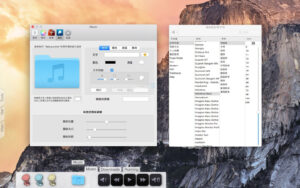
Software Screenshots:
|




Ratings & reviews
No rating
Let’s rate it.